

Rameez_Khan
Legend
November 4, 2019
Question

Dropdown Menu Control effect - After Effects 17.0
  • November 4, 2019
  • 4 replies
  • 9420 views

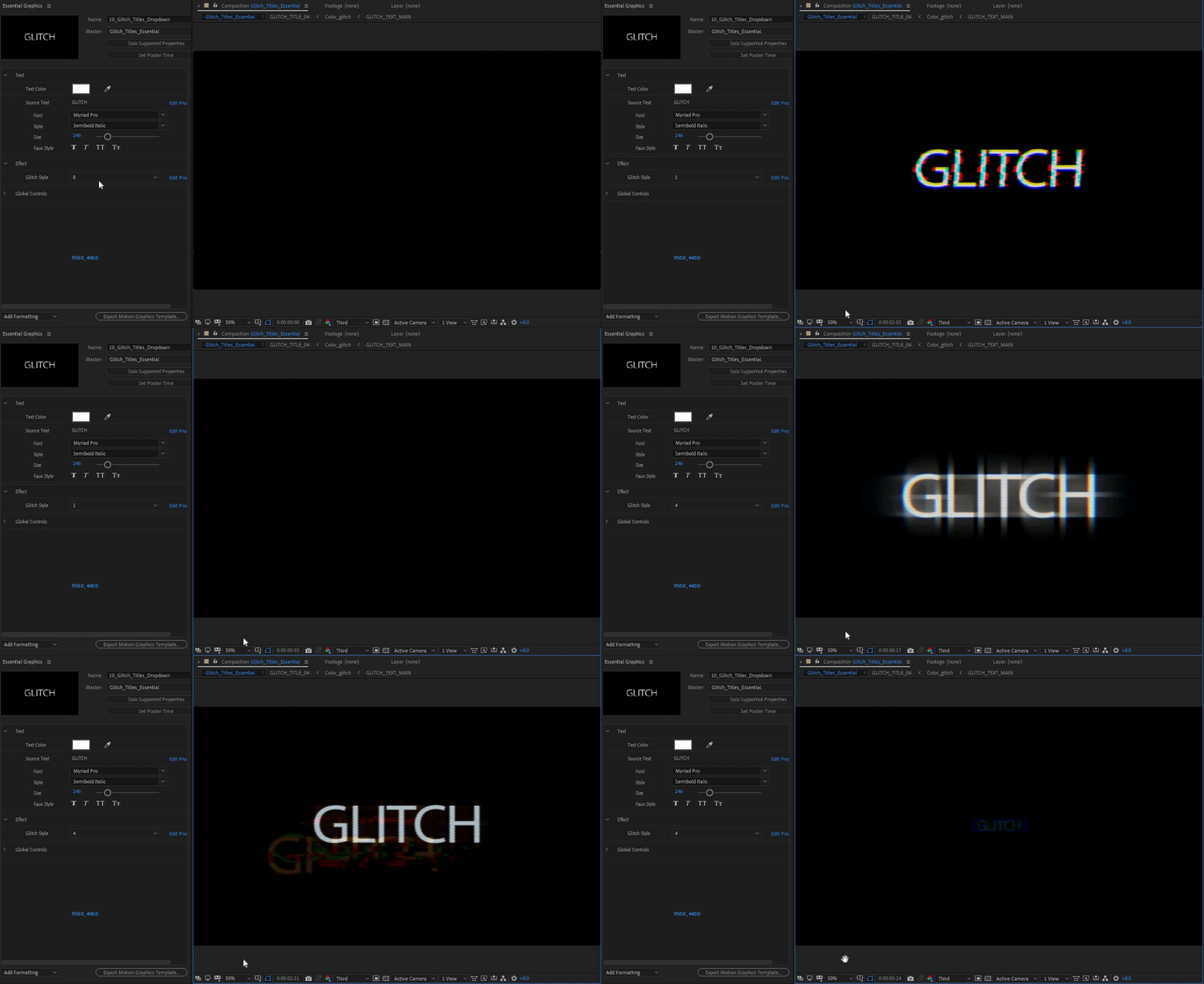
Earlier versions of After Effects allowed you to create sliders and checkboxes for Motion Graphics Templates. This allowed Premiere Pro editors to use Motion Graphics Templates and change the properties of the MoGRTs with sliders and checkboxes. With After Effects (17.0), you can create drop-down menus in addition to sliders and checkboxes. For example, you can hook up seven days of the week to different colors. You can create a dropdown menu with the list of the days, and another menu with the list of colors to make it easier to adjust multiple settings at once and design templates that are easier for editors in Premiere Pro.


Check out the feature in more detail here


UPDATE: 

Check out this tutorial to see how to use the Drop-Down Menu effect:


How can a Premiere Pro editor benefit from Motion Graphics Templates created with drop-down menus?

Sergei from Ukramedia shows how easy it is to use MOGRTs created with drop-down menus.


Check out this detailed video by Ukramedia to see how you can use the new feature to create a weekly weather forecast animation.


Feel free to comment with any questions!

Back to After Effects 17.0 New Features post.

This topic has been closed for replies.

4 replies

Participant
August 31, 2023

Are there any ways to retrieve dropdown menu options? For example, as a default,  AE adds ["Item 1", "Item 2", "Item 3"] as default options for the dropdown. How could they be retrieved? 

Participating Frequently
March 3, 2021

Hello Sergei and Vladimir,


great tips from your videos. I preciate that.

I love to work with Dropdown-Menues and everey project

is a new experience.

I wonder if there is a way to use the same Dropdown-Menu

(wich is allreada setuped) in different compositions.

I preciate any answer.


THX in advance

Oliver from germany

Roland Kahlenberg
Legend
March 3, 2021

You should be able to copy a Dropdown Menu to another composition - just ensure that all selections via the menu is relevant.

Very Advanced After Effects Training | Adaptive & Responsive Toolkits | Intelligent Design Assets (IDAs) | MoGraph Design System DEV
Participating Frequently
March 3, 2021

A Dropdown Menu (DDM) is simply a container for options. What these options do are triggered by code/Expressions you have in one or more layers. You just have to ensure that when you copy-paste the DDM, the new composition includes the layers that are triggered by the DDM.


From your description, it sounds like you've not updated the Expression to reference the NEW sub-comp, after copying-pasting the DDM.


Thanks for your answer Roland.

Thats right, I do have to relink the comands to my DDM in the NEW comp,

but then the DDM in the first Main-comp want work anymore,

but the comands triggers the same subcomps, but it seems that this

seems not to work.

In my understanding that you habe a layer with a DDM and you could

place it wherever you want, it still trigger specific comands.


I think the fault is that I reference to a specific layer to an DDM in a specific comp,

and if i copy the layer with the DDM to ancomother comp it cant work cause the 

reference is wrong.

So a DDM can only work singular, not in two places at once (with the same comand)?!


To understand:

Main comp_1 includes a subcomp with layer red and blue

DDM-layer triggers subcomp red or blue


Main comp_2 includes a subcomp with layer red and blue

copy DDM_Layer from MC_1 = not working in MC_2


If I go ro MC_1 and adjust the DDM to red it shows in MC_2 red.

But as I said it would be ideal if I could use the same DDM for both.


sorry to bother you, but If its not working I can live with it,

but If you have a great workaround it would be great. 


Am I write?

Participant
January 16, 2020

Hi Rameez!

I am trying to universalize an expression that include a Dropdown Menu. 

x = comp("Main_2").layer(1).effect("Dropdown Menu Control")("Menu");

I can't find any info about what "ADBE Control-0001" should be.

Thanks in advance

Rudel


Inspiring
November 5, 2019

Is there a way to access the labels for the menu items in expressions, or are we limited to getting the index?

Rameez_Khan
Legend
November 11, 2019

Hi A__Cobb, 


As of right now, this is limited to getting the index but it would be nice to access the labels for the menu items in expressions 🙂 

I'd recommend that you create a feature request on UserVoice so that others can vote on it. That way, it will get the After Effects team's attention. 


Thanks,

Rameez

Inspiring
November 13, 2019

Thanks for the confirmation. Someone has posted this feature suggestion already, and anyone who would like this capability should please upvote it:


https://adobe-video.uservoice.com/forums/911311-after-effects/suggestions/36916207-ability-to-read-text-values-of-dropdowns-in-expres