
Inspiring
April 9, 2022
Answered

effects controls not appearing on project panel
  • April 9, 2022
  • 2 replies
  • 12823 views

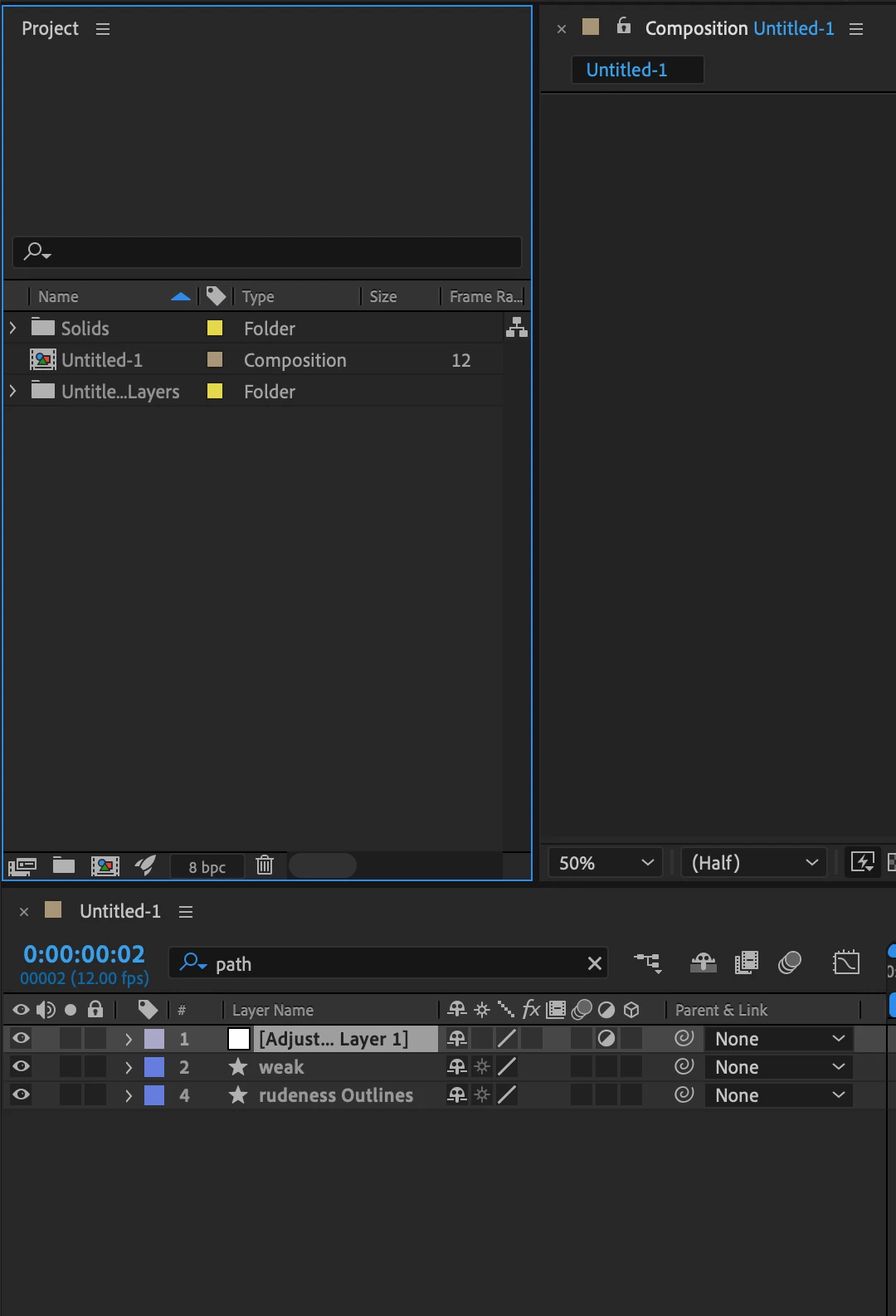
I made an adjustment layer, then applied the turbulent distort effect. I want to fine tune the results, but I cannot find the controls. In the tutorial I am referring to, the controls appear on top of the project panel as soon as the effect is applied. Where did I go wrong?

Correct answer Tomas B. aka Tom10

Most likely, you accidentally closed it. In the top toolbar, just go Windows > Effect Controls: 


and make sure its checked. Once you do that, Effects panel will appear at the top left near "Project" panel.

2 replies

Community Expert
April 9, 2022

Workspaces save time and make the program a lot easier to use. You can reset or customize any workspace and rearrange the workspaces in the Toolbar. To reset a workspace in the Toolbar, all you have to do is to double-click the workspace's name. If the current workspace is not in the Toolbar, you can always find it and reset it or save a new one using the Window menu. 


WOIEJOAuthor
Inspiring
April 10, 2022

Thank you so much!

Tomas B. aka Tom10
Tomas B. aka Tom10Correct answer
Inspiring
April 9, 2022

Most likely, you accidentally closed it. In the top toolbar, just go Windows > Effect Controls: 


and make sure its checked. Once you do that, Effects panel will appear at the top left near "Project" panel.