
Element 3D object turns black in After Effects latest Build
Good Morning
I thought first I had a problem with my graphics card driver not being updated to its latest build.
After having completely reinstalled my AMD PRP WX 51000 graphics card driver to its latest version released on 01/01/2023 I get the following problem:
A/If I load the texture directly from its folder in E3D scene setup my building is fully black but The Sky texture which was loaded from a custom layer in AE before entering the scene setup appears correctly:
D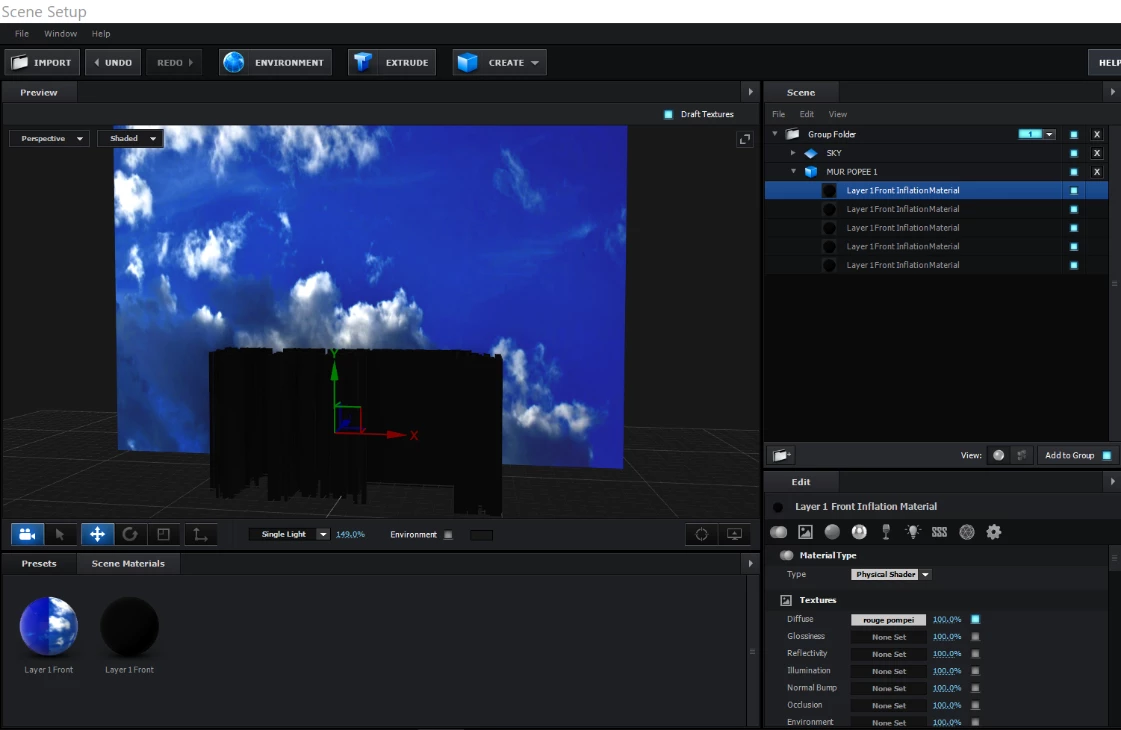
If on the contrary I load the building texture in a custom layer before entering E3D scene setup

When I reload the E3D scene setup the result is correct and appears like this.
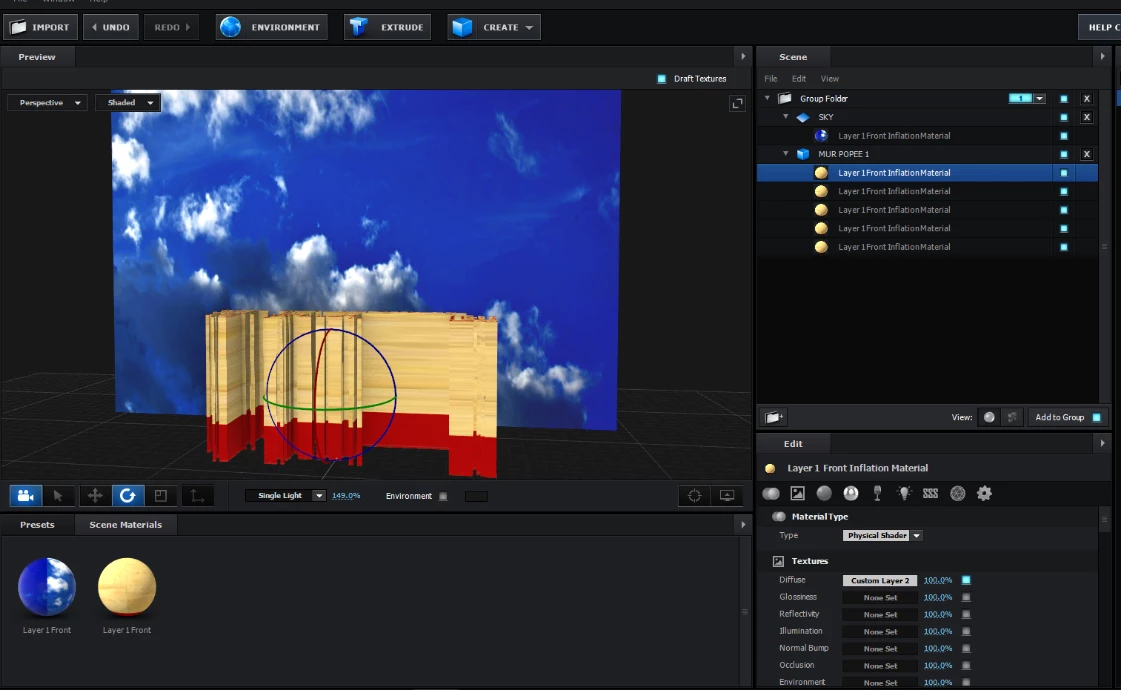
This is the first time I get such problem, normally I just add the texture from the folder concerned in E3D as I did in the first picture above.
Here is my Desktop config:
Processor AMD Ryzen 7 3700X 8-Core Processor 3.59 GHz
Installed RAM 64,0 GB
System type 64-bit operating system, x64-based processor
Operating System:
Windows Edition - Windows 10 Professional (64 bit)
Windows Version - 22H2
Graphics card :
GPU - Radeon (TM) Pro WX 5100 Graphics - Primary/Discrete
VRAM - 8192 MB - GDDR5 1250 MHz
Graphics - Radeon (TM) Pro WX 5100 Graphics
Graphics Manufacturer - Designed and built by AMD
Usable Memory Size - 8192 MB
Core Clock - 1086 MHz
Memory Type - GDDR5
Memory Clock - 1250 MHz
Memory Bit Rate - 5.00 Gbps
Total Memory Bandwidth - 160 GByte/s
Driver Version - 22.40.37.05-230301a-389469C-AMD-Software-PRO-Edition
AMD Windows Driver Version - 31.0.14037.5001
And the Card different setups hereunder:
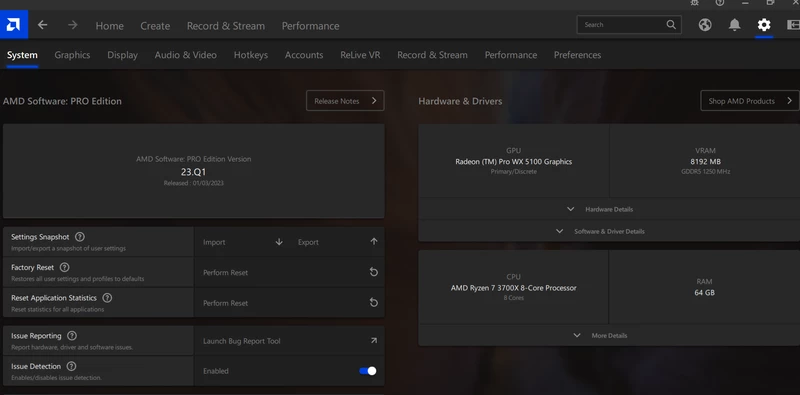
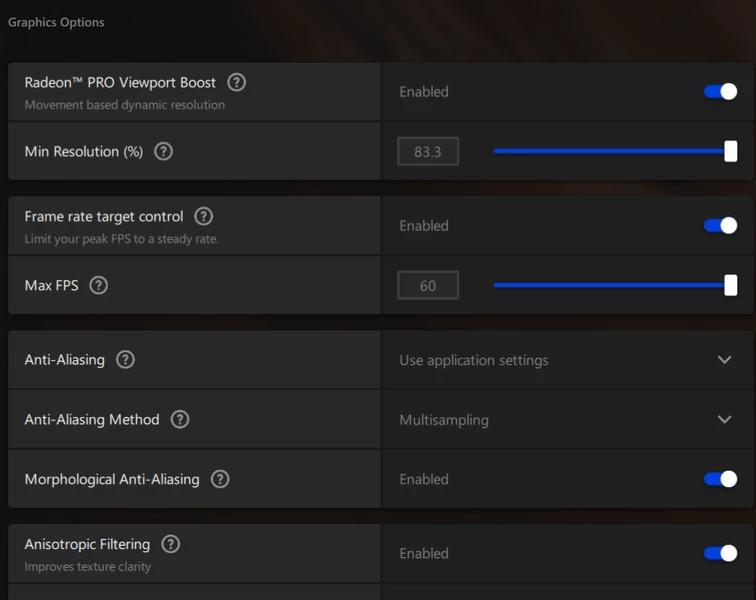
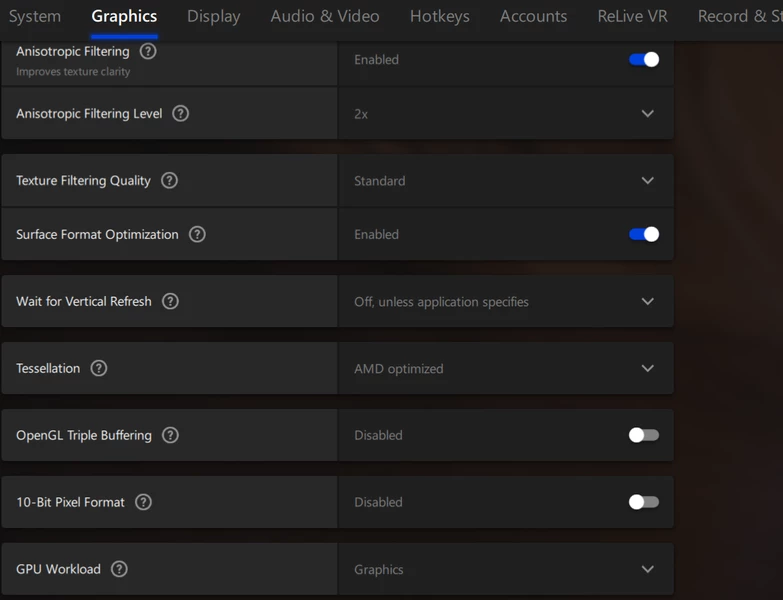

Hope this helps. Thx in advance for explaining how to correct this problem. I have contacted also VideoCopilot but did not get any response yet.
Claude
 AdChoices