
davida63514206
Participating Frequently
April 17, 2018
Question

Element3D Rotation lights not working

  • April 17, 2018
  • 3 replies
  • 2562 views

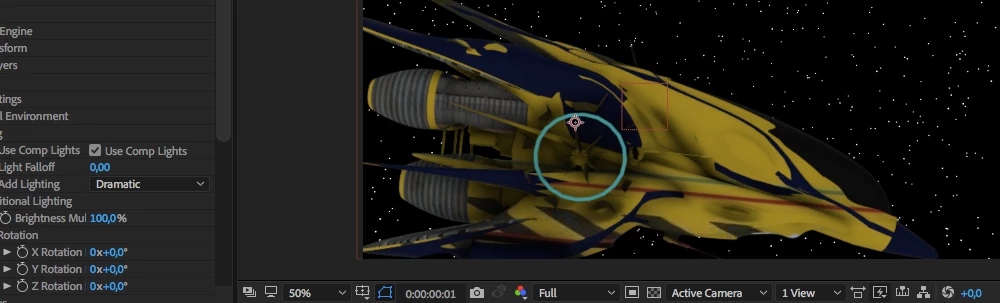
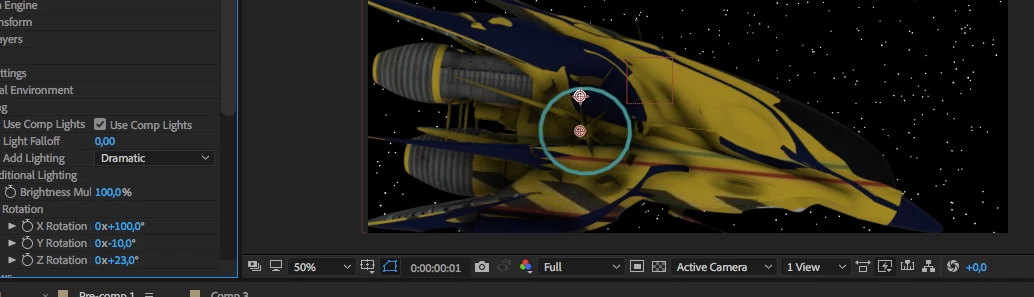
Hi, I'm a relative new beginner in After effects and been using it only for the past few months. I have recently bought Element 3D, and was amazed by the capabilities of the plug-in. However, my rotation lights NEVER work.

I use a mac air 13 inch. early 2015

Any help?

Before (no rotation lights)
After rotation lights added
This topic has been closed for replies.

3 replies

silvias42743706
Participating Frequently
May 18, 2018

Hi Everybody,

I also have a light missing problem.

I want to rotate a 3d text. I am using the Ray-traced 3D.

When I apply a light, visually there is no effect. Even though the cast shadow in the Light layer is checked, and the "accept lights" and "accept shadows" in the text layer is also on.

I also tried to make another composition, with a simple Solid layer in classic 3d. Nonetheless, in this composition the light still doesn't affect the layer.

I would be so thankful if someone could help me. It took so much of my time trying to understand what goes on.

best,

s.

davida63514206
Participating Frequently
May 19, 2018

Hi silvias, same happened to me. Try everything that the people above told me.

If that doesn't work, It's probably has something to do with your hardware. If you have an intel's graphics card's, some parts of your Element 3d plugin will most probably not work.

Andrew Yoole
Inspiring
April 18, 2018

Do you mean that when you add After Effects lights to the comp they do not interact with the 3D model?

davida63514206
Participating Frequently
April 19, 2018

No, when I add rotation lights to the 3d model, there is virtually no change. Is is supposed to be like that, or does my hardware have a problem? I have a 1,6 GHz Intel Core i5 processor, and a  Intel HD Graphics 6000 1536 MB graphics cards.

P.M.B
Legend
April 20, 2018

It was unchecked. I emailed Videocopilot, and they said my Intel card isn't supported by E3d.  Thanks for your time!


davida63514206  wrote

It was unchecked.

Not in your screenshots it wasn't. So when and if you go out and buy a new graphics card you'll still have to un-check it.

davida63514206  wrote

I emailed Videocopilot, and they said my Intel card isn't supported by E3d.

I told you that too.

Now if only you'd believe us when we tell you there is no such thing as "rotation lights".

And before you run out and buy a GPU I suggest you do some research on ALL minimum system

requirements & supported hardware for both E3D and AE.

~Gutterfish
ToolfarmJP
Community Expert
Community Expert
April 18, 2018

Hello,

Video Copilot supports you. You contact the support team. The address is support@videocopilot.net  .