Participant
August 18, 2017
Resuelto

Error 26:165 Out of Disk space - But I have 320GB of disk space!?!

  • August 18, 2017
  • 3 respuestas
  • 30341 visualizaciones

I'm attempting to render out a short video from AE (2 minutes 30 seconds) and I keep getting Error 26:165 Out of Disk Space.

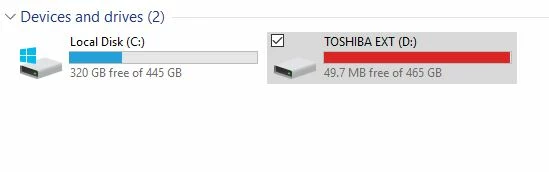
This is highly confusing because as you can see, my C:\ Drive has 320 GB free.

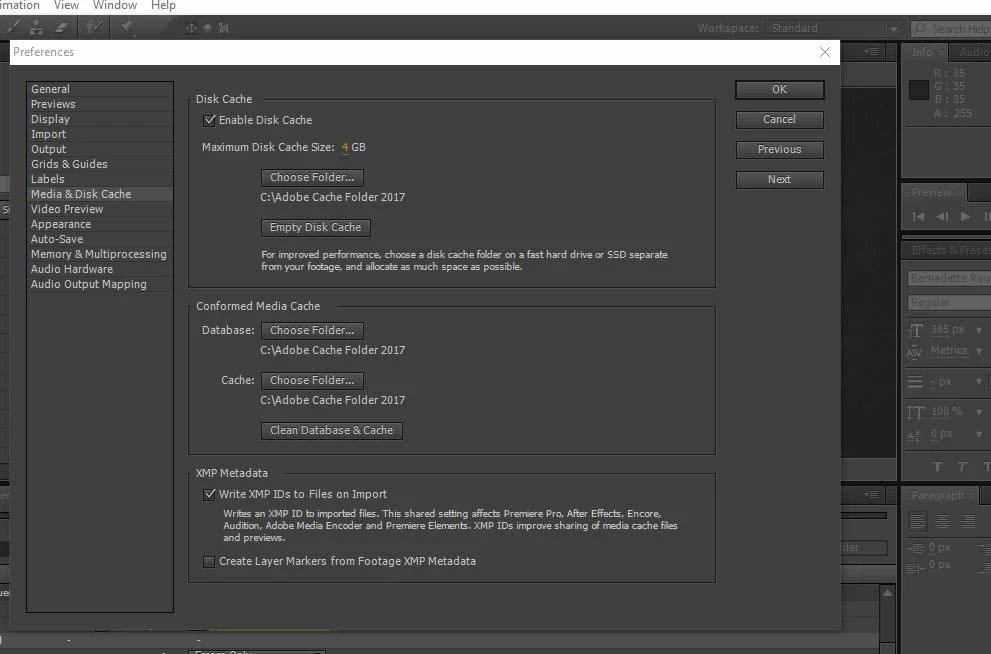
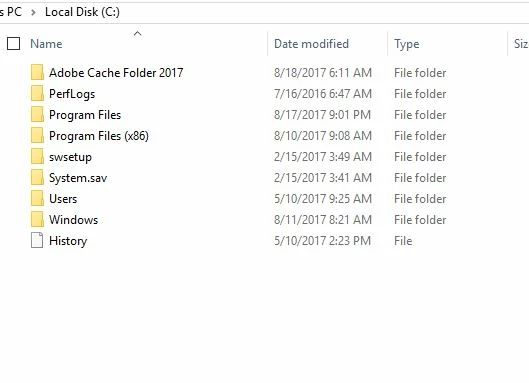
I created a Cache folder due to the fact that I kept getting the "No Write Access" when I tried to use a Cache folder in my Adobe. It's pictured below on my C:\ Drive as "Adobe Cache Folder 2017"

This should have been a quick job, fairly quick render and move on. But getting this Error 26:165 has really been a pain, I'm on my 3rd day of trying to figure this out. Any help would be greatly appreciated, thanks.
Este tema ha sido cerrado para respuestas.
Mejor respuesta de Mylenium

Without any info about exact render settings and so on nobody can tell you much. Since your external disk is full to the brim, I would assume that is caused by some system thing when accessing the files on there rather than the actual output file. As a start, try to consolidate and collect the project to your C: drive and work from there, unplugging the external drive.

Mylenium

3 respuestas

Participant
February 21, 2021

I am having this same problem, however neither of the fixes here worked for me. My computer has plenty of space and I do not have another disk or drive attached that it could be saved to.

I tried clearing the cache, and that worked for one export, but would not work again after that.

Participant
March 14, 2022

I was having the same issue as you-- cleared my cache etc and was still having issues. I was finally able to export by rendering from Media Encoder as opposed to exporting from the AE render queue.

Participant
January 23, 2024

I had the exact same problem but this was the only thing that solved it. Thank you!!

trashcaneron
Inspiring
June 28, 2020

Found this thread after encountering same error on a Mac using CC2020. 


I have 320 GB free on my cache drive and 6.6 TB free on my render drive. I have no other drives plugged in. 


What solved it was emptying my AE cache (which was full). 


This brought my 320GB free to 520GB free. 


Weird coincidence is that it happened to me and the OP both at 320GB free. 


I have never seen the error before, full AE cache or not. 

Mylenium
MyleniumRespuesta
Legend
August 18, 2017

Without any info about exact render settings and so on nobody can tell you much. Since your external disk is full to the brim, I would assume that is caused by some system thing when accessing the files on there rather than the actual output file. As a start, try to consolidate and collect the project to your C: drive and work from there, unplugging the external drive.

Mylenium

Participant
August 18, 2017

Mylenium - Thank you, you just made my day! I feel silly now once I saw it, but you were right when you mentioned the render settings. I was trying to save the video to my external drive, which needs cleaning, it's full. I changed my Output to save the video to my Videos folder on my C:\ Drive and it's rendering just fine now.

Thanks again, that simple advice is big to me.

Participant
June 20, 2023

Can you please help me, how do i change the output?????