



Pixege
Participating Frequently
June 14, 2024
Question

Error Unable to execute script at line 5. Uncaught JavaScript exception: can't connect to unikcloud.

  • June 14, 2024
  • 1 reply
  • 688 views

I have been experiencing a problem with JavaScript for some time.


Unable to execute script at line 5. Uncaught JavaScript exception: can't connect to

unikcloud.ddns.net:80
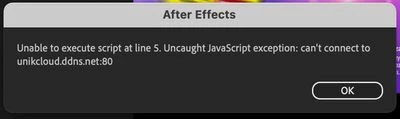
 

I have reset the After Effects settings. Before 1 day or 2 it was ok and the problem appears again. The error occurs every few minutes freezing the whole program.
I have the feeling that it started to appear when the Rubberhose 3 plugin asked me to change the Expressions Engine to JavaScript. However, it also appears when the new default project has the Legacy ExtendScript setting.
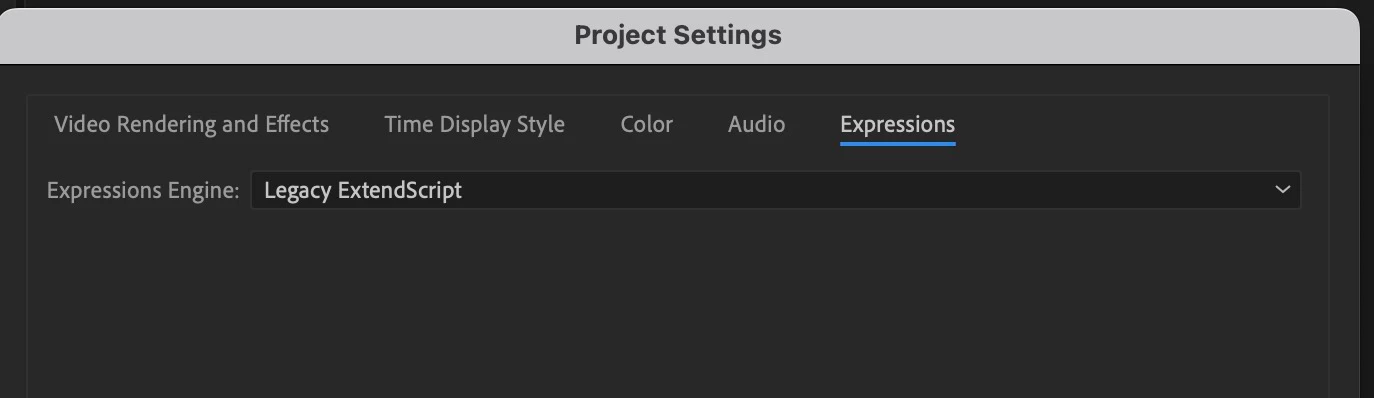
 

AE Version 24.4.1, macOS 14.5, Mac Studio M2 Ultra.

This topic has been closed for replies.

1 reply

Dan Ebberts
Community Expert
Community Expert
June 14, 2024

Sounds like a question for Battle Axe. Have you tried contacting them, or posting your question on their Discord channel?

Pixege
PixegeAuthor
Participating Frequently
June 14, 2024

I have been in contact with Battle Axe. Unfortunately the problem is not due to the use of Rubberhose but to AE itself.


"I'm really puzzled by this one. I'm not sure what unikcloud is and a quick search comes up with nonsense. it's nothing we use"


When I disabled the "Allow scripts to save files and access the network" option in the settings, several errors appeared and after a while AE started working normally. After turning it on, the problem occurs all the time freezing my AE and then I see Error

Unable to execute script at line 5. Uncaught JavaScript exception: can't connect to unikcloud.ddns.net:80

Dan Ebberts
Community Expert
Community Expert
June 14, 2024

I guess I'd try removing any scripts you have added to the ScriptUI Panels folder and see if the problem goes away. If it does, you can add them back in a few at a time and maybe zero in on the culprit.