
Participant
January 29, 2021
Question

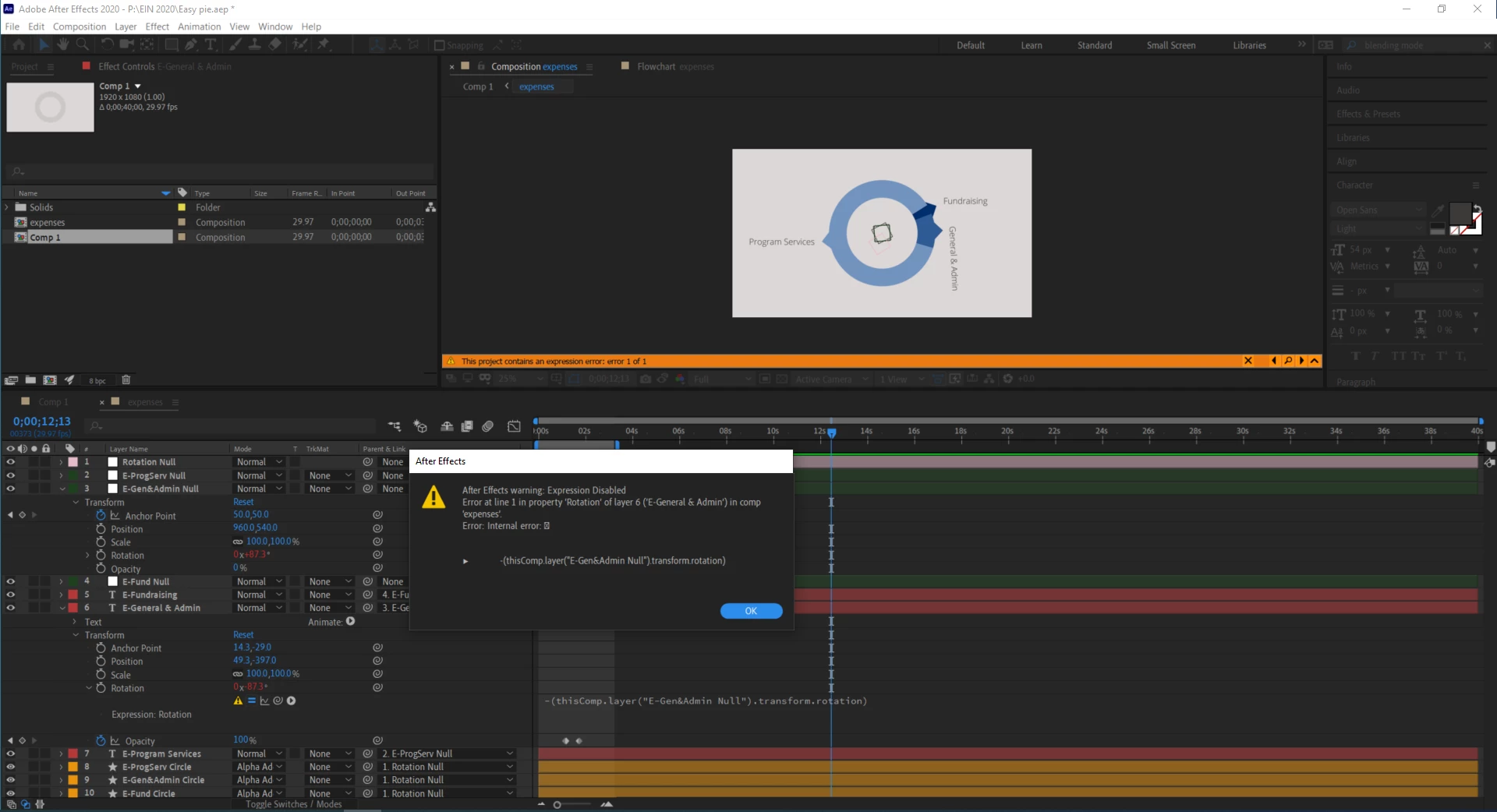
Error with expression after pre-comp
  • January 29, 2021
  • 5 replies
  • 718 views

The error I see in the expression field is "Error:  Error:  Internal error: "

It worked fine before precomposing... sometimes the error will go away, seem fixed, then appear again for no apparent reason.


Any idea what the error means or how to fix it?

This topic has been closed for replies.

5 replies

Participant
February 1, 2021

When I started Ae and opened up the file this morning, the error had disappeared and everything is working as it should. I think the "random bug" diagnosis was correct.

Community Expert
January 30, 2021

I have seen this happen with expressions that look at another layer based on time. It happens once in a while when scrubbing but if you preview or render the error goes away. I think it's just a random 'what time is it really' a bug that pops up occasionally when expressions point to properties in another comp.

Roland Kahlenberg
Legend
January 30, 2021

This seems like a bug. The strange-looking icon that appears in the Error Message is something I too have seen. Please file a Bug Report and include AEP if you can. This bug appears intermittently and this makes it more difficult to nail down. 

Very Advanced After Effects Training | Adaptive & Responsive Toolkits | Intelligent Design Assets (IDAs) | MoGraph Design System DEV
OussK
Community Expert
Community Expert
January 30, 2021

Maybe the issue originally come from the expression that you're using on the Null Rotation so it affects the expression on the text layer, so let us know what expression you use on the null layer 

Mylenium
Legend
January 30, 2021

Have you actually expanded the little arrow in the warning for more details?


Mylenium