
willh81328174
Inspiring
March 10, 2020
Question

Export a Motion Graphics Template from a Team Project not working.
  • March 10, 2020
  • 1 reply
  • 226 views


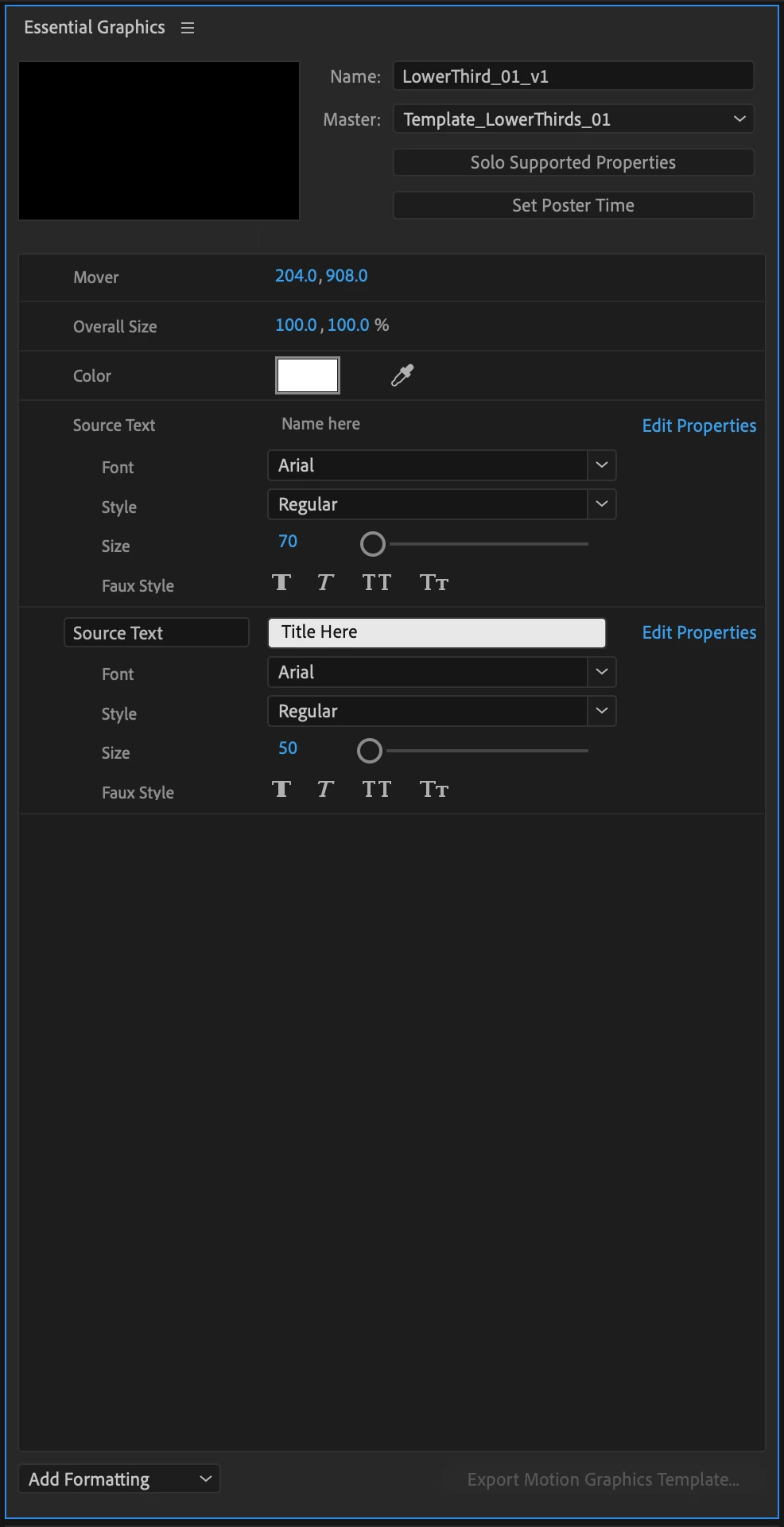
The "Export Motion Graphics Template..." button in the bottom right hand corner of the Essential Graphics panel is greyed out, but only in Team Projects. If I convert this Team Project to a Project then the button isn't greyed out. 


This question has been raised once or twice before as best I can tell, but a couple years ago and without a correct answer. Why can't I export mogrts from a Team Project?

This topic has been closed for replies.

1 reply

Mylenium
Legend
March 11, 2020

I suppose it has to do with the underlying metadata that identifies who did what on a team project and keeps the versions in sync. It likely breaks when linking stuff or using a template in a project. just speculating, though. Never really have done much with team projects and my only experience with that goes back a few years...


Mylenium

willh81328174
Inspiring
March 11, 2020

Thanks for the reply, Mylenium-- agreed, I'm sure there's an underlying reason. Sometimes things like this pop up and there aren't clear warnings or explanations, so they're difficult to anticipate and you only discover them half way through a workflow. I wanted to make sure I wasn't just missing something!