
Exporting a transparent GIF w/ motion blur
I need to export a GIF that contains both a transparent b/g, and motion blur. I've created it in After Effects, rendered it using RGB + Alpha channels, exported it as an .mov file, and imported it into Photoshop.
The problem occurs when I then try to export the GIF from Photoshop. I select "Save for web (Legacy), and when I play the preview I see the motion blur has been removed. Instead there is a slight green halo around the clock hands as they spin. I also see that the colors have changed slightly. I turned off "Convert to sRGB" which helped a little, but it's still not 100% accurate to the original composition.
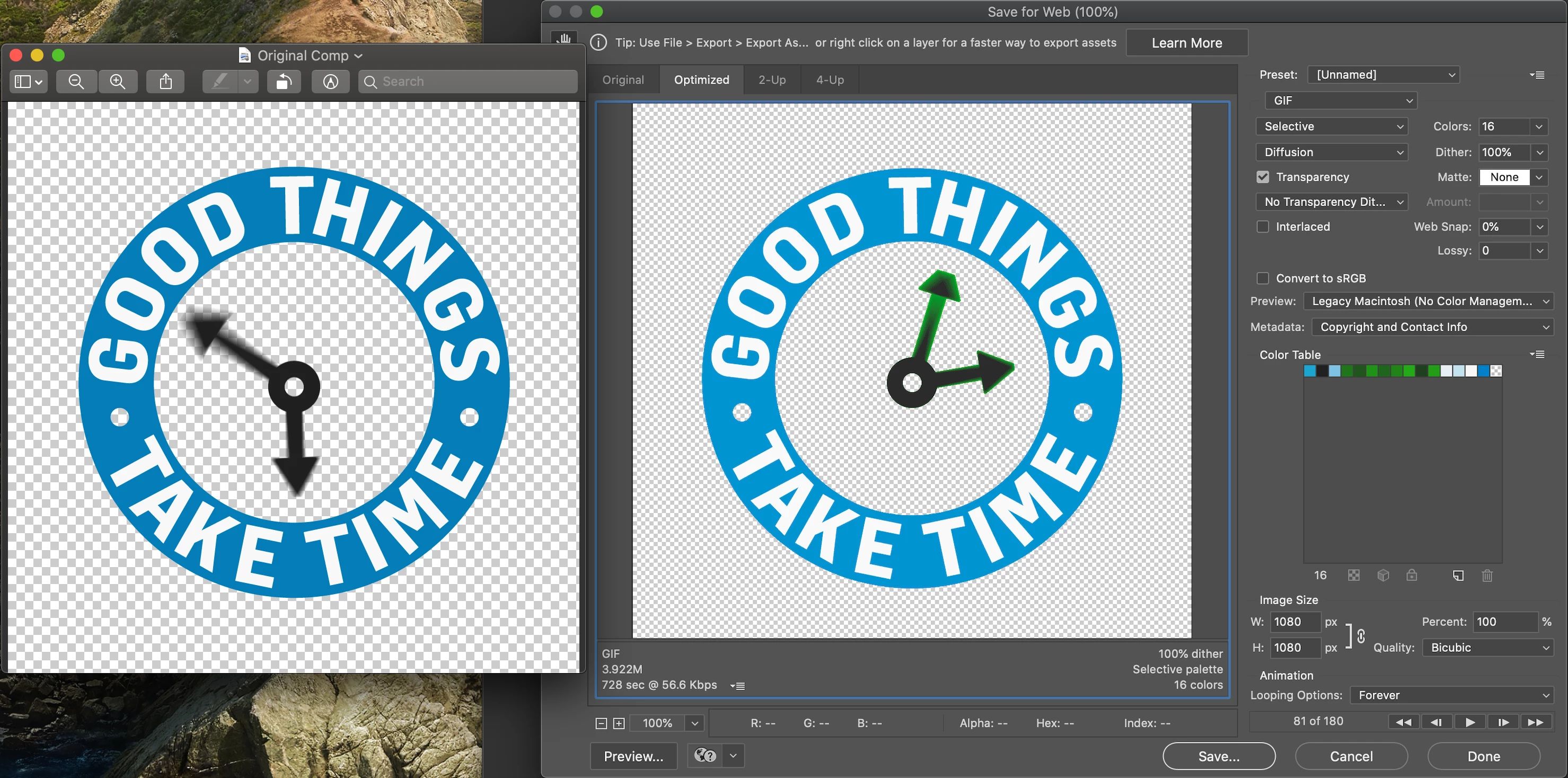
I cannot locate any settings to fix this, and haven't found a single resource online that addresses this specifically. Please help!
 AdChoices