
Participant
October 6, 2019
Answered

Facial Tracking (Detailed Features) not appearing

  • October 6, 2019
  • 2 replies
  • 2829 views

Hi there! 


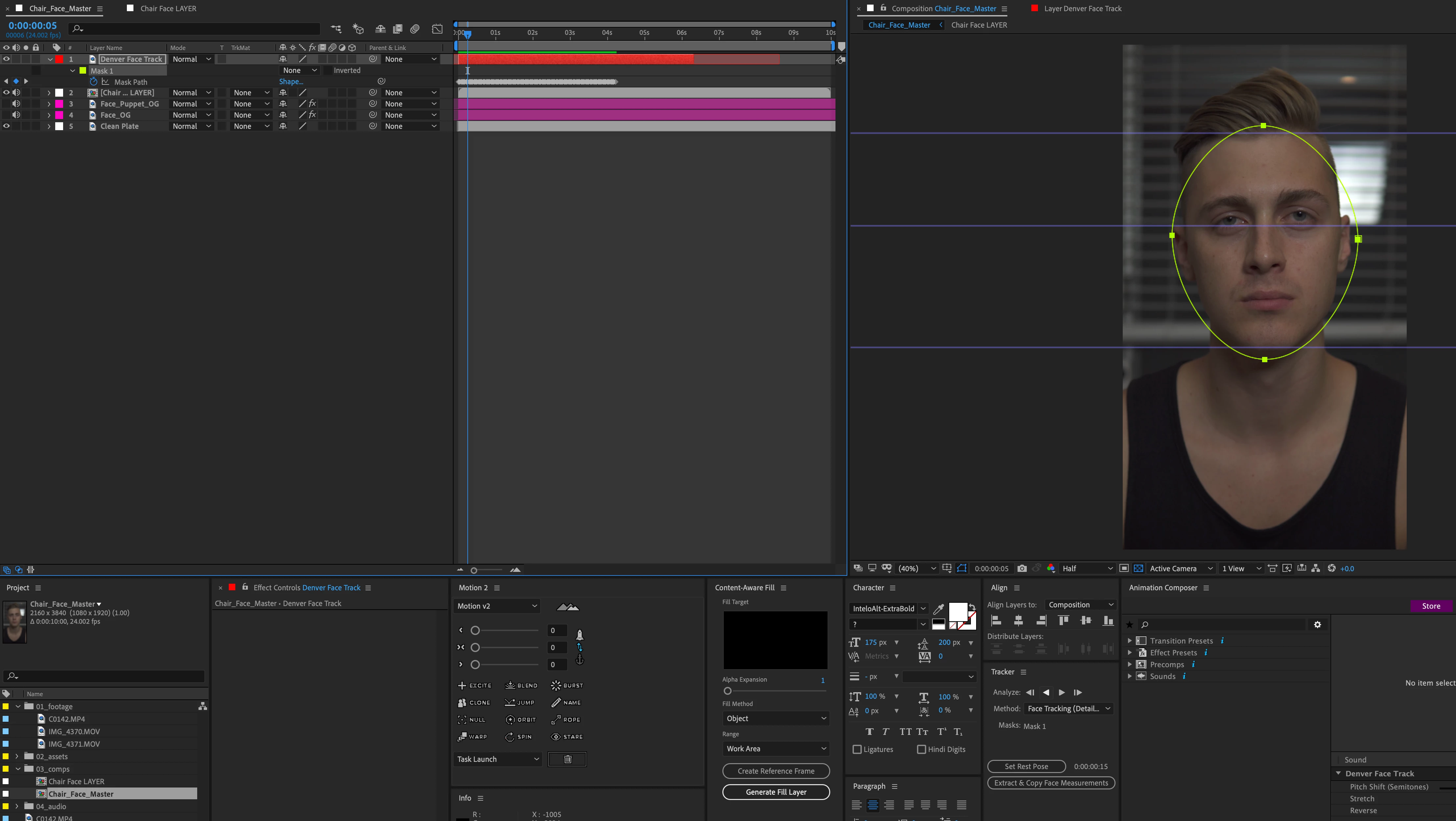
I am attempting to use the mask facial tracker with detailed features (eyes, brows, mouth) to get tracking data for those parts. However, when that option is selected I still do not get the facial tracking points to appear and the main oval mask roughly tracks to the entire face instead. There should be a "Face Track Points" effect on the layer with tracking points on the facial features listed. 
 

    This topic has been closed for replies.
    Correct answer denverm68292507

    Self-SOLVED! The footage was rotated, scaled, and repositioned which made AE act up. By pre-comping and moving all attributes it allowed me to properly track. 

    2 replies

    denverm68292507AuthorCorrect answer
    Participant
    October 6, 2019

    Self-SOLVED! The footage was rotated, scaled, and repositioned which made AE act up. By pre-comping and moving all attributes it allowed me to properly track. 

    Community Expert
    October 6, 2019
    I'm glad you can continue with your project. Regards!
    Byron.
    Community Expert
    October 6, 2019

    You have to use Face Tracking (Detailed Features) but if you want Face Track Points you have to play to start the analisis. Then it appears.

    Byron.
    Participant
    October 6, 2019
    Hi Byron thanks for replying. I'm a little confused because I'm pretty sure I did all those things as you can see in the photo. Do you mind explaining what I did differently?
    Community Expert
    October 6, 2019

    I don´t know how you did. But be sure have selected Face Track Points in layer Effects options to show them.


    It must looks like this:

    Byron.