

Participant
November 19, 2017
Answered

Files not Importing
  • November 19, 2017
  • 4 replies
  • 672 views

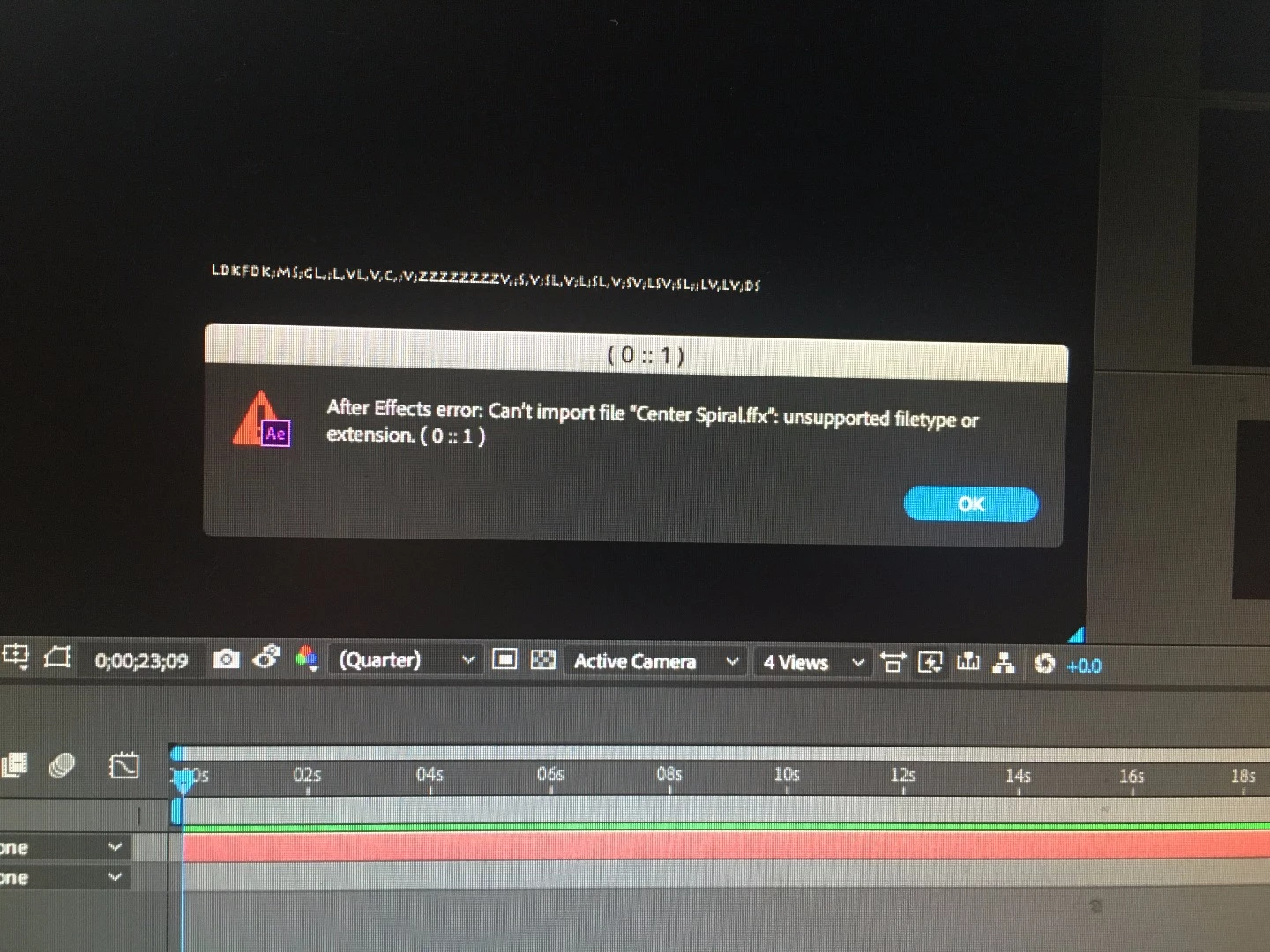
Have any of you seen this before? How can I change my settings to allow adobe bridge .ffx files come into my after effects files?

    This topic has been closed for replies.
    Correct answer Jose Panadero

    Applying presets with Adobe Bridge no longer works using the conventional methods. What you can continue to do is to check the animations in Bridge but then, you need to use the Effects and Presets panel inside After Effects to locate and apply the desired preset.

    4 replies

    Participant
    August 28, 2022

    I a similar problem

    my AE refuse to import Animate file.

    i keep reciving the same massege 

    Jose Panadero
    Community Expert
    Community Expert
    November 19, 2017

    Yes, it is fixed in CC2018, but if he/she is receiving this error it is because he/she is not using CC2018. Since CC2015 you get the reported error when you try to apply a preset from Bridge so the solution is to use the Effects and Presets Panel.

    Jose Panadero
    Community Expert
    Jose PanaderoCommunity ExpertCorrect answer
    Community Expert
    November 19, 2017

    Applying presets with Adobe Bridge no longer works using the conventional methods. What you can continue to do is to check the animations in Bridge but then, you need to use the Effects and Presets panel inside After Effects to locate and apply the desired preset.

    Vishu_Aggarwal
    Participating Frequently
    November 19, 2017

    @Jose I was able to apply presets from Bridge cc 2018 to After Effects CC 2018

    Vishu AggarwalAdobe Certified Instructor, Professional and Expert
    Vishu_Aggarwal
    Participating Frequently
    November 19, 2017

    Hi,

    You should go to Main Menu > Animation > Browse Presets... > bridge will launch and than double click to select your preset & Apply in after Effects.

    or

    If bridge is already open than right click on the preset and select place in After Effects

    You can also place your preset in *Animation presets folder for easy apply in future. Go to -


          My Documents\Adobe\After Effects CC (Windows) or Documents/Adobe/After Effects CC (Mac OS).

    You can create folder or copy  your preset in any of the current folder.

    Note : Before you do any of these steps make sure timeline is selected in the After effects or target layer should be selected in the timeline.

    Vishu AggarwalAdobe Certified Instructor, Professional and Expert