
Participant
January 19, 2021
Question

First Project: Trying to Make Santa Fly Up the Chimney

  • January 19, 2021
  • 2 replies
  • 217 views

Hello, first AE project here and YouTube tutorials have gotten me this far but I've been stumped trying to find a way to make it appear that Santa is flying up the chimney.  Here are the layers I have and screengrab of my workspace:

Layer 1: Pre-Comp of Santa rotobrushed from the background + Santa disintegrating into dust

Layer 2: Clean background shot without Santa in it.
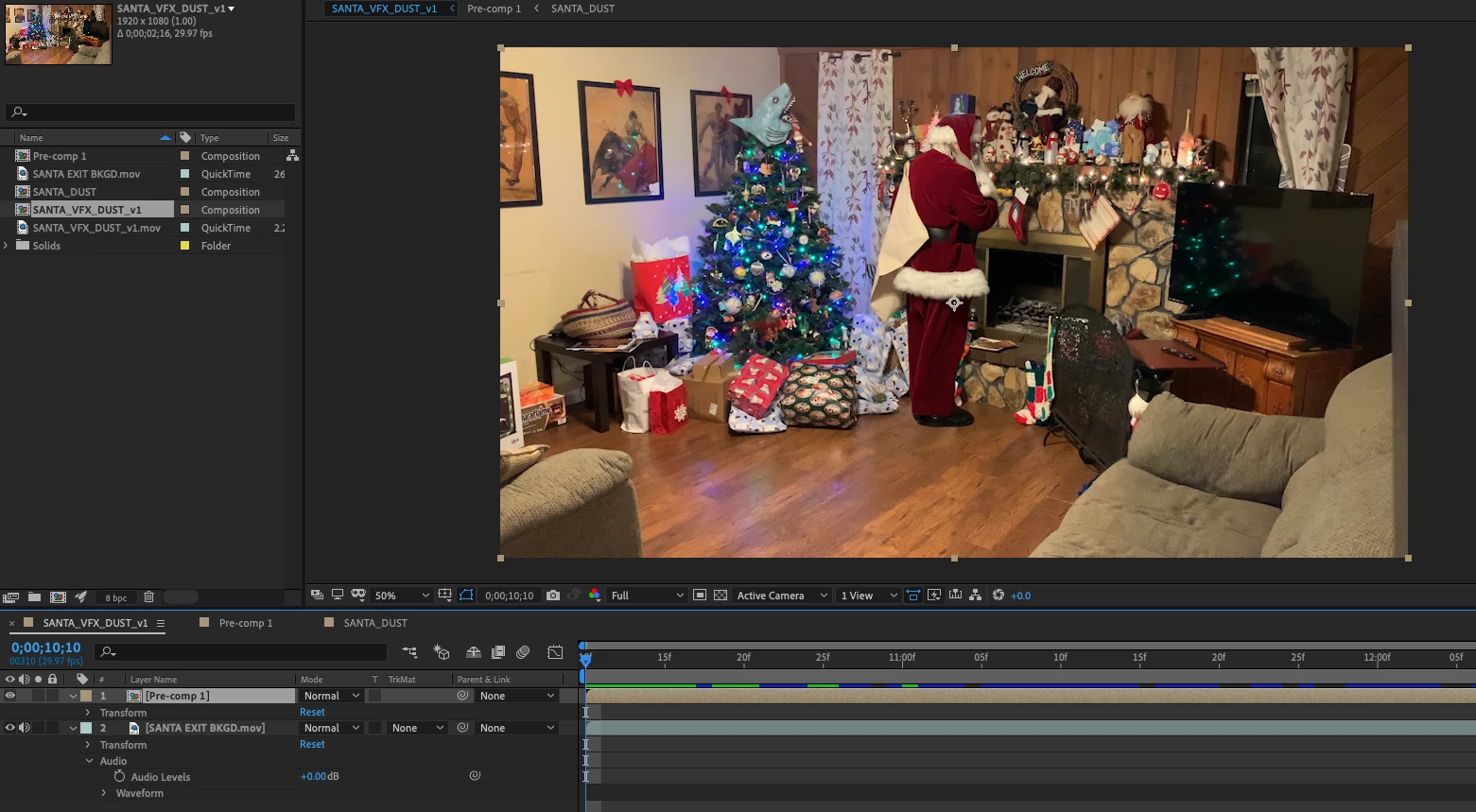
 

I'd like to have the Santa dust fly up the chimney.  I've been trying all sorts of masks but I can't find the right way to make it look like the dust is flying up into the chimney opening.  Please help if you know of an easy way for a newbie like me to do it.  Is it a 3-D effect, tracking mask, duplicate background layer with the area where I want the dust to fly up isolated?  Thanks in advance.

This topic has been closed for replies.

2 replies

Mylenium
Legend
January 19, 2021

That's a pretty lazy tutorial, to be honest, as it doesn't explain anything specific about the finer points of the Shatter effect and only instructs users to copy stuff. Well, whatever, it is no real help to your conundrum. You would still end up needing to create an entirely separate particle system to funnel the dust through the chimney, so your time is probably better spendt exploring how to create smoke effects e.g. with CC particle Systems and direct the internal forces. My original point sticks, though: It needs to be tackled in segemnts, as there is no simple "align to path" option in the stock particle tools in AE (unless you care to spend the next month learning the old and quirky Particle Playground and how to create force maps in there). As for making things disappear you might want to educate yourself about using track mattes. That's one of the essentials of realworld integration - create a fixed matte that can be used on duplicates of the footage to mutually mask out things to determine depth layering. Masking out the straight edges of the mantlepiece should be easy enough.


Mylenium

Participant
January 19, 2021

Thanks so much for the detailed response, Mylenium. I'll take a deeper dive into tracking masks and depth layering. 

Mylenium
Legend
January 19, 2021

Ideally you would simply set up a dynamic particle system and use its internal force fields and guide options to direct the flow of the smoke particles, but of course this would require advanced commercial tools like Stardust or particular. Other than that the old VFX rule applies: One step at a time. You may be able to piece it together using multiple instances of AE's standard particle systems or even stock footage and bending and warping it into place using additional distortion effects. Since you haven't shown us how your "dust" actually looks/ how it is created we can't advise specifically. Beyond that of course your shot needs major work like a basic color correction to neutralize everything, reflections (removing and adding some) shadows and so on.


Mylenium

Participant
January 19, 2021

Thank you foe the response, Mylenium. I've been able to make Santa turn to dust using the shatter effect that I learned from this tutorial: https://youtu.be/bAhqbFtYhpM


What I could use help with now is to make those disappear up the chimney.  I can make them move but it's the appearance of going inside the chimney is giving me trouble.  I tried making them smaller but it doesn't look as good as I'd like. I want them to go behind a mask of the chimney so that they go up and are obscured by the mantle.  It seems like an easy trick but I'm so new that I don't know how to layer it so that the dust can go behind the chimney front wall.