
ethanasherman
Participant
May 18, 2019
Answered

Fixing an audio visualization clipping problem

  • May 18, 2019
  • 1 reply
  • 1198 views

Hello,

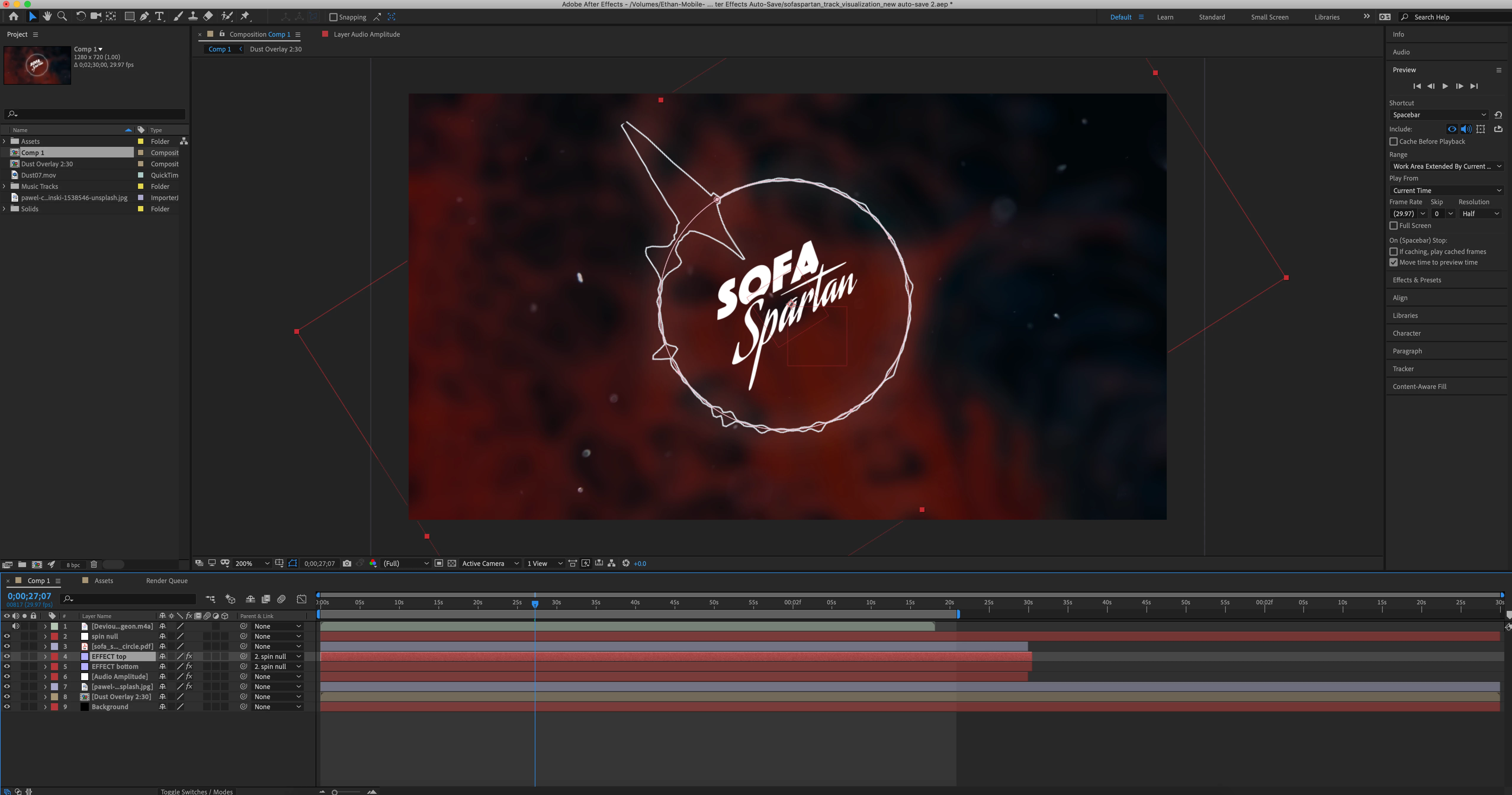
I'm attempting to create an audio visualization that spins as the video progresses however, I've noticed that once the amplitude gets high enough, the bounding box of the audio visualization layer clips it off (as shown towards the top left of the image attached). I would like the audio visualization to be able to extend indefinitely so that it will look better. I've attached a screenshot in case that helps. I'm stumped how to fix this.
This topic has been closed for replies.
Correct answer Rick Gerard

Audio Spectrum and Audio Waveform are limited to the layer size, or if the layer is masked and the mask is active (not set to none) the bounds of the mask. Grow Bounds will not extend either of these effects beyond the boundary of the alpha chanel or transparency. Your solution is to increase the size of the layer so that it always fills your frame.

Red Giant used to have a free effect called RGS Grow Bounds that would extend the layer boundary but I could not find a link for it. It may no longer be available.

1 reply

Rick GerardCommunity ExpertCorrect answer
Community Expert
May 18, 2019

Audio Spectrum and Audio Waveform are limited to the layer size, or if the layer is masked and the mask is active (not set to none) the bounds of the mask. Grow Bounds will not extend either of these effects beyond the boundary of the alpha chanel or transparency. Your solution is to increase the size of the layer so that it always fills your frame.

Red Giant used to have a free effect called RGS Grow Bounds that would extend the layer boundary but I could not find a link for it. It may no longer be available.

ethanasherman
Participant
May 18, 2019

Thanks! After I made the layer larger than the composition and also sized the audio visualization element a little smaller it worked!