Participating Frequently
June 3, 2021
Question

Font doesn't show even after uninstall and reinstall the font

  • June 3, 2021
  • 4 replies
  • 3747 views

Hello dear Adobe community,


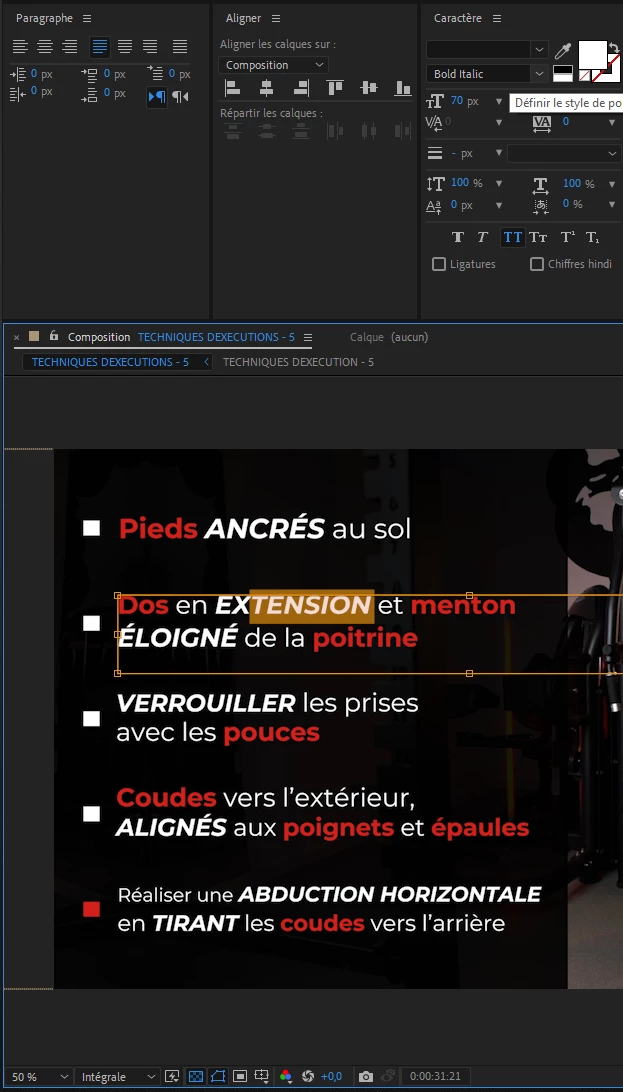
I am encountring a really annoying problem; the font family I'm using isn't showing well in the pannel from Adobe After Effects.


I started my project using an other computer so I've installed the font on the one I'm actually using.


This is "Montserrat" family font.


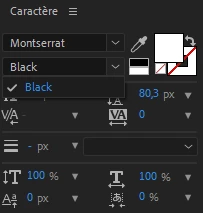
When I open After Effects and that I want to write a text using this font, I cannot see all its variations such as Black / Italic / etc.


It did work before when I uninstalled the font through C:/Windows/Font and reisntalled it after restarting computer.

But the problem came back: I can see "Montserrat" in the font pannel, but cannot see the other fonts from the same family.


So I tried uninstalling it again, reinstalling it, multiple times, restarted my computer, multiple times. Nothing work anymore.


Is there anyone that could help me with that?


One should know as well that I cannot start my project from scratch as I've nearly finished it and represents many hours of work.


Hope someone can help,

See you.


This topic has been closed for replies.

4 replies

MaxAppian
Inspiring
October 25, 2022

I am having this same issue but my coworker (who is on the previous version of AE) is seeing the font just fine.  It's a client's branded font so I wont be able to find it anywhere or use anything else.  I've upgraded to 2023.  Would really love to not have to downgrade just to have a font show up...

Community Expert
October 25, 2022

You can install the previous version and current version at the same time.

Does the font load as expected in Photoshop?  Or Illustrator?  Or InDesign?


Justin Taylor-Hyper Brew
Community Expert
Community Expert
October 28, 2022

It does not show up in any of those, nor does it produce an error or caution sign when I add it to font book.


What type of font is it? Might want to try converting it to a different format.

Community Expert
June 3, 2021

I would sugges that you try to use Adobe Fonts that come with your CC subscription. Depending on where you purchased or downloaded the font, there may be components that are not compatible with Adobe apps. This is more common than you think with 3rd party and especially free fonts.

Community Expert
June 3, 2021

Try clicking in the font text field in the Character panel and type M-O-N-T.  After Effects should show you all of the variations of any font that start with "mont".


If that doesn't work, does the variation of Montserrat that you're looking for show up in Photoshop, Illustrator, and/or InDesign as expected?


If so, try setting it there and then copy and paste it.  It has to be actively selected just as "TENSION" is selected in your screenshot.


Justin Taylor-Hyper Brew
Community Expert
Community Expert
June 3, 2021

Sometimes different font weights appear as separate items, try looking for those first. If that doesn't work, try re-installing and test on a blank project till you can get your fonts to show up properly, then update your existing project.


Also, are you installing the fonts manually or enabling them from Adobe Fonts? (https://fonts.adobe.com/fonts/montserrat) I'd try this first, then try manually.