You can currently get.styleAt(Character Index, Time), but you cannot set.styleAt(Character index. time). It is currently a feature request, but it has not yet been implemented.
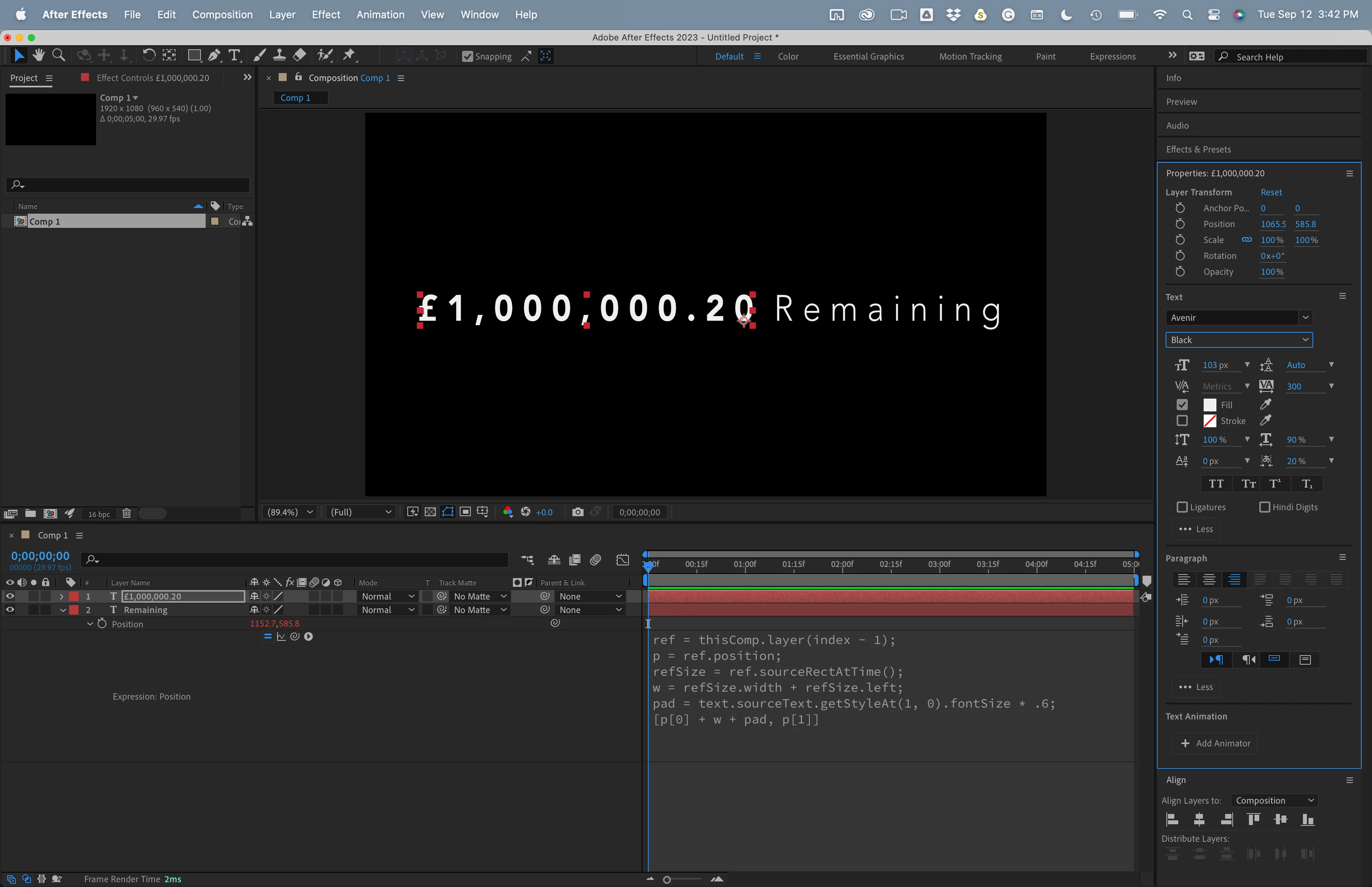
The best option would be to use two text layers and sourceRectAtTime() to line up the remaining text layer with the text layer containing the number string controlled by the slider. If the top layer is the counter and it is right justified, the bottom layer is the Remaining layer, and the baseline shift for both layers is the same, something like this expression for Position on the bottom layer will work:
ref = thisComp.layer(index - 1);
p = ref.position;
refSize = ref.sourceRectAtTime();
w = refSize.width + refSize.left;
pad = text.sourceText.getStyleAt(1, 0).fontSize * .6;
[p[0] + w + pad, p[1]]
You can change the multiplier on the pad variable. Sixty percent (* .6) is a good starting value for most fonts.

 AdChoices