Inspiring
May 31, 2022
Question

Footage with transparent background taking forever to export

  • May 31, 2022
  • 1 reply
  • 496 views

Hi guys, hope you're good.

I've got some footage I've shot against a greenscreen. I want to export it with a transparent background as it will be much quicker to edit.

However when I go to export the footage it is taking between 3-5hrs per video and they're coming out at around 15GB each! The videos are only around 3 mins long each, so this seems very excessive.

The footage is 4K, although I've made the comps 1920x1920 as the bit of the footage without background fits into this space.

I'm using Render Queue and RGB+Alpha exporting to Quicktime (settings attached).

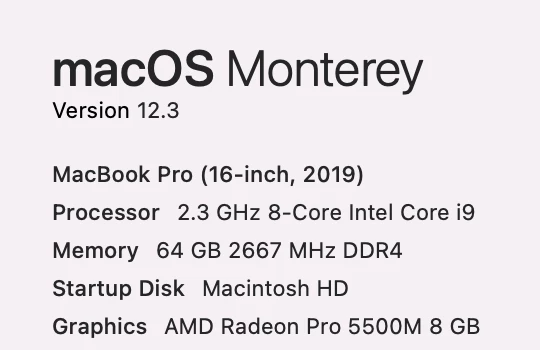
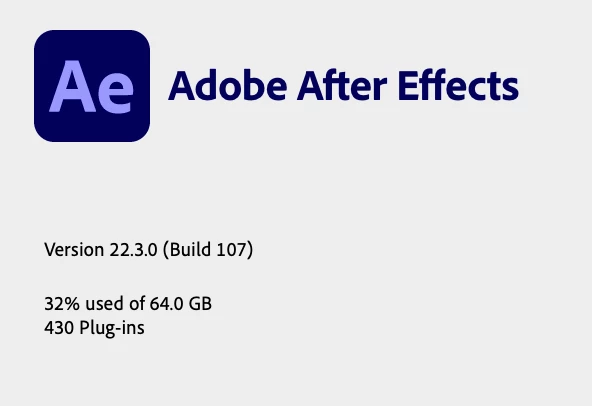
I've also attached my system info and AE preferences. 

Is there a quicker way of doing this? Or do I just need to be patient and wait?

Cheers in advance

Oli
 

This topic has been closed for replies.

1 reply

Mylenium
Legend
May 31, 2022
quote

Is there a quicker way of doing this?


Only if you're willing to spend money on another keying plug-in. Keylight simply is slow as hog. Always has been. At the very least you could try doing your keying in Premiere using their keyer. Outside that you simply may have wrong expectations of AE and how it works. It chewing for hours on a 3 minute clip can be perfectly normal even with seemingly simple effects. As for file size - yopur options are simply limited. There aren't too many CoDecs that support transparency, but feel free to try DNxHD, ProRes or even image sequences. A well-compressed TIFF can be ridiculously small under some circumstances. People just go out of their way to avoid them for nor good reason. Just try and excperiment.


Mylenium

Inspiring
May 31, 2022

Nice, thanks man. Just wanted to make sure I wasn't doing anything obviously wrong, which it doesn't sound like I am.

I have tried Premiere's keying but heard it wasn't anywhere near as good?

nishu_kush
Community Manager
Community Manager
May 31, 2022

Create a rough mask around the subject to narrow down the keying area. It should improve the render time.

Hope it helps.


Thanks,

Nishu