
Participating Frequently
July 13, 2017
Question

Fractal Noise bug

  • July 13, 2017
  • 1 reply
  • 3486 views

I have been running into a weird bug with the Fractal Noise effect, where it loses its settings and even renders out with these bugs in both render queue and Media Encoder. The TL;DR: Stacking 2+ Fractal Noise effects on a layer causes it to lose its settings randomly. It's a little hard to reproduce.

Say I have a shape layer the size of the comp with a background fill. I plonk two fractal noises on top: One will be used as grain, so I scale it down to 6, change blend to overlay and knock down the opacity. The next FN will be a wash, so I scale that big (say, 160), set to overlay and fiddle with the opacity to suit again. I then script random(4000) onto evolution so they're constantly changing. In previous versions and projects, this has worked as it should, but in this latest version of AE it'll lose its settings for the FN and I end up with a few frames of how it should look, and a few frames of either/or FN being full opacity, or scale is different.

Just to make sure I wasn't going mad, I also moved the effects to a solid layer, and set the opacity and blend mode to suit. Still got the same issue. Even started fresh re-adding the FN effect again and resetting them up just to check, both normal and continuously rasterized.

So here's on frame 1
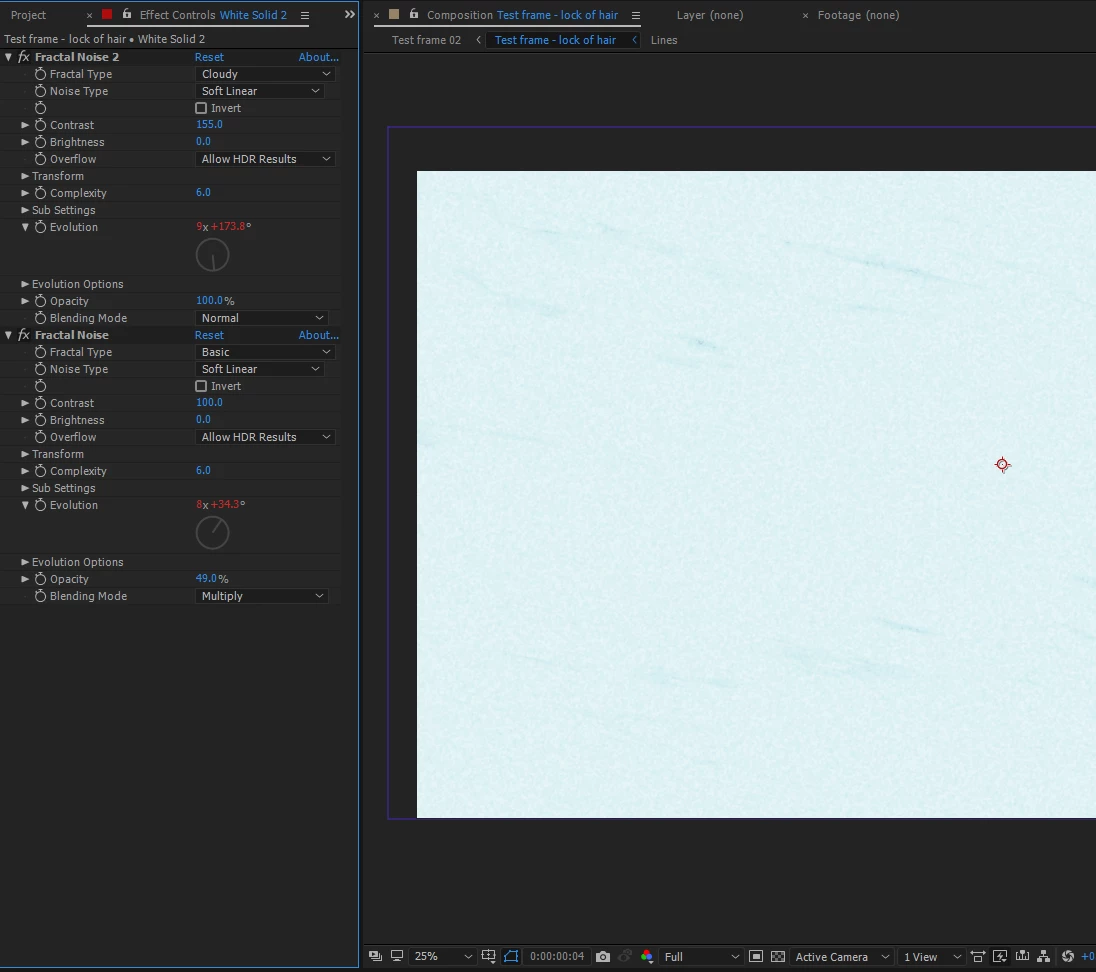
Apart from random(4000) doing its thing, I haven't touched anything. I move a frame forward and BAM!
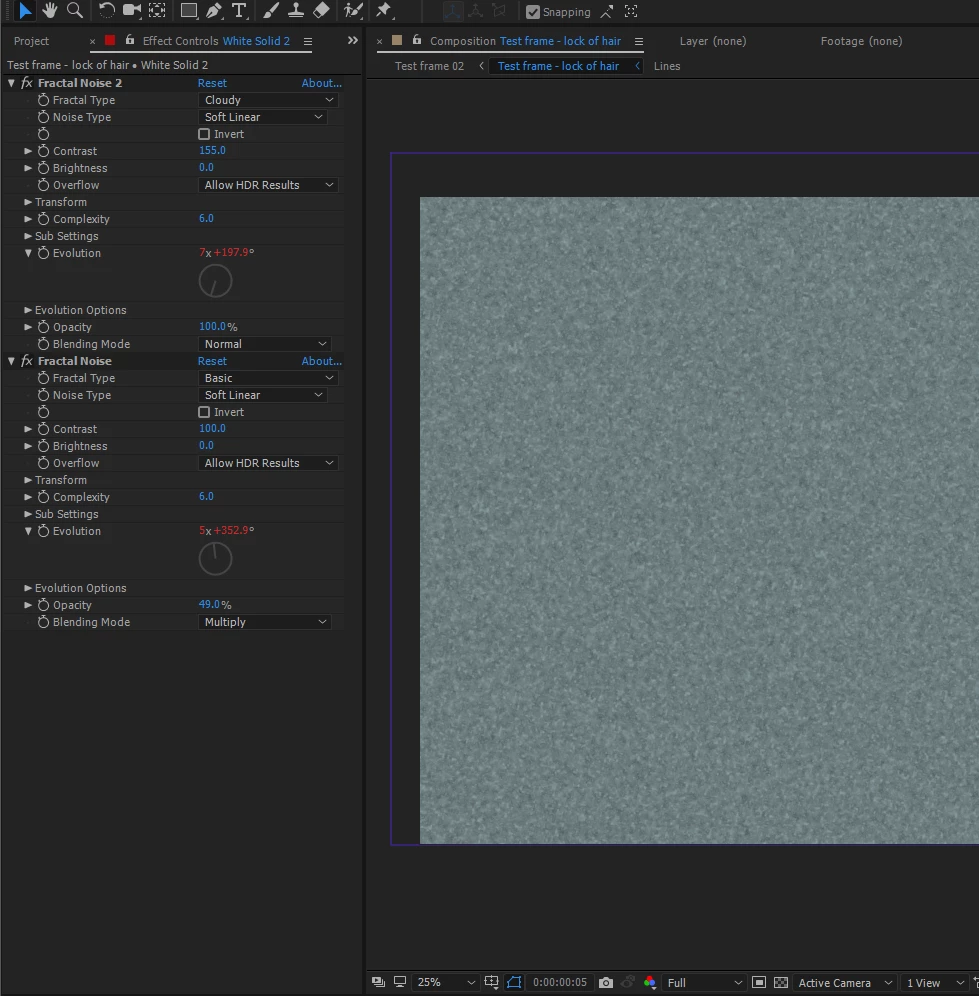
Really am at a loss for this. For a previous project, this effect worked fine two stacked on a shape layer (which was vital for changing background colours smoothly). Nor is it working on a solid layer (which is not ideal for changing colours much like shape layers).

This wasn't present in version 13.7.1 where this worked fine. I noticed this happening in v14.2 and latest, June update version of After Effects.

Running Windows 10 (latest version, all latest updates)

i7-4790S / Palit GTX1060 6GB (also latest drivers) / 32GB RAM

Thanks

This topic has been closed for replies.

1 reply

Roei Tzoref
Legend
July 13, 2017

try this:

go to project settings and check if you are utilizing the GPU for effects. If so, turn off (software only) and check again.

cribbleAuthor
Participating Frequently
July 13, 2017

Thanks Roei, that's fixed it and now I feel like a dumbo for not spotting that sooner. Woo!

Just for future reference, I've read through the GPU doc, I'm guessing I wasn't gaining anything by having GPU enabled anyway? I'm compositing 2D animations in Classic 3D workspace, with a few effects on solids/shape layers (often multiple of these stacked as comps within one another). Just want to make sure that if I turn it off, I can leave it off for good so I don't run into any more issues, else I'll take note just for this project!

Roei Tzoref
Legend
July 13, 2017

fractal noise is a new addition to the GPU accelerated family as of CC2017. apparently something through the processing of this effect with GPU is not working right in your system. maybe on any other system as well, can't be sure. you should provide a bug report here: Feature Request/Bug Report Form

if it were to work on the GPU, it would render faster - you do want to use it if you can.

these are the effects so far that are accelerated by the GPU if the option exists in the project settings:

  • Gaussian Blur
  • Lumetri Color
  • Sharpen
  • Brightness and Contrast
  • Find Edges
  • Glow
  • Hue/Saturation
  • Invert
  • Tint
  • Drop Shadow
  • Fast Box Blur (formerly Box Blur)
  • Fractal Noise
  • Gradient Ramp
  • Levels, Levels (Individual Controls)
  • Offset.

sources:

After Effects CC In-Depth: Performance Improvements | Creative Cloud blog by Adobe

After Effects CC 2015.3 In-Depth: GPU-Accelerated Effects | Creative Cloud blog by Adobe

New features summary for the 2017 release of After Effects CC