
Inspiring
February 4, 2021
Answered

Frame Glitch (actual bug) (in after effects and premiere) (pls help)

  • February 4, 2021
  • 2 replies
  • 12399 views

I was trying to make a montage on after effects and all of a sudden I experienced this glitch when I played back the video. The resolution and fps of the compostion was 1280x640 60 fps and the clip's resolution and fps was 1920x1080 50-60 fps (sadly not constant it was variable framerate I think). I thought it was a glitch because of compostion settings but when I made a new compostion with the exact details (dragged the video to the make comp button) it still showed the glitch. The glitch occured multiple times and seemed to divide the video in two halves. Here's a picture of a non glitched frame, and of a glitched one non-respectively.
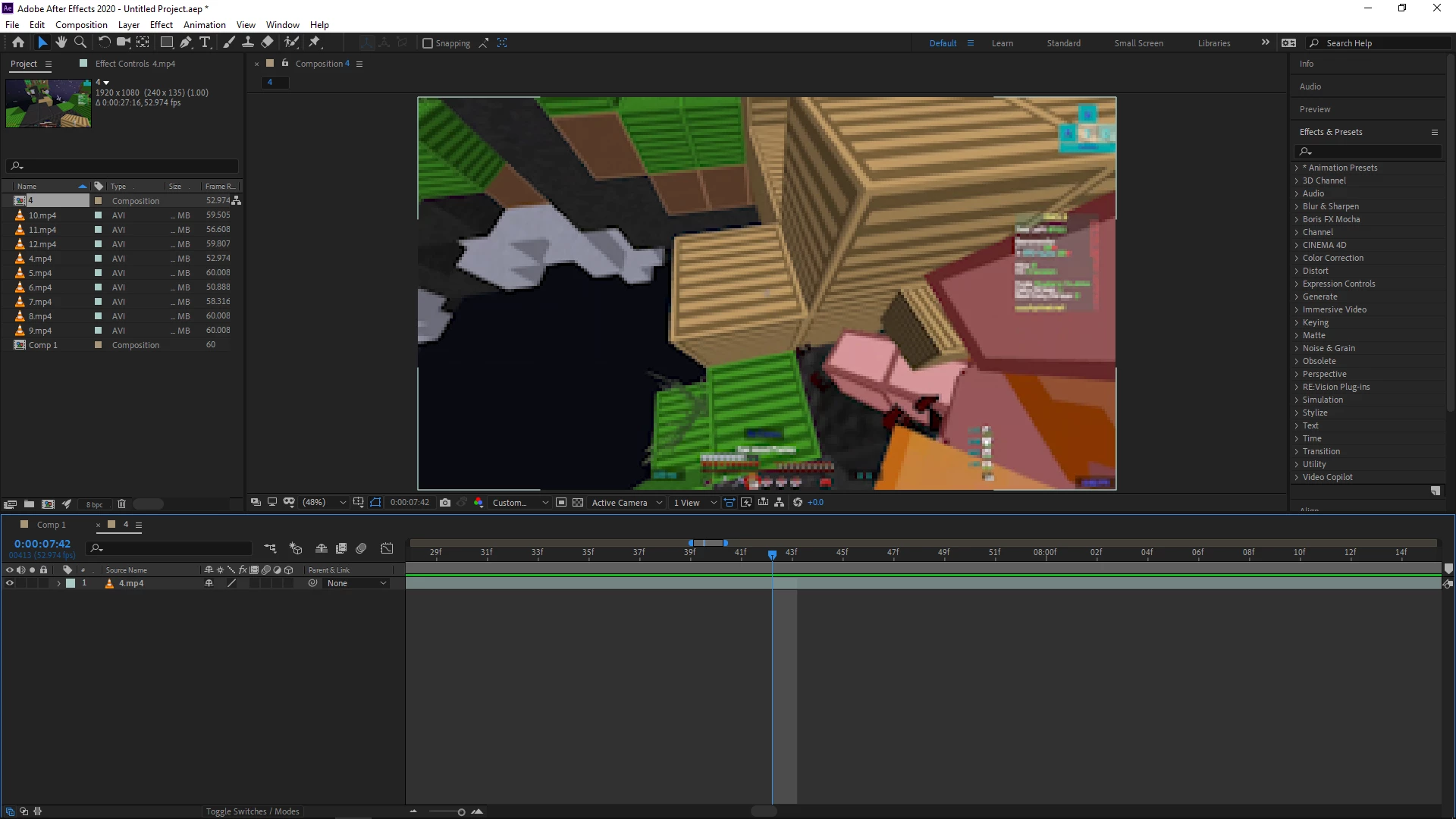
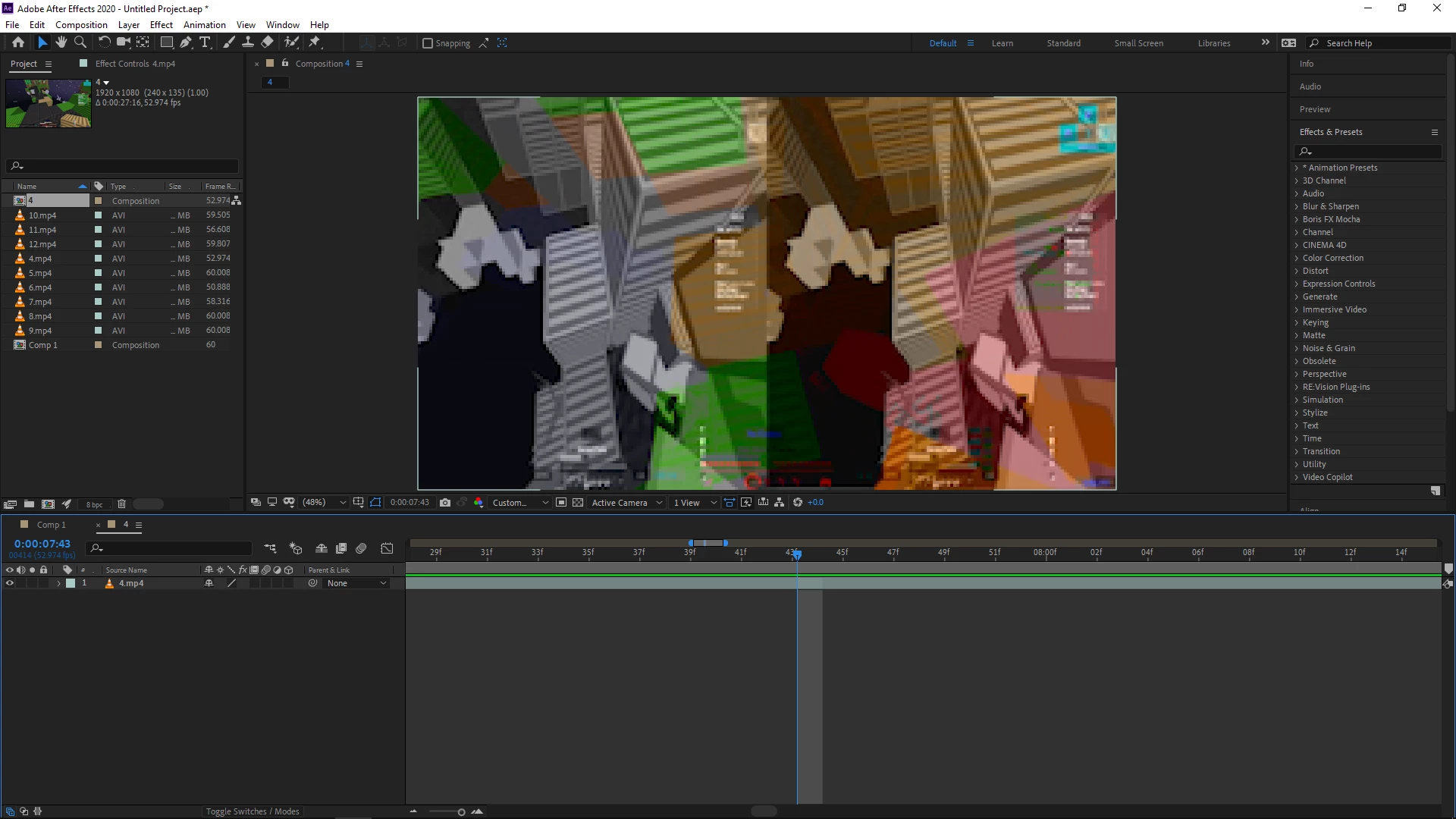
 

Please help, The same issue occured in Premiere Pro though I don't have any screenshots.


Hardware:

I5-4300U - CPU
Intel HD Graphics Family - GPU

8 GB DDR3 - RAM

1920x1080p 75 hertz - Display

Correct answer DEGplayz

Don't worry I found out the problem, it was a graphic issue, I just turned off hardware acceleration in preferences and and change project settings from Mercury GPU Acceleration (OpenCL) to Mercury Playback Engine Software Only.

2 replies

Participant
May 19, 2025

I've been getting this bug for more than 5 years. It's 2025 and still the bug exists even now. Instead of adding new features, may be the AE team should focus on fixing the simple existing bugs like these first. Using Mercury Software Only workaround works, but it's crutches AE video decode performance. It's like working using a 90s software.

nishu_kush
Community Manager
Community Manager
May 19, 2025

Hi Shashank,


Thanks for writing in. Do you mind sharing more details on the issue? What are your system specifications (CPU, GPU, RAM, OS version)? What are the details of the media you're working with? Feel free to share screenshots.


Thanks,
Nishu

P.M.B
Legend
February 4, 2021

I would suggesttryingto purge your cache, retsart AE or maybe even reboot your system.  Although i have to say with you hardware specs I would be surprised if your weren't running into graphical glitches.  It could just be your system not being able to handle what youre throwing at it.

~Gutterfish
DEGplayzAuthorCorrect answer
Inspiring
February 6, 2021

Don't worry I found out the problem, it was a graphic issue, I just turned off hardware acceleration in preferences and and change project settings from Mercury GPU Acceleration (OpenCL) to Mercury Playback Engine Software Only.

Participant
June 21, 2022

I would also suggest if you don't want your playback and rendering be slowed down, is do the solution above if it works. After that, you can reverse the process, but the bug won't be present anymore. Works for mine! Thank you.


Ahhh...nevermind the bug is back. Just try to deal with the buffering for that project