Participant
September 19, 2023
Answered

Getting a weird crop on png layers.

  • September 19, 2023
  • 4 replies
  • 575 views

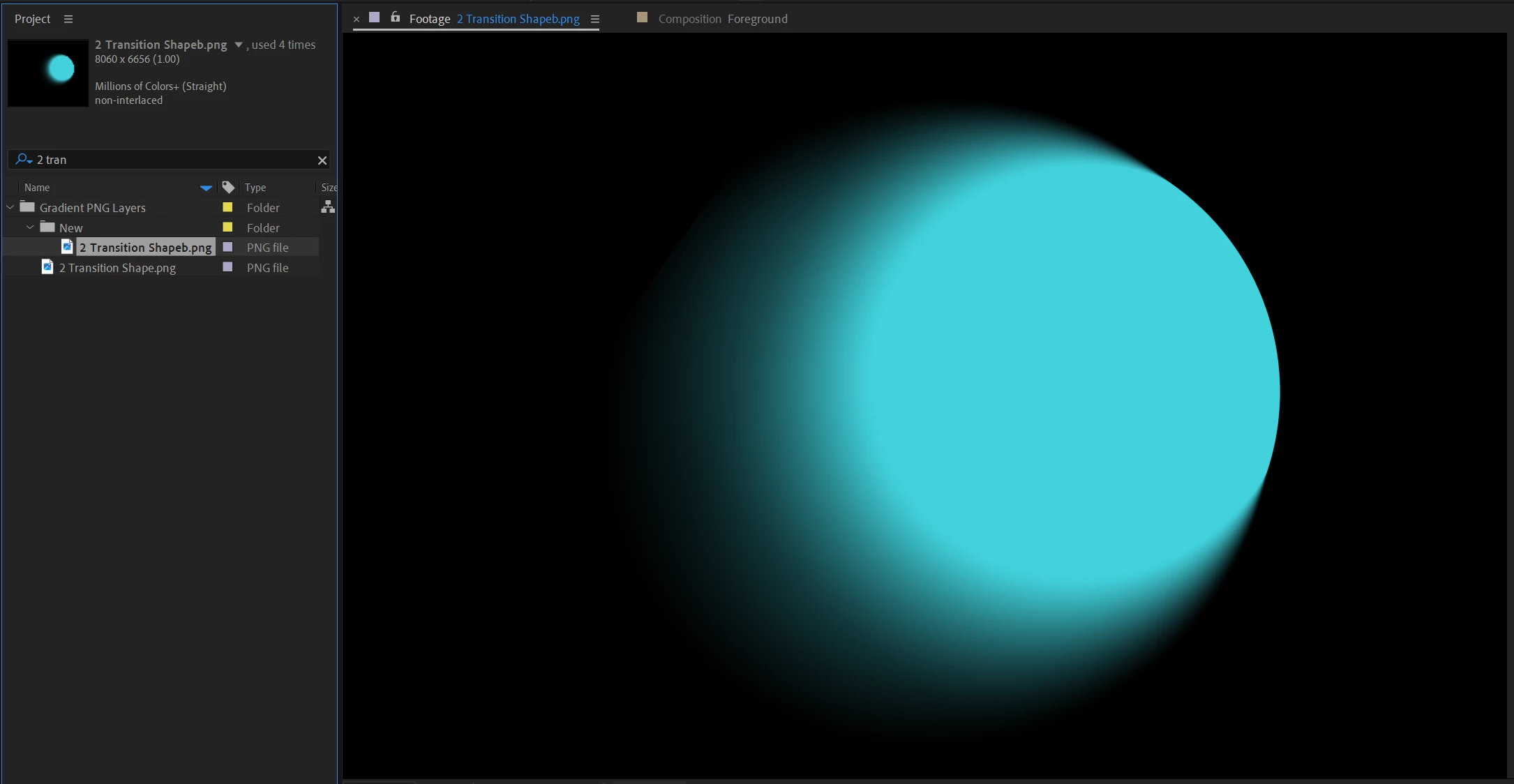
I have this png.  When I double-click on it inside of AE, and view it in the Footage panel it looks exactly as it should.

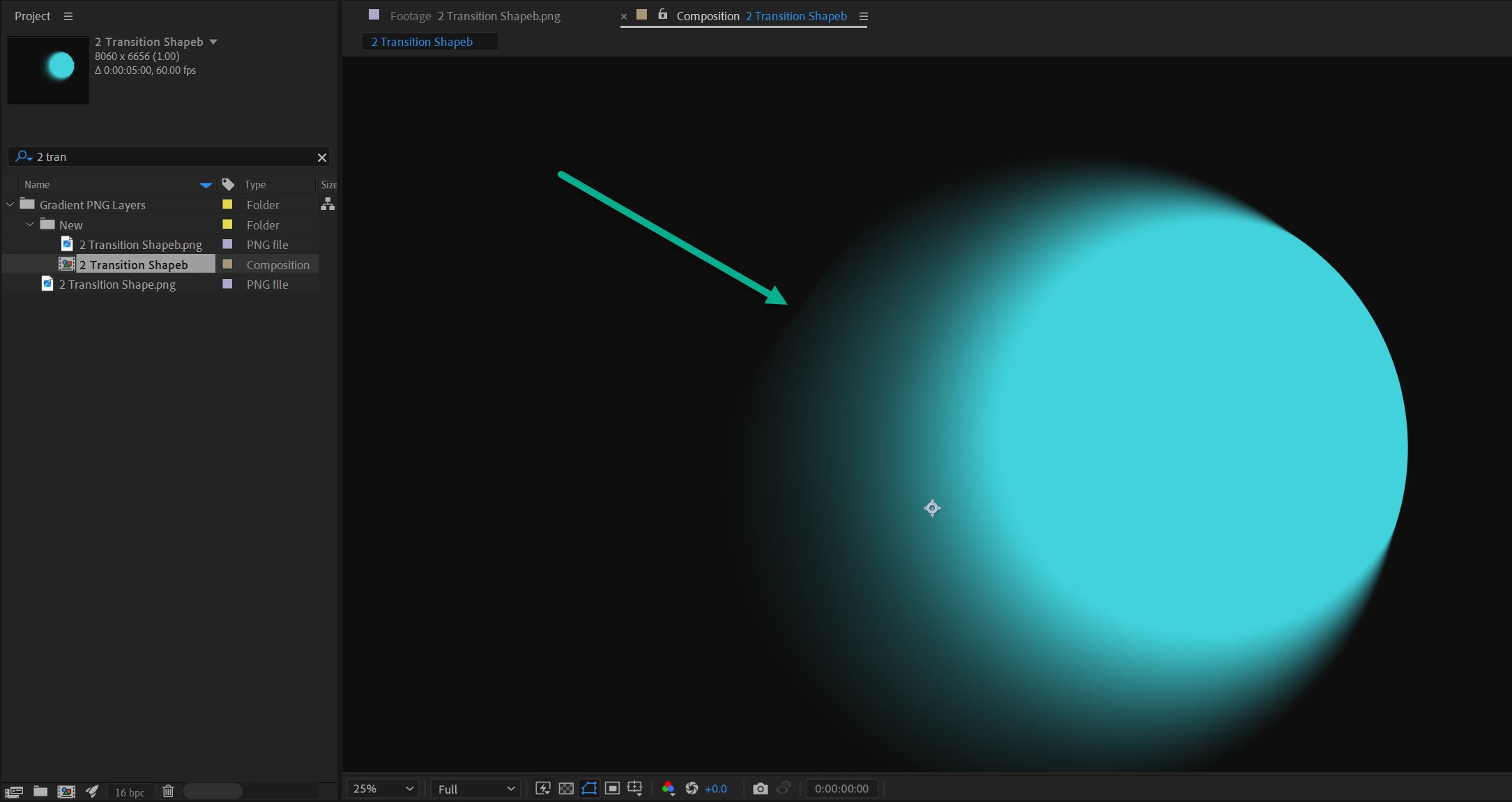
However, the moment I drop it into a comp...  I get this edge?
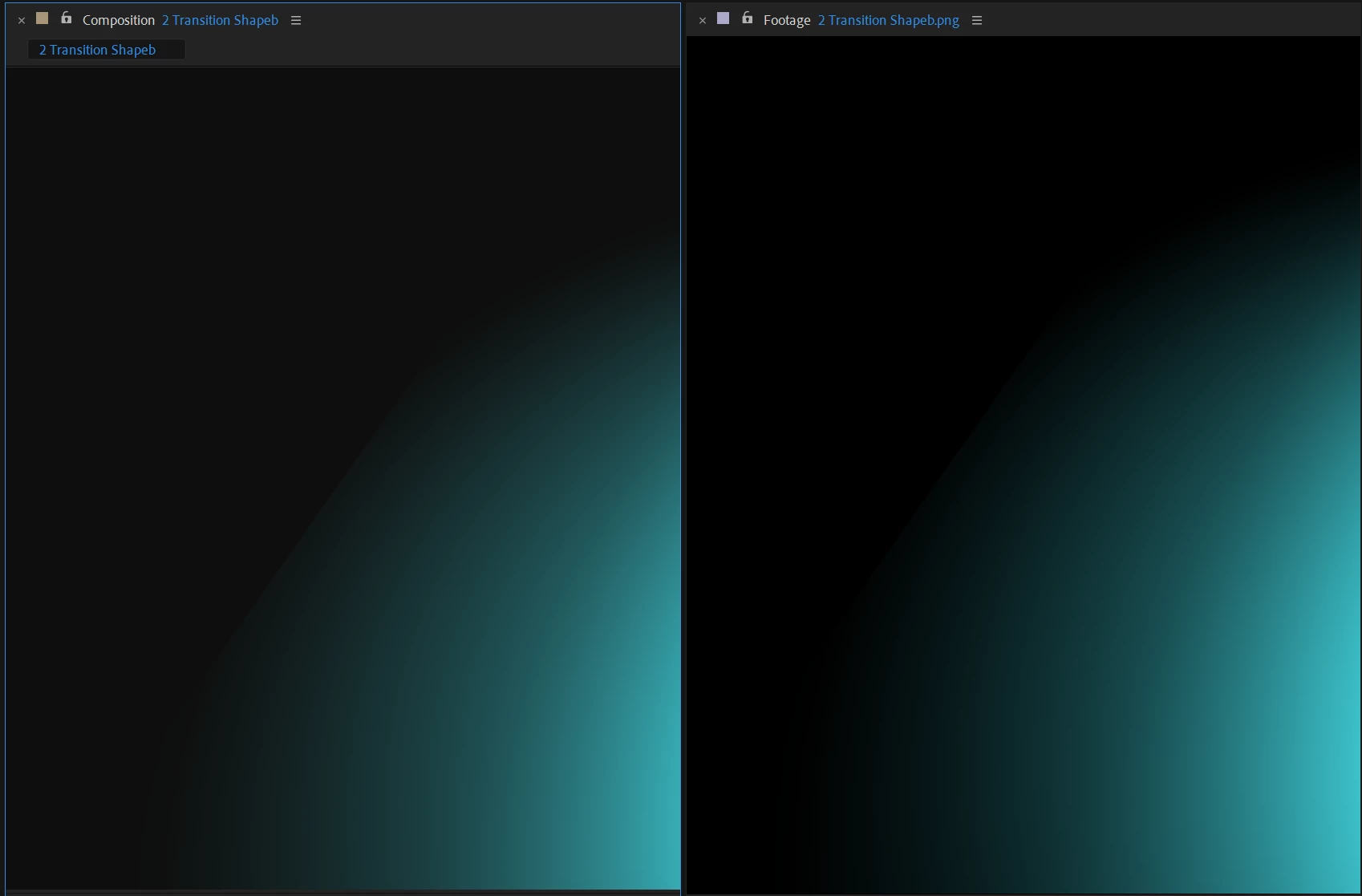
Zoomed in:


Literally didnt do anything to layer, but drop it into a comp.  Didn't make it 3d.. didnt do anything.

Why is this happening?

I need this for a broadcast spot, and its happening on all 3 png layers that make up an animated gradient.

Side by Side (In-Comp vs Footage)
 

This topic has been closed for replies.
Correct answer Rick Gerard

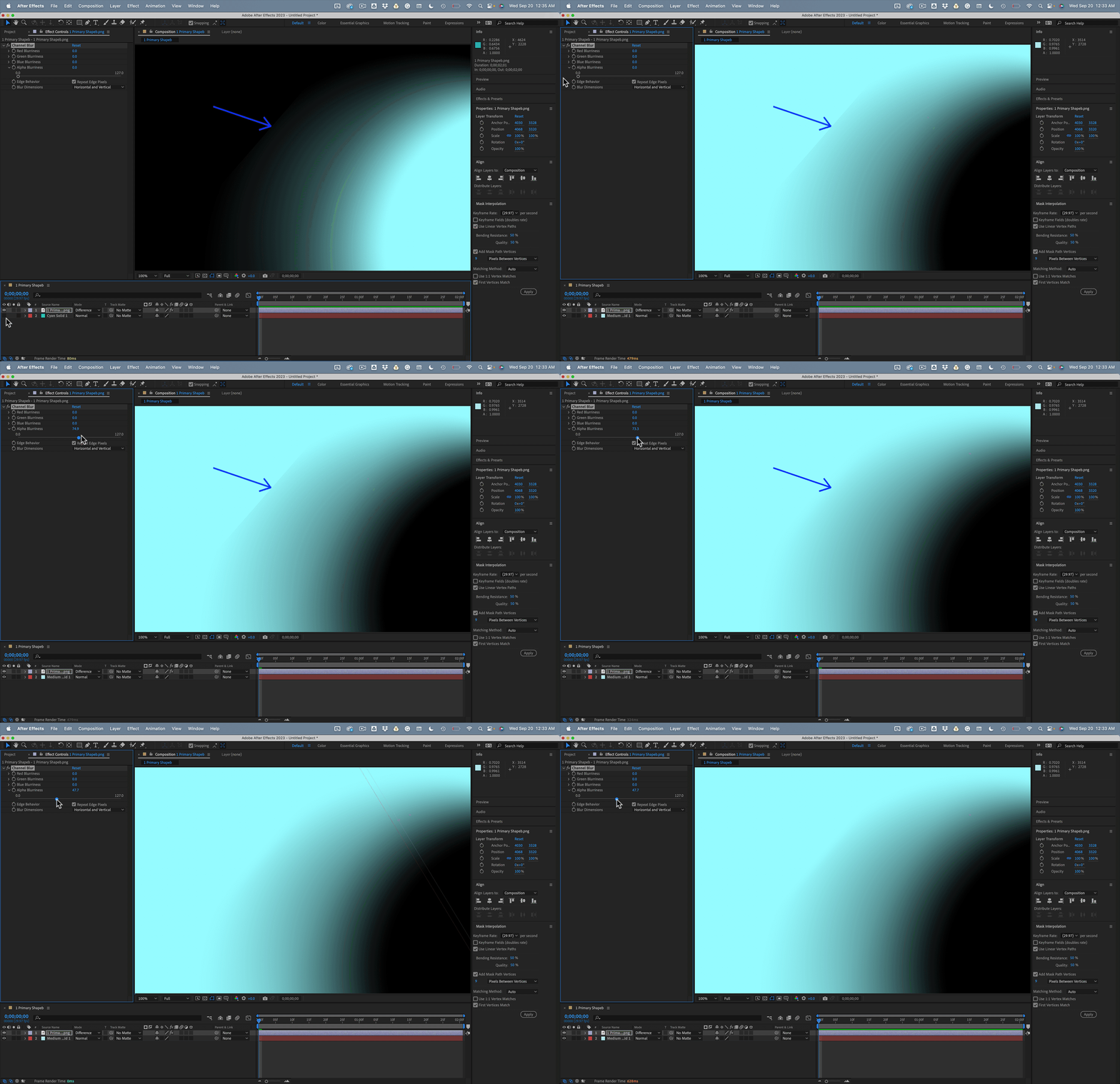
Set the Project to 16-bit. Check the Alpha Channel in the Comp Panel. If you add a solid below the PNG that is the same color as the center of the blue shape and set the blend mode to Difference, the hard edge on the alpha channel shows up. 


Adding Channel Blur to the PNG layer and blurring the Alpha Channel about 40 pixels will solve the problem.


4 replies

Mylenium
Legend
September 20, 2023

It seems you have underestimated selection feathering in Photoshop and clipped away some areas. Can easily be verified there as well, so it's not a specific AE issue contrary to my initial suspicion.


Mylenium

Rick GerardCommunity ExpertCorrect answer
Community Expert
September 20, 2023

Set the Project to 16-bit. Check the Alpha Channel in the Comp Panel. If you add a solid below the PNG that is the same color as the center of the blue shape and set the blend mode to Difference, the hard edge on the alpha channel shows up. 


Adding Channel Blur to the PNG layer and blurring the Alpha Channel about 40 pixels will solve the problem.


Participant
September 20, 2023

Thank you Rick!  Saved me!

Mylenium
Legend
September 19, 2023

Perhaps one of the quadrizillion color management issues. Check the relevant settings as well as hardware acceleration and footage interpretation.


Mylenium 

Participant
September 19, 2023

Thanks for the response.

Nothing has fixed it.  Are you able to import the PNG from above and see if it happens for you too?

Participant
September 19, 2023

Attatched the source PNG to see if it can be replicated?