Answered
Glow effect don't spread outside of the object
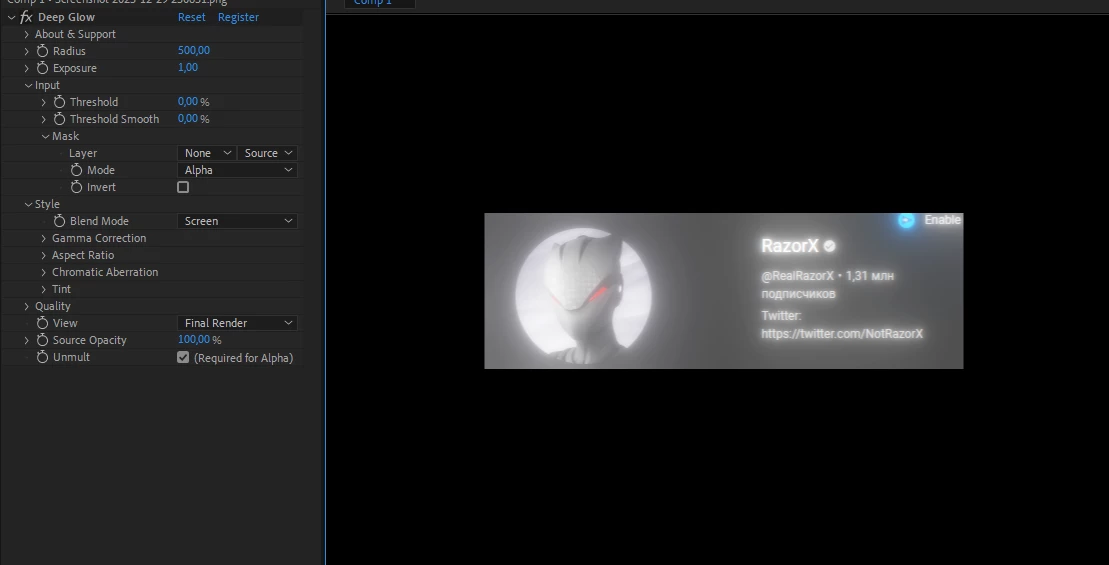
Same applies to other effects, and even installing AE 2023 instead of 2024 and reseting preferences, turning off all plugins won't help.

Same applies to other effects, and even installing AE 2023 instead of 2024 and reseting preferences, turning off all plugins won't help.
There are only two ways to make Deep Glow extend beyond layer boundaries. One is to pre-compose the smaller layer, moving all attributes to the new comp, and then apply Deep Glow to the Pre-composed layer. The glow will still not extend beyond the layer boundary.
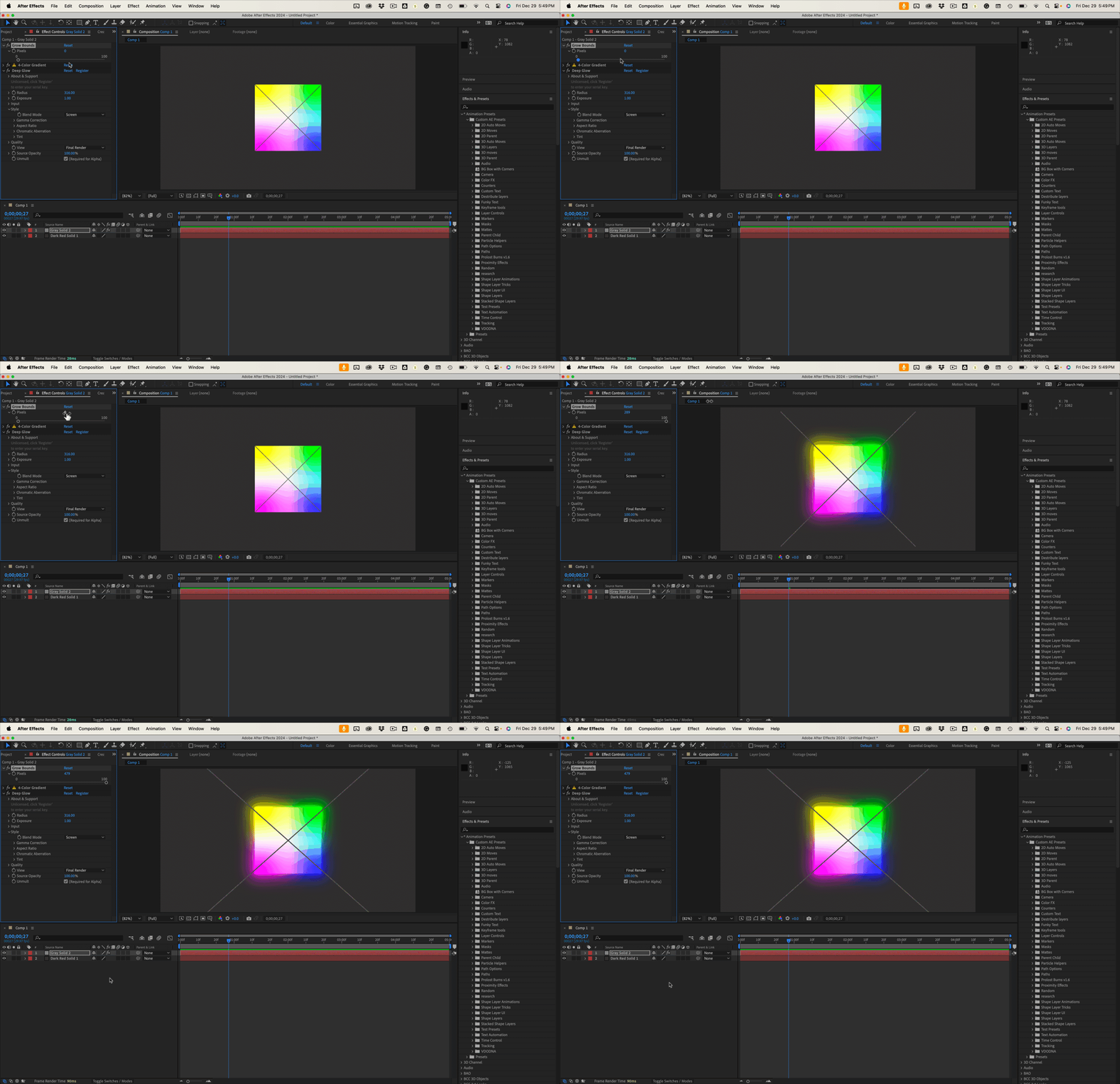
The other is to add Grow Bounds before you add Deep Glow. Extend the border by about double the number of pixels you want the glow to extend, then adjust Deep Glow. Here's how that works. I'm using an unlicensed copy of Deep Glow - that's where the X comes from.
That limitation is one of the reasons I have never purchased Deep Glow. I have other alternatives from Boris FX and Maxon.
Already have an account? Login
Enter your E-mail address. We'll send you an e-mail with instructions to reset your password.
 AdChoices