
Participant
December 12, 2016
Question

GPU ray-tracing not available in After Effects

  • December 12, 2016
  • 3 replies
  • 3521 views

I am using After Effect CC 2017 and I cannot activate GPU ray-tracing on my MacBook Pro. I have a NVIDIA GeForce GT 750M 2048 MB graphics card with a built in  Intel Iris Pro 1536 MB. I recently installed the most recent CUDA driver (version 8.0.53) and I don't see after effects even recognizing the software. Here is what the dialogue box looks like:
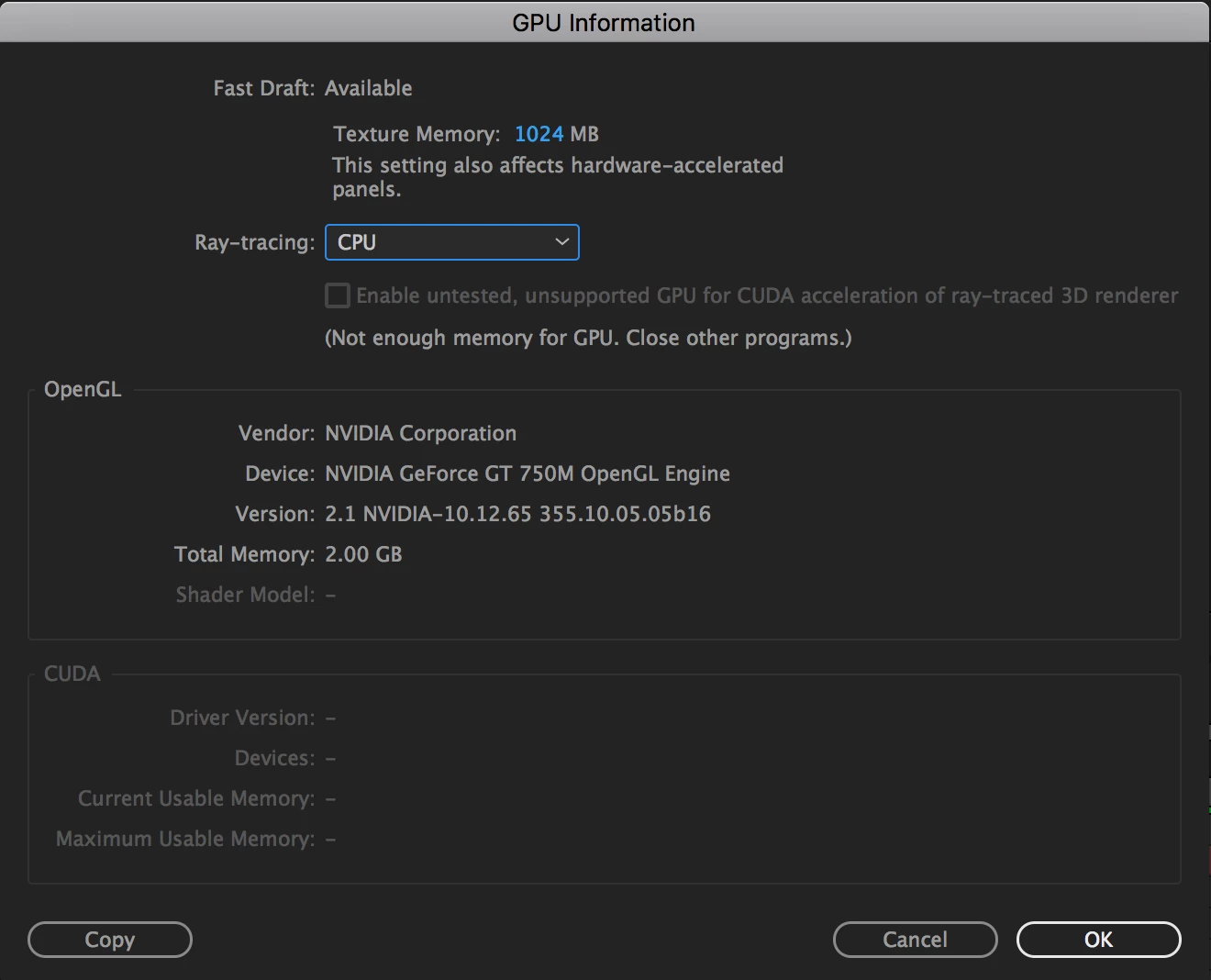
I am also unsure of what it means to not have enough memory for my GPU. I have no other programs and it will still say that.

Thank you.

    This topic has been closed for replies.

    3 replies

    Kevin-Monahan
    Community Manager
    Community Manager
    January 18, 2017

    Hi LMGeiser,

    This may help: Enabling CUDA for Premiere Pro and After Effects in the MacBook Pro Retina

    Let us know if that advice helps you with restoring ray traced 3D composition capability.

    Thanks,
    Kevin

    Kevin Monahan - Sr. Community and Engagement Strategist – Adobe Pro Video and Audio
    Roei Tzoref
    Legend
    December 12, 2016

    I cannot activate GPU ray-tracing on my MacBook Pro.

    After Effects System Requirements for Mac OS and Windows

    but you should not worry about it, Ray tracing is dead, and CC2017 has the Cinema4D Renderer that does almost the same thing and works on the CPU not GPU.

    Mylenium
    Legend
    December 12, 2016

    It means what it says - your card is unsupported and you can't do anything about it.

    Mylenium