
Answered
Graph Editing Handle
There are two Graph Editing Handle. One is for green graph other one for red line. In many occasions I see only green gaph handle is used. How to activate only one graph handle if both graph handles overlap each other?
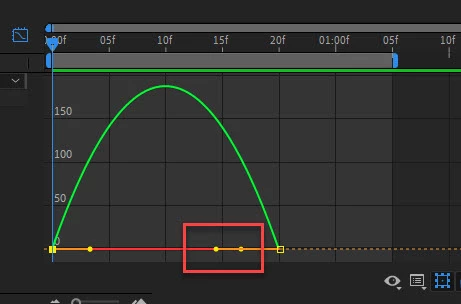

There are two Graph Editing Handle. One is for green graph other one for red line. In many occasions I see only green gaph handle is used. How to activate only one graph handle if both graph handles overlap each other?
Video is attached
You can not display only one of them as I said in my previous answer. And when you want to modify is "trial and error". When overlapping at the exact place, priority is horizontal parameter (red).
Already have an account? Login
Enter your E-mail address. We'll send you an e-mail with instructions to reset your password.
 AdChoices