Participating Frequently
October 8, 2022
Question

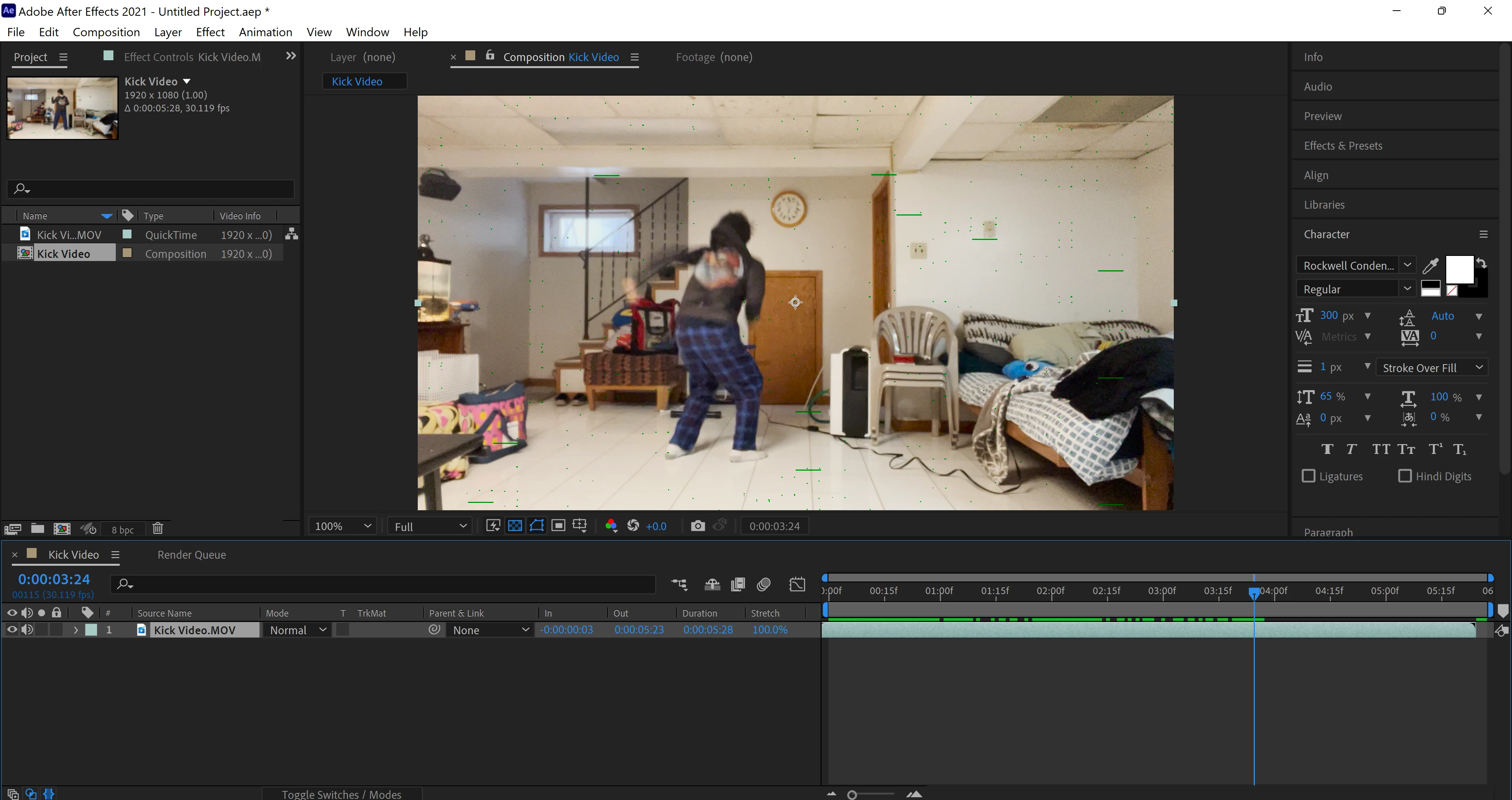
Green lines and dots in every frame

  • October 8, 2022
  • 3 replies
  • 294 views

Everytime I upload a video in the composition, I see green lines and dots scattering in every frame. 

Can someone help me on this issue?

After rendering, I see those same green lines and dots.
This topic has been closed for replies.

3 replies

Mylenium
Legend
October 9, 2022

Check the buttons at the bottom of the composition viewer... First button after zoom and resolution settings.


Mylenium

Community Expert
October 8, 2022

Another boring and standard answer. If your movie is an MP4, it is likely that the original footage needs to be transcoded to a frame-based production format. I don't know if your .mov file is an MP4 because you have not selected it in the Project panal. Check there. If it is an MP4 it is very likely that transcoding it to a professional production format will solve the decoding problem causing the green lines in the footage. 

Participating Frequently
October 8, 2022

I'm currently using a MP4 video

Can please tell the steps on how to do it?

Mylenium
Legend
October 8, 2022

Boring standard answer: Update your system's graphics driver, check your hardware acceleration settings in the prefs, turn off Fast Draft et al if you can't get it to work correctly.


Mylenium

Participating Frequently
October 8, 2022

I updated the graphic's driver, but I have a trouble on finding the hardware acceleration settings and finding a way to turn off fast draft.
