
Participant
July 13, 2022
Question

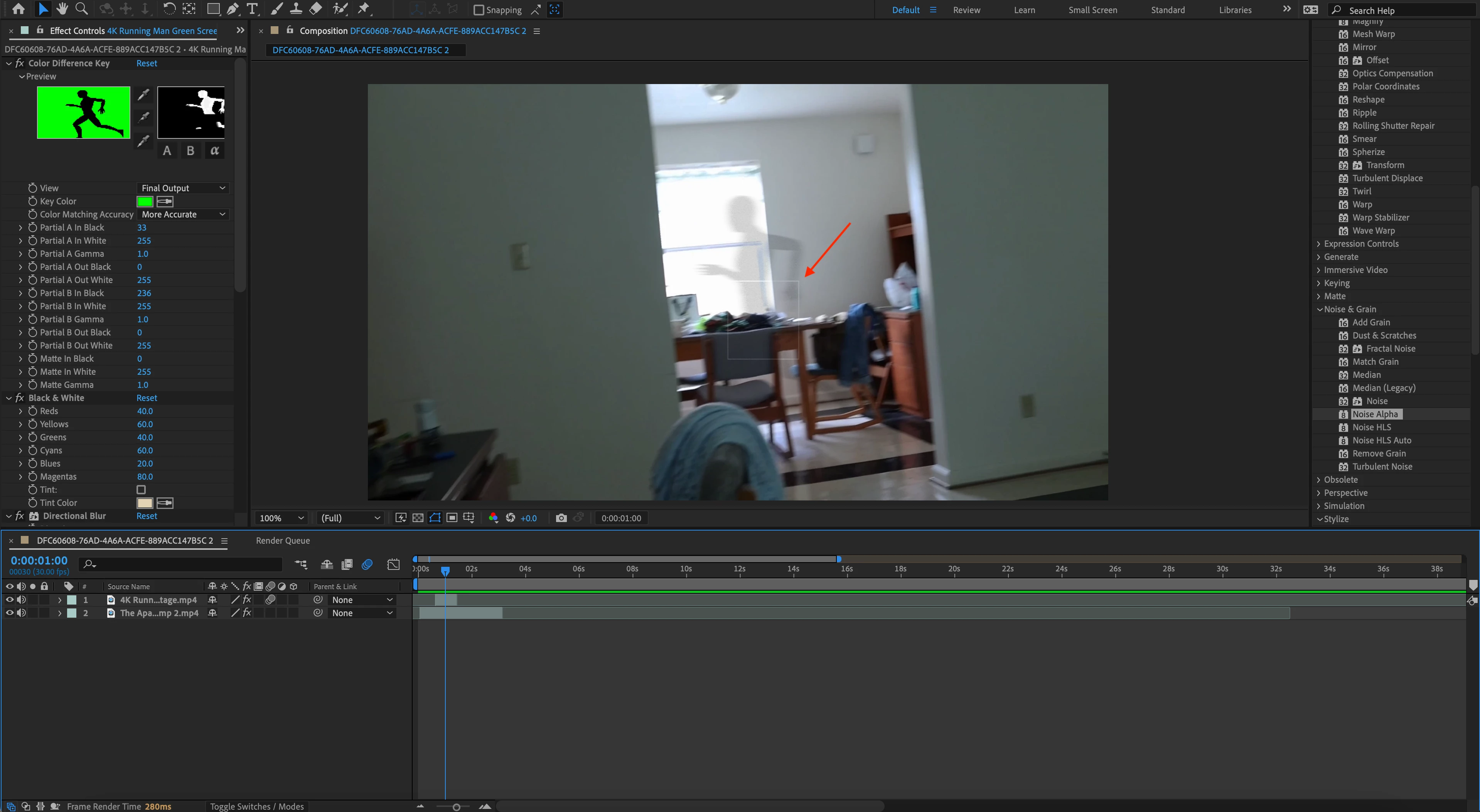
Grey Box Showing up in Render

  • July 13, 2022
  • 2 replies
  • 839 views

I've been working on this clip for a few days and just finished and rendered when I noticed this gray box in the final render. I realized then that it was also showing up in the preview. I mustve missed it thinking it was part of a mask or something. I searched all over and couldn't find anything on it. Anyone know what this is/how to get rid of it? Thanks
This topic has been closed for replies.

2 replies

Community Expert
July 14, 2022

I see a corresponding black box in the ECP for Color Difference Key. That is where it is coming from. I don't know why it is there, but Color Difference Key is the last tool I would use to create transparency for that footage. Keylight or even Set Channels with Alpha set to Green would probably produce a better matte. It would help if we could see the actual footage you are using for the overlay, but I'm sure that Color Difference Key is the culprit.

Participant
July 16, 2022

Thank you for the reply, the issue was film grain.

Andrew Yoole
Inspiring
July 14, 2022

Looks a bit like the preview window of some heavy effects like Film Grain, but we can't see all the effects you're using in the screengrab.  Make sure the Output parameter of all effects is set to Final, Final Render etc.

Participant
July 16, 2022

Hi Andrew, thank you for the reply, the issue was indeed the film grain. I had no idea there was variation to the output parameter. Thank you!

Participant
June 12, 2024

Where did you change the output parameter. I am having the same problem and can't seem to get rid of it.