
fajota
Known Participant
August 2, 2025
Answered

Handles lost from Anchor Points

  • August 2, 2025
  • 2 replies
  • 476 views

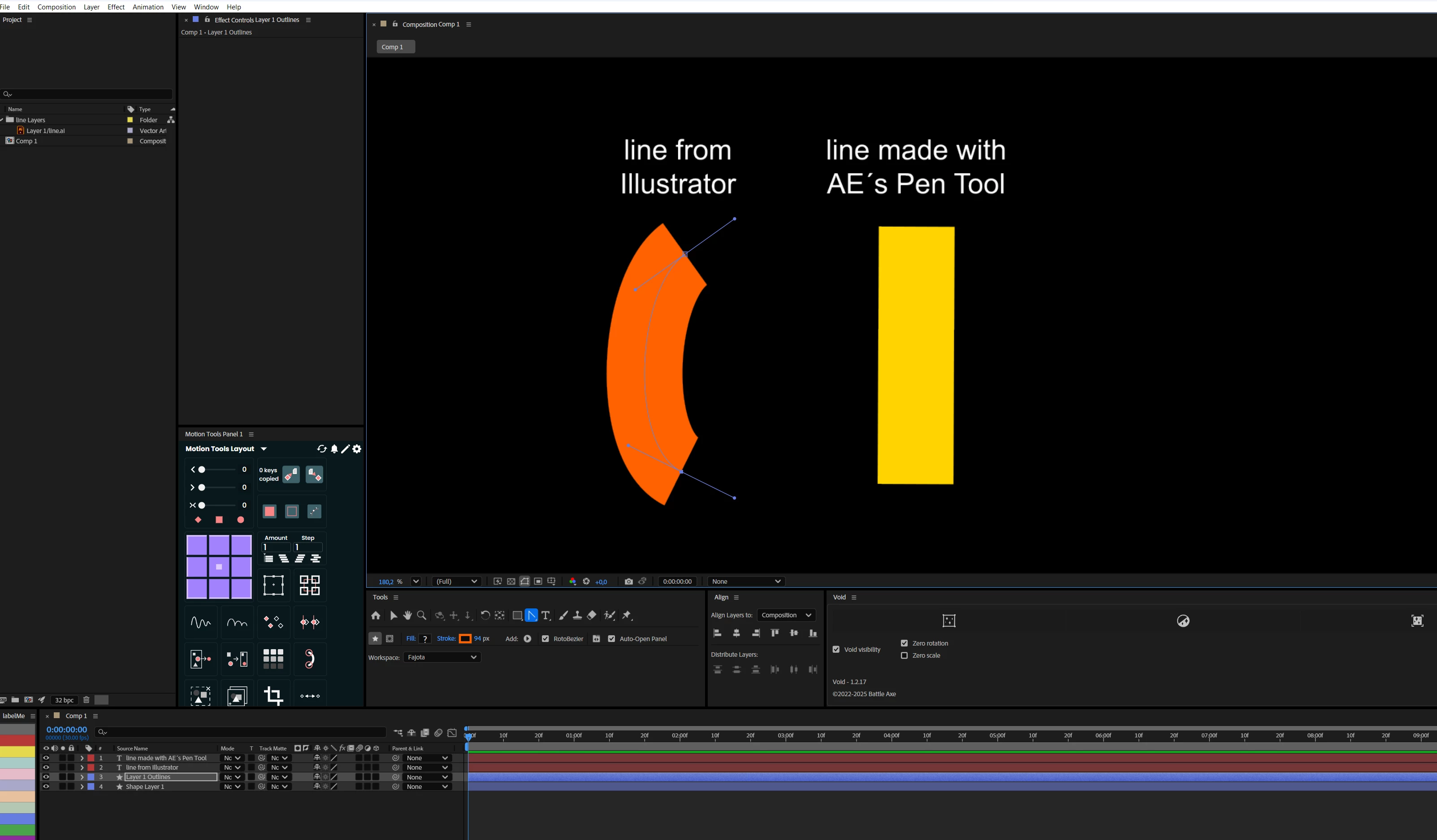
When I convert an Illustrator vector into a shape, the handles appear on the anchor points. (image 1)
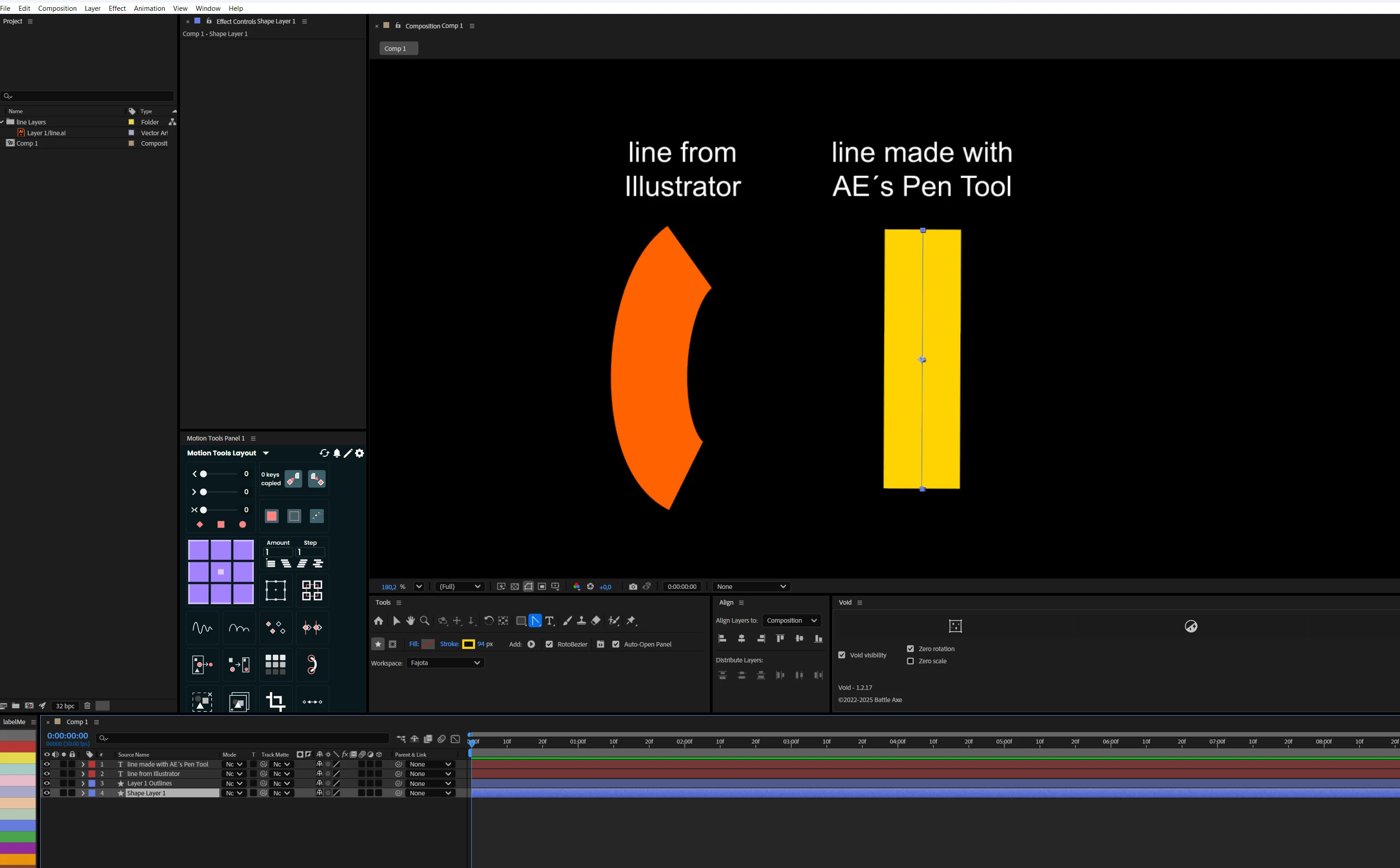
However, if I draw a line or any object using the Pen Tool and then use the Convert Vertex Tool to change the shape, the Handles do not appear on the Anchor Points. (image 2)  I tried uninstalling and reinstalling the AE. How can I fix it?
Correct answer nishu_kush

Hi @nishu_kush !


The video is attached.

Thanks for the help!


Thanks for sharing the screen recording. It helps! Uncheck the Roto Bezier check box before creating the path. For the existing path, select one of the vertices> right-click > Mask and Shape Path > and uncheck Roto Bezier.

Hope it helps. Let me know the outcome.


Thanks,
Nishu

2 replies

fajota
fajotaAuthor
Known Participant
August 3, 2025

Hi! I just want to edit the curves without animating

nishu_kush
Legend
August 5, 2025

That should not be the case. It should create the handle as you click on the vertex and drag. Is it happening in a specific project? If possible, can you share screen recording that shows the problem?

We're here to help. Moving this thread from Bugs to Discussions for troubleshooting.


Thanks,
Nishu

fajota
fajotaAuthor
Known Participant
August 5, 2025

Hi @nishu_kush !


The video is attached.

Thanks for the help!

Community Expert
August 3, 2025

You may want to try selecting the shape layer in the time line and then typing "u" to reveal the keyframes. Select the keyframe that you'd like to bend 

and trying again.