
sweenybro1981
Participating Frequently
January 15, 2018
Answered

hard corner angle change with a png layer path help

  • January 15, 2018
  • 1 reply
  • 1889 views

Hi guys,

I am looking for a few definitions and someone to point me in the right direction. I am a newbie at after effects so the real problem is my lack of vocabulary.

I am trying to take this png of the words Attack Theatre and have the image change angle about mid screen and move forward and the left of the screen while also having the top left corner increase its angle upward, so the image looks like it is moving left and towards the foreground.

I cannot figure out how to make the image break at the center and transform into a bigger taller image as it leaves the left of the screen. I have attached an image of where I am at. I rotoscoped the guy in the image. When it is done there will be three versions of the guy. The text should move across along the path lines of the cement in the image. From screen right to screen left, with a sharp change of direction in the center are where I added the middle point.

Is there a tutorial that can help me? Everything I can find has a an image staying the same dimension and moving along the path. This is not what I need.

Thanks in advance. Here is a picture of what it looks like. The text is behind the foreground dude. 
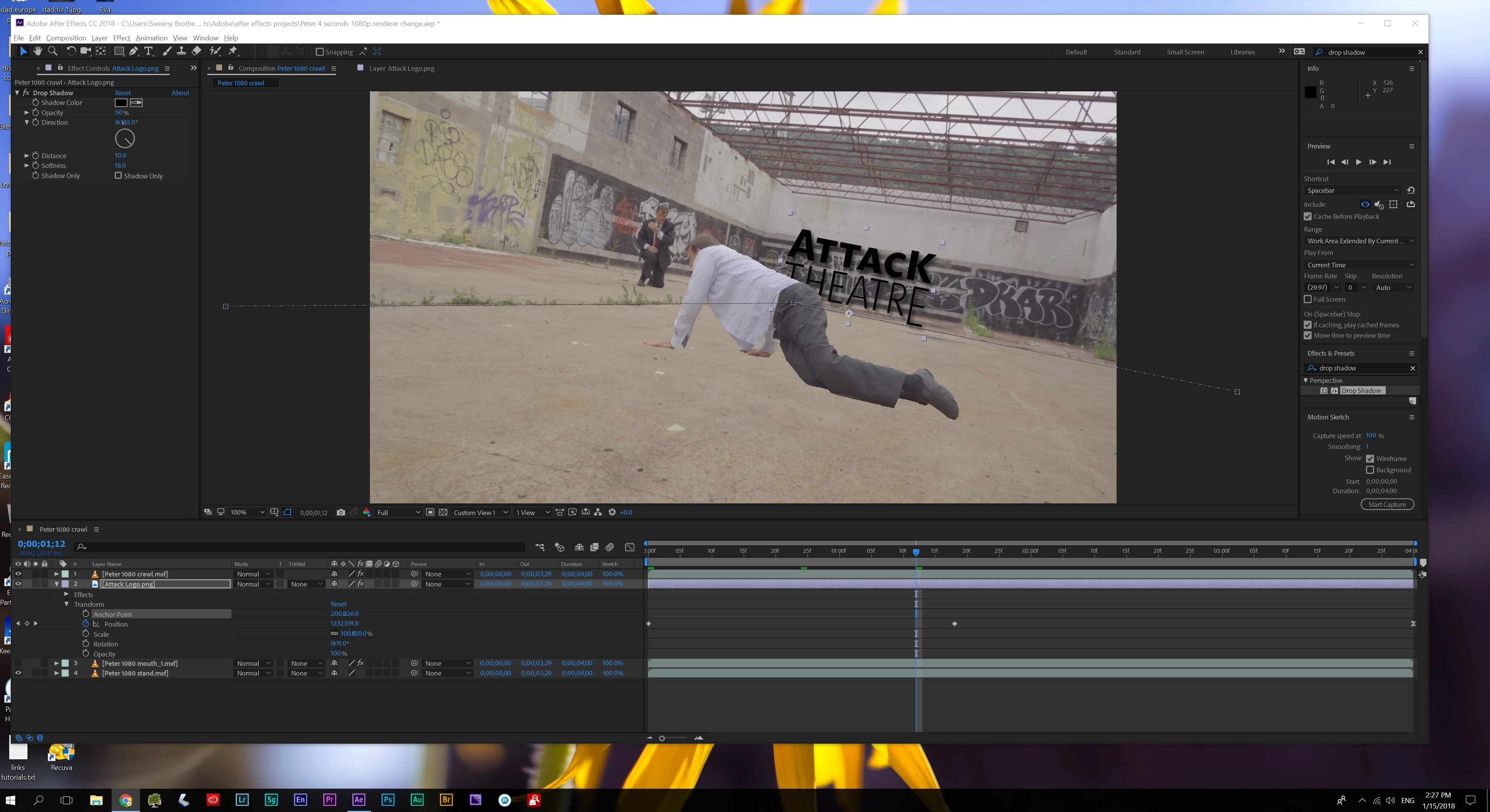
    This topic has been closed for replies.
    Correct answer P.M.B

    ^should read "learning things INcorrectly"

    as I know this is not the way to learn things properly.
    NO time for that!


    CC power pin.

    I could tell how to use it but....Nah

    No time for that. 

    I'm kidding....I have plenty of time.

    1 reply

    Roland Kahlenberg
    Legend
    January 15, 2018

    If I understand you correctly; you have never animated any property in AE? Have you ever animated anything in AE?

    Very Advanced After Effects Training | Adaptive & Responsive Toolkits | Intelligent Design Assets (IDAs) | MoGraph Design System DEV
    sweenybro1981
    Participating Frequently
    January 15, 2018

    nope

    is there a tutorial that includes a hard turn for the object? What if I wanted to have the png craw across the back wall. I just need to know how to make this angle change

    I like video tutorials

    I don't want to weed myself through hours and hours of stuff to get to this. I know enough about using keypoints and basic usage. Its not that different from photoshop and premiere or audition.

    So I just want to learn this one thing.

    Thanks

    sweenybro1981
    Participating Frequently
    January 15, 2018

    the above should say CRAWL

    not craw, sorry