
Participating Frequently
August 5, 2018
Answered

How do I apply a gradient along a path?

  • August 5, 2018
  • 3 replies
  • 4872 views

Hi there,
I've been having troubles getting a gradient following a path and I am already desperate of trying to find a work around.
I'd like to create a rotating rgb rainbow effect around this logo
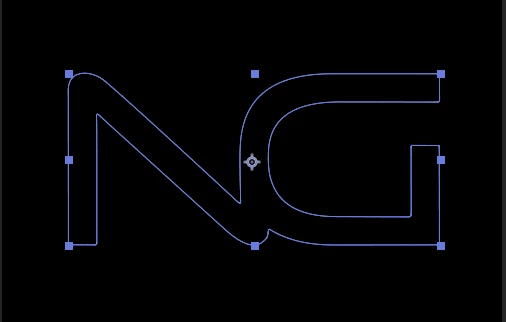
but I was unable to do so ...
Do you guys have any idea's on how to create such an effect?

    This topic has been closed for replies.
    Correct answer P.M.B

    To get more than two colors you're probably going to have to apply several instances of a two color gradient, each with a different two colors,  and offset them.  There's also a plugin called Boa BAO Boa - aescripts + aeplugins - aescripts.com    It's on the low end of expensive but might be the only easy solution.  You would create a shape layer with gradient then use the plgin.  I think it's the same concept as Omino snake but better.  I think you can try a fully functional trial version before you buy it.

    3 replies

    P.M.B
    P.M.BCorrect answer
    Legend
    August 6, 2018

    To get more than two colors you're probably going to have to apply several instances of a two color gradient, each with a different two colors,  and offset them.  There's also a plugin called Boa BAO Boa - aescripts + aeplugins - aescripts.com    It's on the low end of expensive but might be the only easy solution.  You would create a shape layer with gradient then use the plgin.  I think it's the same concept as Omino snake but better.  I think you can try a fully functional trial version before you buy it.

    ~Gutterfish
    Participating Frequently
    August 6, 2018

    Here's the result guys ... if you are interested

    PS:
    First project in After Effects ^^

    Participating Frequently
    August 6, 2018

    How did you end up doing it?


    I used BAO Boa in the end ... rip 70$ but worth

    Kyle Hamrick
    Community Expert
    Community Expert
    August 6, 2018

    I understood your question perfectly.
    See if this thread points you in the right direction. There are a couple ideas in here that should get you there.
    Gradient Along Stroke

    Dave_LaRonde
    Inspiring
    August 5, 2018

    What do you mean by "around"? Please describe in relation to what you've already shown us.

    Participating Frequently
    August 5, 2018

    Here that's my best try so far

    I used omino snake plugin for this and an image which is just the gradient but I ran into 2 problems with this:
    1. Can't make the "snake" any longer (I want that this loop is completely enclosed by this) (gradients source image is already 5000px in length)
    2. Can't make it go further than in the clip (reached slider cap of 3000.000)

    Dave_LaRonde
    Inspiring
    August 5, 2018

    Sorry, but that didn't do it.  Especially the "around" part.  Use words.  Be descriptive.  The more description, the better.