Inspiring
October 8, 2022
Answered

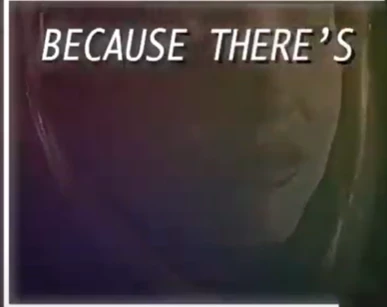
How do i do the shadow colors behind text like this person did?
  • October 8, 2022
  • 3 replies
  • 738 views

This topic has been closed for replies.
Correct answer Kyle Hamrick

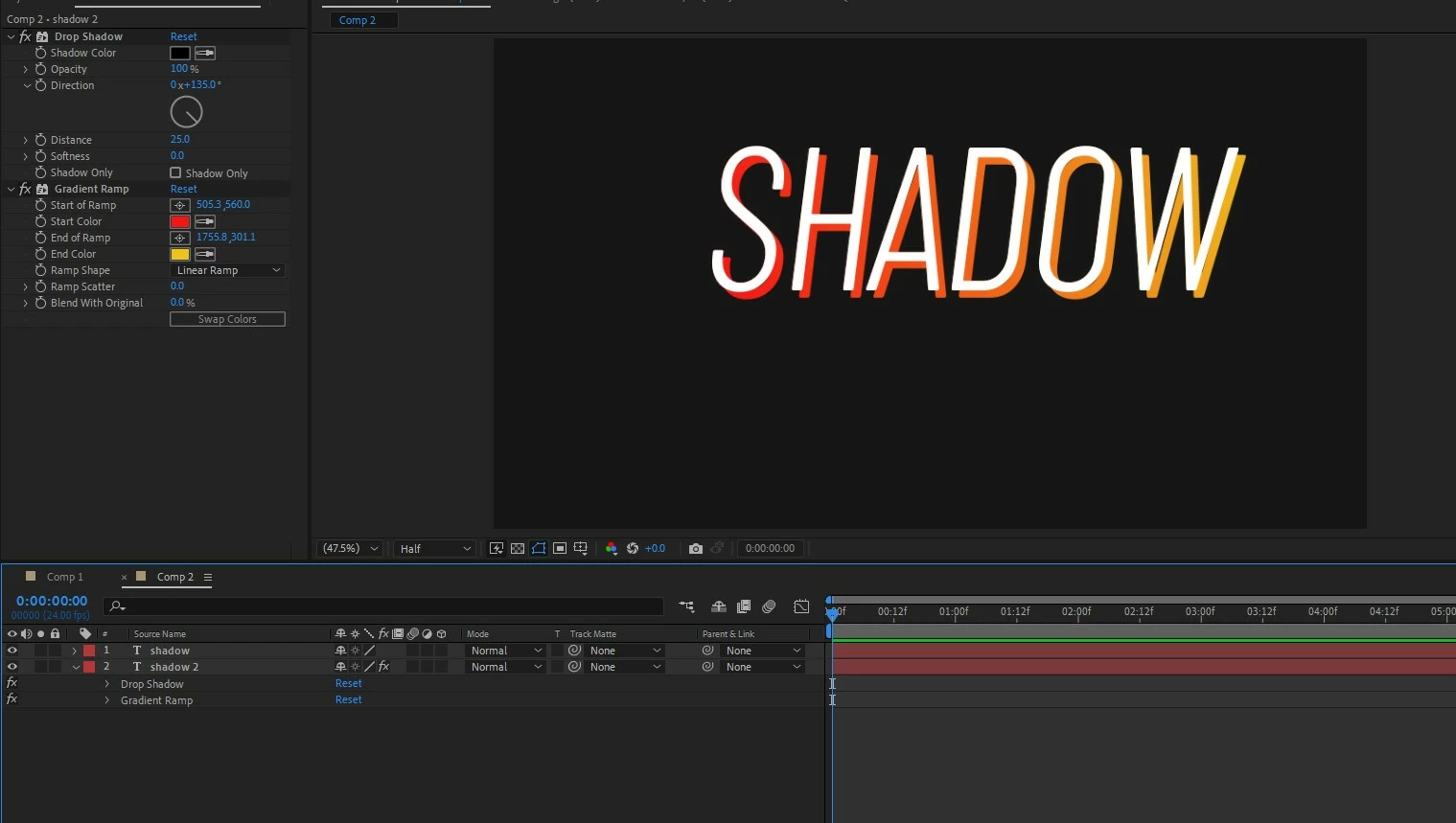
If you're instead looking to add a gradient drop shadow (this did not seem very clear from your question), the easiest route would be to duplicate your text layer, and add a Drop Shadow and then Gradient Ramp on the bottom copy. 
3 replies

Kyle Hamrick
Community Expert
Kyle HamrickCommunity ExpertCorrect answer
Community Expert
October 8, 2022

If you're instead looking to add a gradient drop shadow (this did not seem very clear from your question), the easiest route would be to duplicate your text layer, and add a Drop Shadow and then Gradient Ramp on the bottom copy. 

Kyle Hamrick
Community Expert
Community Expert
October 8, 2022

If you're referring only to what's immediately behind the text, this just looks like a Drop Shadow for the black, and possibly  an instance of Glow. The color treatment over the footage could be achieved with Gradient Ramp or possibly 4-Color Gradient, as Mylenium suggested, and making use of blending modes, opacity settings and/or some simple masks.

In short, take one step at time, don't be afraid to experiment, and keep adjusting until you get where you want to be. 


I did a quick recreation.

1. Text layer w Drop Shadow & Glow

2. Adjustment Layer with Levels (darkens image), masked across the bottom part of the screen.

3. Adjustment Layer with Gradient Ramp. Layer set to Screen Mode and Opacity around 35%

4. Image w Levels effects to approximate the look of yours. 

Mylenium
Legend
October 8, 2022

Could be as easy as the 4 Colour Gradient effect applied to a solid on top of the footage and then playing around with opacity, color and blending modes.


Mylenium

Inspiring
October 8, 2022

How do i get the backgroud effect?

Inspiring
October 8, 2022

like the effect has te color graidant for the text and not the whole video itself
