
robertsdigitald81389881
Known Participant
December 30, 2020
Answered

How do I make this shape to disappear in this animation

  • December 30, 2020
  • 2 replies
  • 1111 views

Guys In the image below, I want to make the shape in Group 3 layer to disappear when the slider in the timeline reaches dots A and B till the end.

A step by step explanation would be helpful

thx

This topic has been closed for replies.
Correct answer Ro Hackett

I really cannot see what type of layer those paths are sitting in... why no transform options?  If they have no fill or stroke they are already invisible... i brought in my illustrator layer... i right clicked it and select create - shapes from vector layer.... 

Then when you reach point a you add opacity key frames on that one path's group  transform options
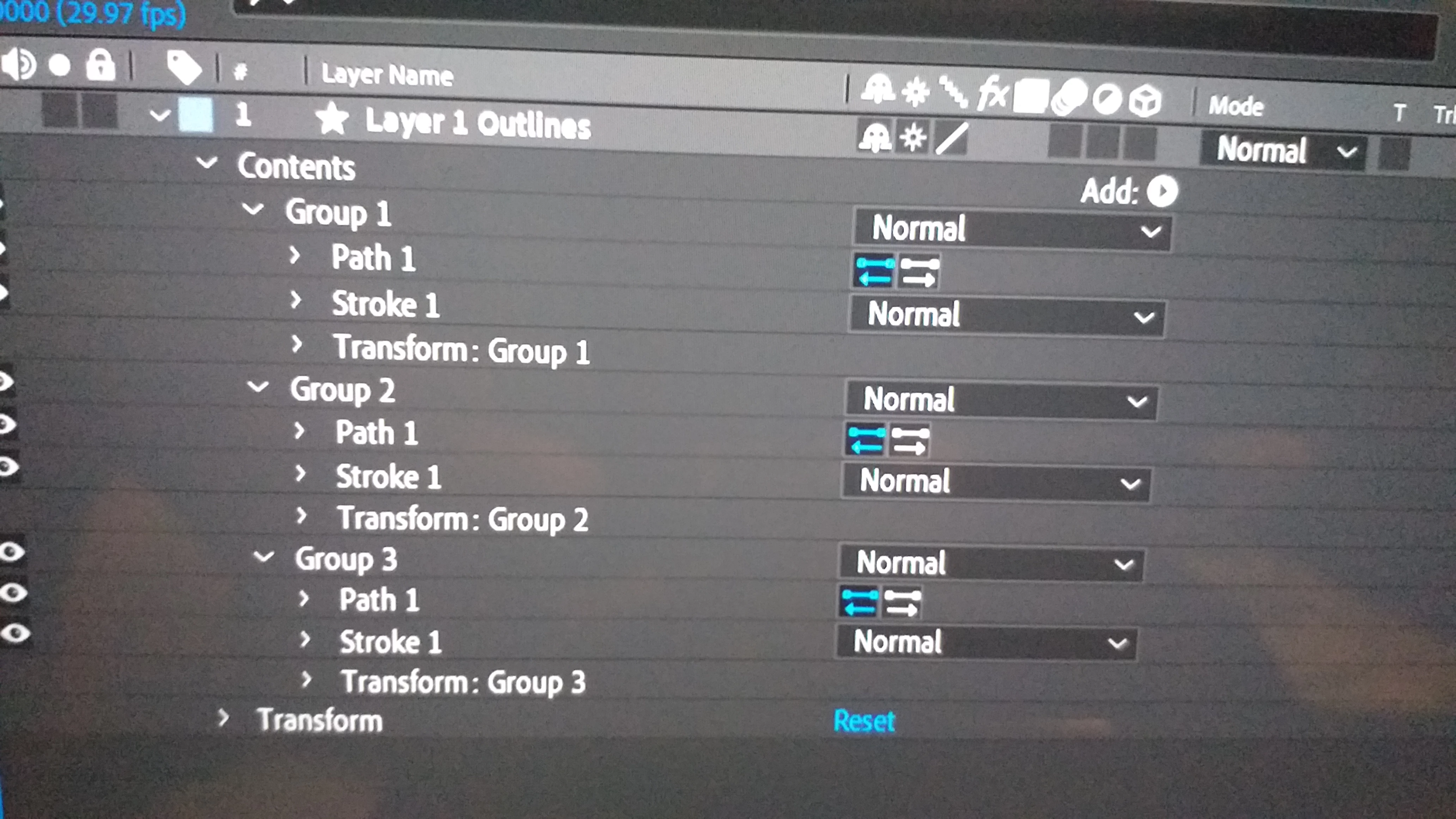


So basically when you get to point A come back one key frame and add a keyframe for the Opacity on that path's layers then forward one keyframe and set another opacity keyframe and bring it down to zero

2 replies

Community Expert
December 31, 2020

Expand all of the shape properties in the timeline and you will find Opacity. Animate that.


You can also set up a track matte the shape of the layer you want to make disappear as it moves, then just let the movement wipe away the object on the screen.


You can also use Merge Paths to make one shape on a shape layer remove another. 


I don't have any idea what you mean when you talk about the Slider in the timeline reaching dots A and B. The A and B circles are around keyframes for path position. It looks like they are about 3 frames apart. I don't see a slider, but you can animate opacity over 3 frames to hide Group 3 Path 1. Spin down all the properties in Group 3 and you should find opacity.


Please embed your screenshots. It makes it a lot easier to see what you are asking about.

Ro Hackett
Inspiring
December 30, 2020

They are not shape layers no? How did you make those group layers?

robertsdigitald81389881
Known Participant
December 31, 2020

I created the shapes in AI and imported them to After effects


Do you know how to make the shape in group 3 invisible, when the animation slider reaches dot A and B?

Ro Hackett
Inspiring
December 31, 2020

I really cannot see what type of layer those paths are sitting in... why no transform options?  If they have no fill or stroke they are already invisible... i brought in my illustrator layer... i right clicked it and select create - shapes from vector layer.... 

Then when you reach point a you add opacity key frames on that one path's group  transform options


Add those opacity keyframes on the layer that says Transform : Group for that particular shape....

(that will make both the fill and stroke invisible) 🤔 🤔