
Known Participant
March 28, 2022
Question

How do I match the animation velocity for clips of different durations?

  • March 28, 2022
  • 2 replies
  • 704 views

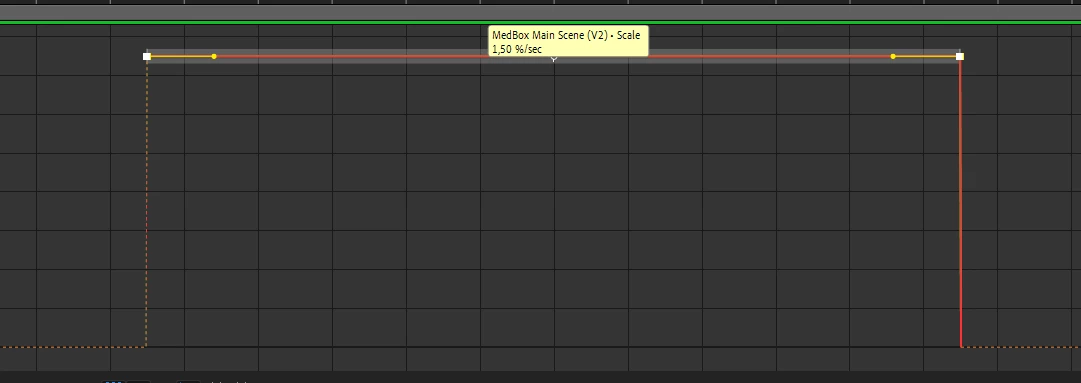
I have two different clips, which have a different duration, but both should have the same scale animation. One of the clips is going from 100% scale to 105.5% scale, the keyframe interpolation method is set to linear. If I look inside the graph editor, I can see that the speed is 1.50% per second. 

Now I want the second clip to have the same speed, however, it has a different duration. The question is following: is there any function in After Effects that will set the end keyframe's property of my second clip so that it has the same rate of 1.50% per second? Basically, is there any way to pick up this value for clips of different durations without having to calculate these values yourself?


This topic has been closed for replies.

2 replies

Warren Heaton
Community Expert
Community Expert
March 28, 2022

Copy and paste the Scale keyframes from the shorter clip to the longer clip and then apply a loopOut('Offset') Expression to the Scale parameter of the longer clip.


Inspiring
March 28, 2022

While looking at the Speed Graph, you can double-click on the first keyframe and set the Outgoing Velocity to 1.5%, then double-click on the second keyframe and set the Incoming Velocity to 1.5%

Anton5C11Author
Known Participant
March 28, 2022

Thank you. I've just done it, but it didn't solve the problem. The second animation still has the same value, which is 1.15% per second. Take a look at the snapshot please.


Inspiring
March 28, 2022

Did you make sure to set the Outgoing Velocity of the first keyframe and the Incoming Velocity of the second keyframe, not the other way around? This screenshot by itself doesn't tell me a lot. What does the animation of the two actually look like to you?