
Participant
August 1, 2023
Question

How do I trim/split layer with no residue in After Effects?

  • August 1, 2023
  • 2 replies
  • 296 views

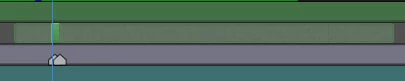
When I cut my layer using alt (command) + [ / ] or Shift+Ctrl+D it leaves residue like that, that gets in a way when I'm trying to move layer on the timeline because it shifts contents of what I've cropped. Is there any way to crop without leaving previous parts of layer or erasing these parts afterwards? Thank you.
 

This topic has been closed for replies.

2 replies

Community Expert
August 1, 2023

Pay close attention to the pointer's icon when you select the layer to move it. Don't click and drag if you don't see the standard arrow with the Selection Tool (v) active. Zoom in if the trimmed layer is so short in the timeline that you can only see the double-ended arrows.


I almost always set the CTI (current time indicator) to the point in the timeline where you want the layer to start and press the Left Square Bracket Key ([). You can also use the Right Square Bracket key to move the layer out-point to the Current Time indicator. 


If you must get rid of the source footage start and end indicators, Pre-compose the layer, ensuring that Move All Attributes and Adjust composition to layer length are selected.


Mylenium
Legend
August 1, 2023

No, plain and simple.


Mylenium