
Participating Frequently
December 15, 2017
Answered

How do you animate a "jelly like motion" stack of layers?

  • December 15, 2017
  • 2 replies
  • 3502 views

Hi, thanks for stopping by! Does anybody know how to do something like this:
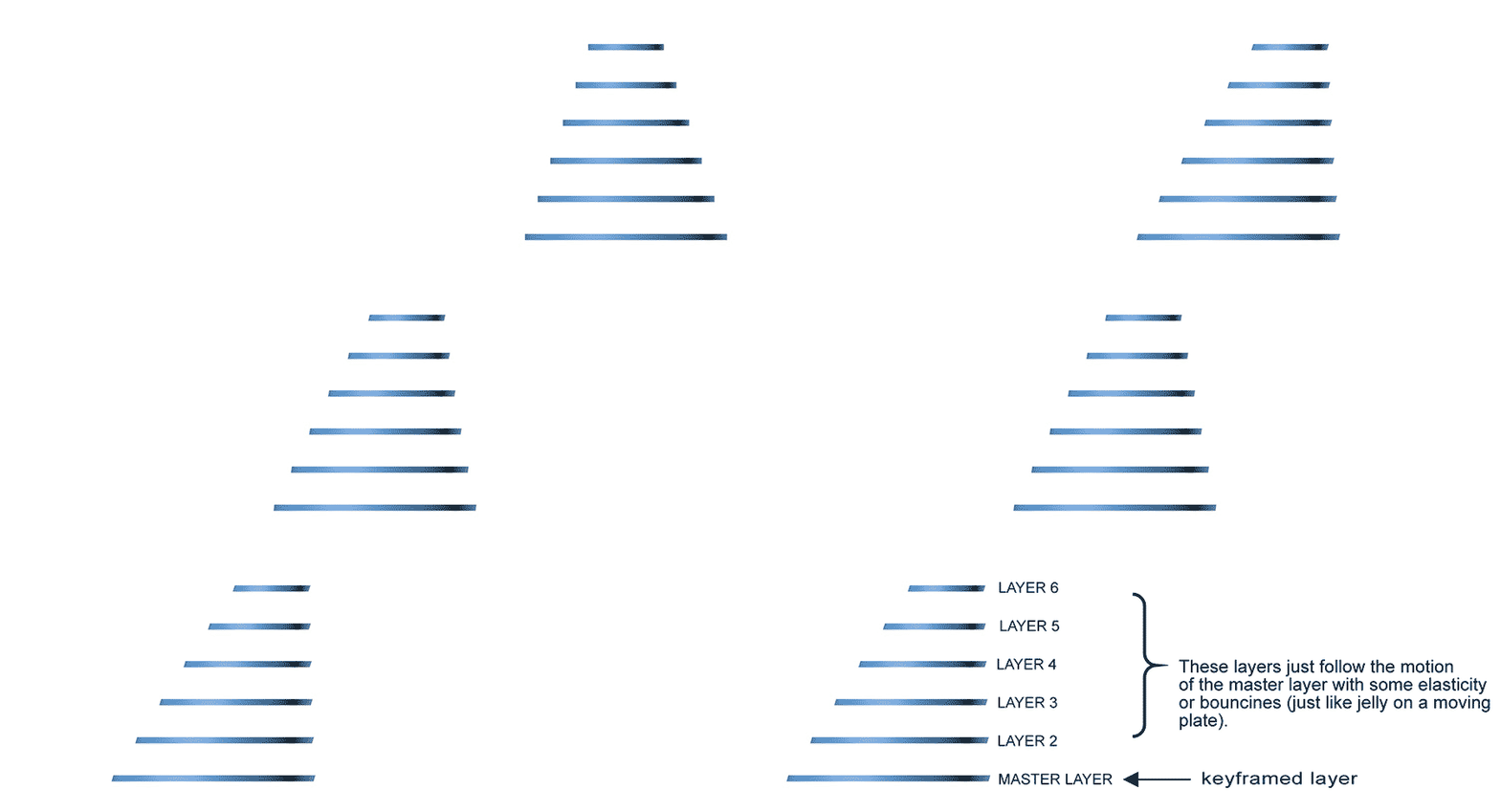
It's a lame GIF sorry, but you get the idea! This would be the top view, but the camera will be frontal. Every layer will have a different color and different shapes.

Ideally, I'd like to keyframe the "master layer" and the other layers would follow the motion just like a jelly dessert would do on a moving plate. Does somebody know how to go about this?

Thanks a lot!

    This topic has been closed for replies.
    Correct answer Rick Gerard

    T here are two ways to do that without spending some money on scripts or plug-ins. The first is with keyframes and the graph editor. It's tedious and requires a very good understanding of the graph editor. The second is with expressions. Dan Ebberts http://motionscript.com has some links on the first page of his' site that points to an article on Realistic Bounce and Overshoot. I suggest that you take a look there. You'll learn more than you would if I just gave you an expression. When you get something you like save it as an animation preset.

    Probably the easiest to use 3rd party solution is my friend Mathias Mole's Squash And Stretch. There is a free version and you can get it now, but the pro version will give you a lot more options.

    2 replies

    anshulsaini1
    Participant
    December 15, 2017

    1. Create any type of shapes in photoshop or after effect

    2. If you've created your shape in photoshop than import it in after effect as a "Composition".

    3. Create a new Adjustment layer in that composition.

    4. The jelly like effect works based on two simple effects - "Fast Blur" (blur in general) and "simple choker" (matte choker).

         If you put both these effects on an adjustment layer, it will affect all your layers below it, so you can easily turn multiple

         elements "jelly" at no time.

    5. Now you have to play with fast blur and simple choker settings under effect controls.

        - Adjust the fast blur value to slightly blur the shape.

        - Move the choker matte value till the blur isn't visible anymore.

        Play around with those settings until you get your desired animation.

    6. After doing this u can start animating your shapes or objects with position or scale keyframes.

    7. You can still add new effects on the shapes or objects, it won't affect the jelly effect as long as it stays below the adjustment layer.

    Hope You get your desired effect.

    Participating Frequently
    December 16, 2017

    Hi Anshul Saini. I think I will end up using expressions along the lines of follow the leader and overshooting. I do like your idea tho, I might use the motion from the expressions and part of your idea to polish the visuals. Thank you so much!

    Rick GerardCommunity ExpertCorrect answer
    Community Expert
    December 15, 2017

    T here are two ways to do that without spending some money on scripts or plug-ins. The first is with keyframes and the graph editor. It's tedious and requires a very good understanding of the graph editor. The second is with expressions. Dan Ebberts http://motionscript.com has some links on the first page of his' site that points to an article on Realistic Bounce and Overshoot. I suggest that you take a look there. You'll learn more than you would if I just gave you an expression. When you get something you like save it as an animation preset.

    Probably the easiest to use 3rd party solution is my friend Mathias Mole's Squash And Stretch. There is a free version and you can get it now, but the pro version will give you a lot more options.

    Participating Frequently
    December 16, 2017

    Hi Rick Gerard. Thanks a lot for the tips. I have been given a very similar suggestion in a different forum so I think I am on the right track! I will test things next monday when I am back to the office, but I am sure that using Dan Ebberts expressions it will work just fine. Have a good weekend!