
Answered
How do you do this effect?
I've been trying several times to make a triangle tunnel effect. I've tried using 'Grid' but it does not align as a triangle.
I would gladly appreciate your help!
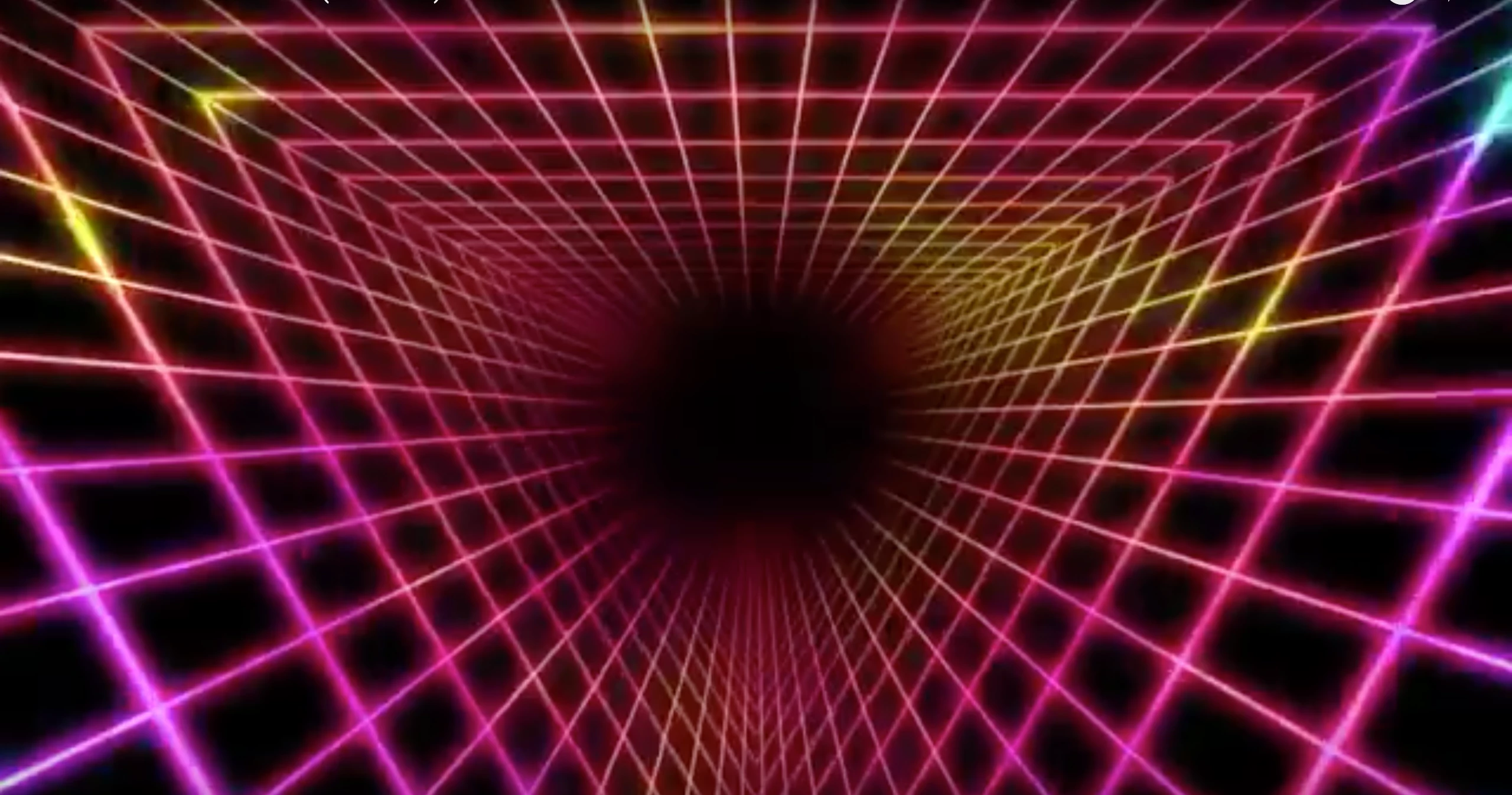

I've been trying several times to make a triangle tunnel effect. I've tried using 'Grid' but it does not align as a triangle.
I would gladly appreciate your help!
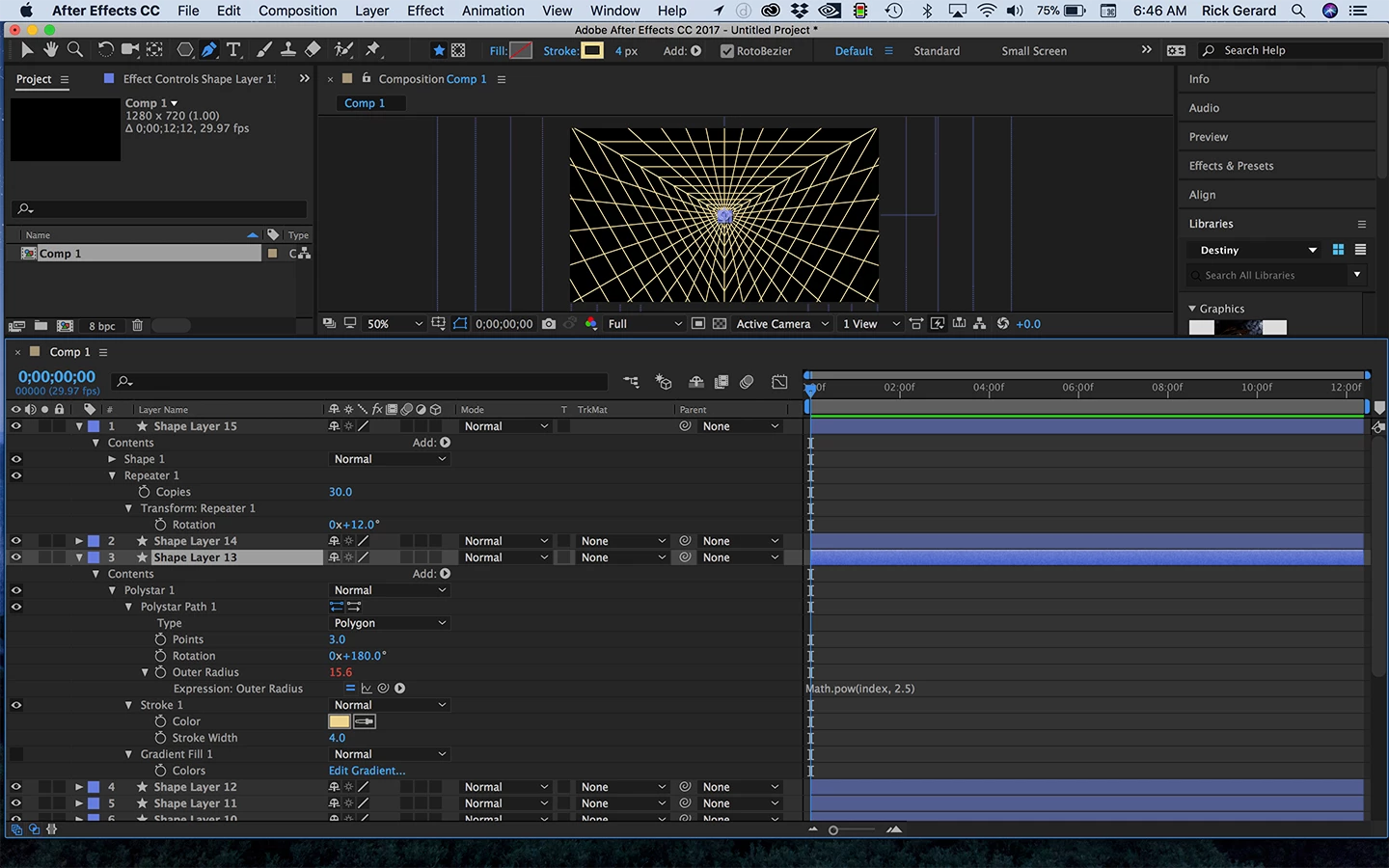
One easy way to get this effect and keep the stroke width consistent is to use a triangle shape layer and add an expression to the size that uses exponents. The expression looks like this:
Math.pow(index, 2.5)
This takes the layer number, the index, and raises it by the power of 2.5. Set the second number to anything that gives you the faked perspective you desire.
Then add a shape layer with a single line extending from the center of the comp to an outside corner and add a repeater for rotation. Decide how many copies you want, 30 for example, and divide 360 by that number to get the rotation offset (360/30 = 12). You'll get something like this which you can pre-compose and then use as a track matte for a gradient filled shape layer and then add glow.
A second option is to use Radio Waves and a mask. You can create any shape and get movement. You can then also use shape layer/repeater trick to get the radiating lines.
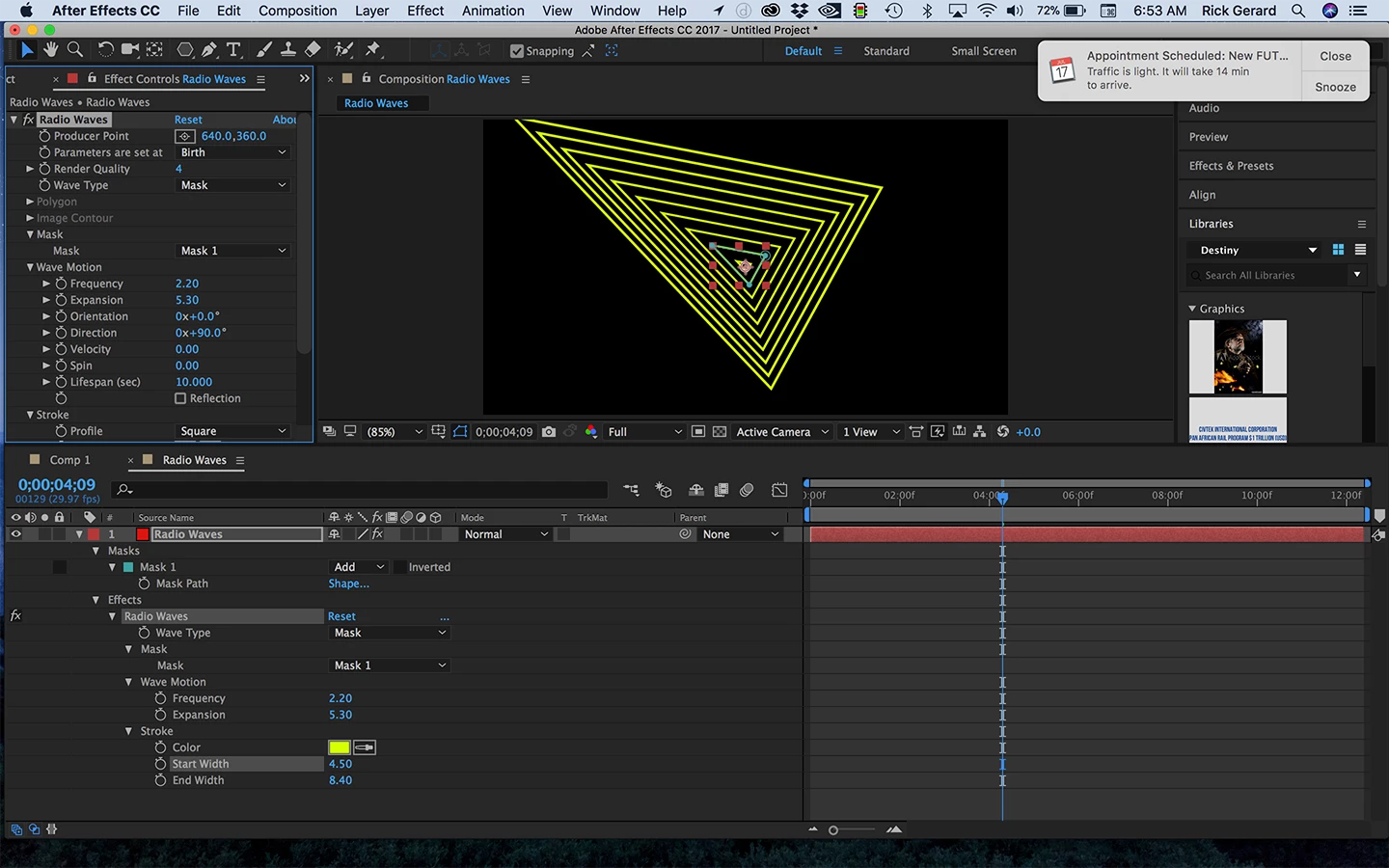
Then you can do the same pre-comp and use as a track matte trick go get your gradient and glow.
There are other options. It just depends on what exactly what you are trying to do. I hope this gets you started.
Already have an account? Login
Enter your E-mail address. We'll send you an e-mail with instructions to reset your password.
 AdChoices