
Participating Frequently
November 19, 2018
Question

How do you have a crumbling effect that starts from the middle and works its way out?

  • November 19, 2018
  • 2 replies
  • 6232 views

I am currently attempting to make a intro in Adobe After Effects for my youtube intro starting with a crack effect then having a flame logo type entrance. I am currently making a crumbling type effect by using the "Shatter" effects. that looks something like this,
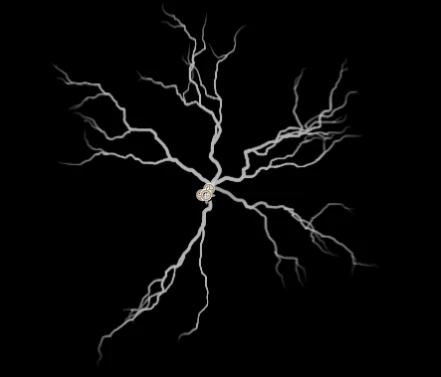
from the center of the crack i want it to start crumbling than revealing the crack as it crumbles throughout. But I don't know how. Someone please explain before I go insane I have been experimenting with this for over 7 hours.

2 replies

Participant
September 13, 2025

To create a crumbling effect starting from the middle and spreading outward, begin by setting the center as the origin. In Photoshop or After Effects, use a mask or shatter/disintegration effect, animating particles to radiate from the center. In 3D software like Blender, apply a fracture or shatter modifier with the origin at the middle, then animate pieces exploding outward with physics for realism. In code or WebGL, break the object into particles, calculate their distance from the center, and move them outward proportionally. This creates a natural, expanding crumbling effect !

Community Expert
November 19, 2018

I don’t have time to post an example right now but you would use a custom shatter map and custom particle size. Yoi would probably also want to have two layers so if you want to reveal the crack. You could use a fractal noise layer to make the layer break apart instead of a Force.

There are very few good tutorials on Shatter so the best thing to do is to check out the user guide. You can find it using the search help feature in the top right-hand corner of AE.

Participating Frequently
November 19, 2018

I am new to After Effects, so in technical terms I am confused with the break apart you talked about. I understand that you are short on time, but when you have time, could you please explain what you mean. I am using fractal noise for the animation of lava in the crack currently but i dont see how i could do what you are talking about.

Regards,

Jacob

Community Expert
November 19, 2018

In the User Manual under Simulation Effects, you'll find a link for Shatter effect.

If you read that you'll get the basic idea of how Gradient Controls work. You will also find out how Custom Shatter Maps work.

Here's what I would do:

  1. Create a shatter map that looks like this (easiest in Photosbhop
  2. Use this as in Shatter and set white tiles to remain fixed.
  3. Create a gradient to control when what parts start to move and use that for Gradient control
  4. Animatinfluenceluende of the Gradient Control

That's how to get started. If you have decent skills in Photoshop and you study the User Guide and maybe watch some of the tutorials they have links to you should be able to figure it out.