Answered
how remove tracking marker?
I put the tracking marker on the table, how do I clean it?

I put the tracking marker on the table, how do I clean it?
When you shoot for visual effects it is extremely important that you properly expose the shot so you have as much detail as possible in the image. If there is any significant edge detail on any plane you want to replace or any surface you want to track there is no need for tracking markers. None. They just add to the workflow. If you have a specific area that you need to replace and you are worried about tracking all you have to do is put something with detail on the surface. Say you wanted to put something on the foreground desktop. Just put a smaller piece of paper with a dozen or so black dots on it on the desk where you want the new object, then track and put the new object on top of the original shot.
Your shot is very underexposed. I was able to put Curves on the shot then Keylight and generate a comp that I could nest and then run Content-Aware Fill. Here's the pre-comp. Notice the extreme use of Curves to generate some really bright pink spots, then Keylight to poke holes, then the first pass of CAF in the main comp gave me fair results. It will take a little more masking and another pass to get it locked down.
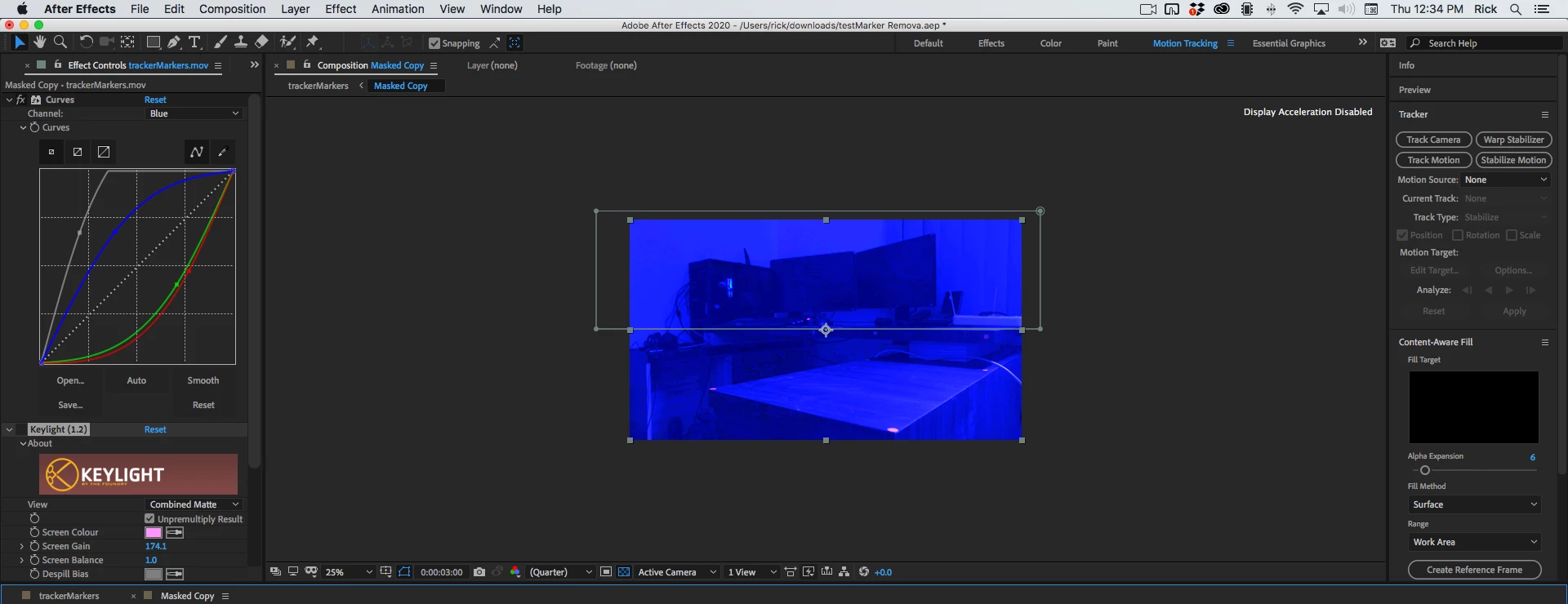
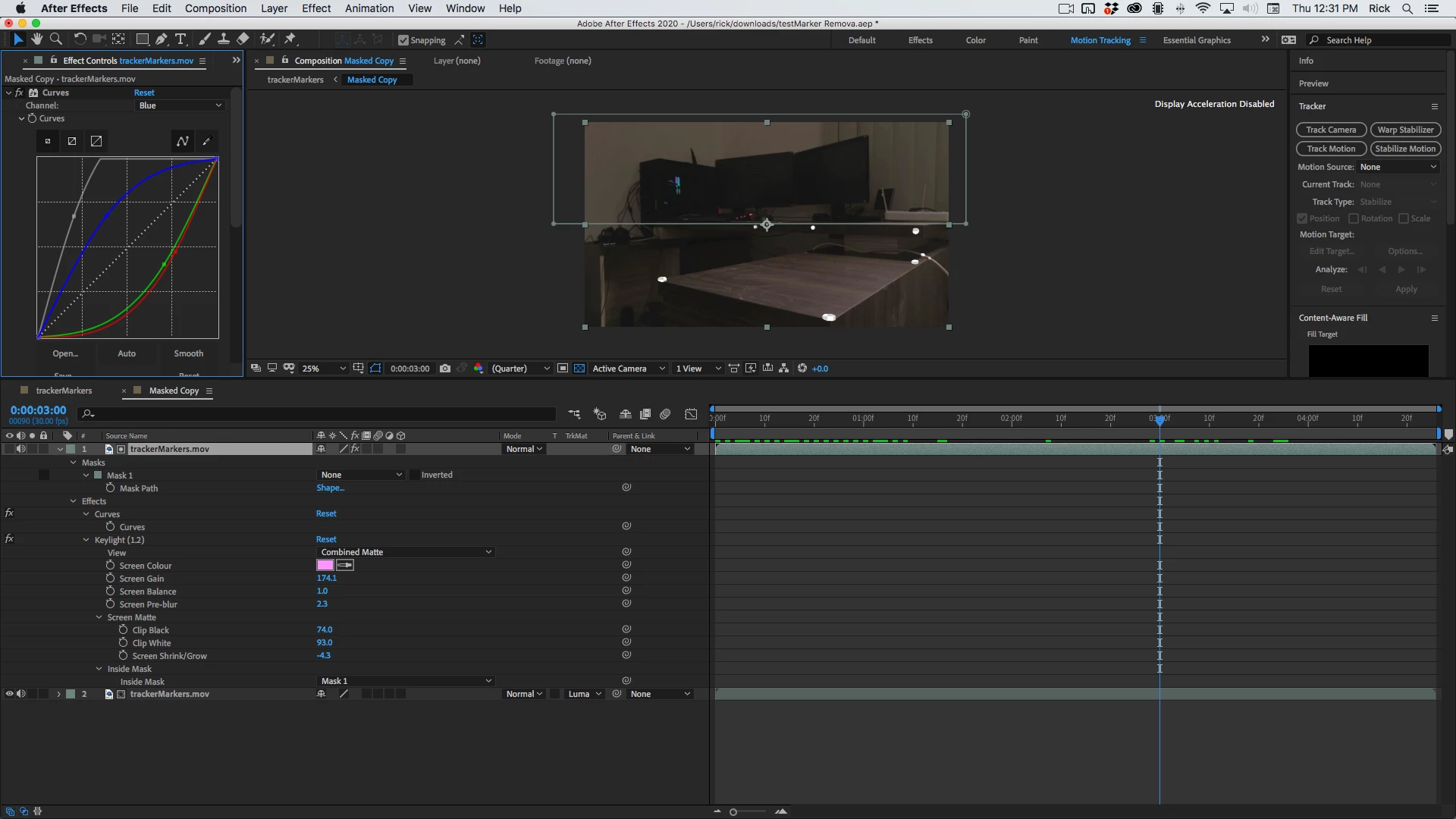
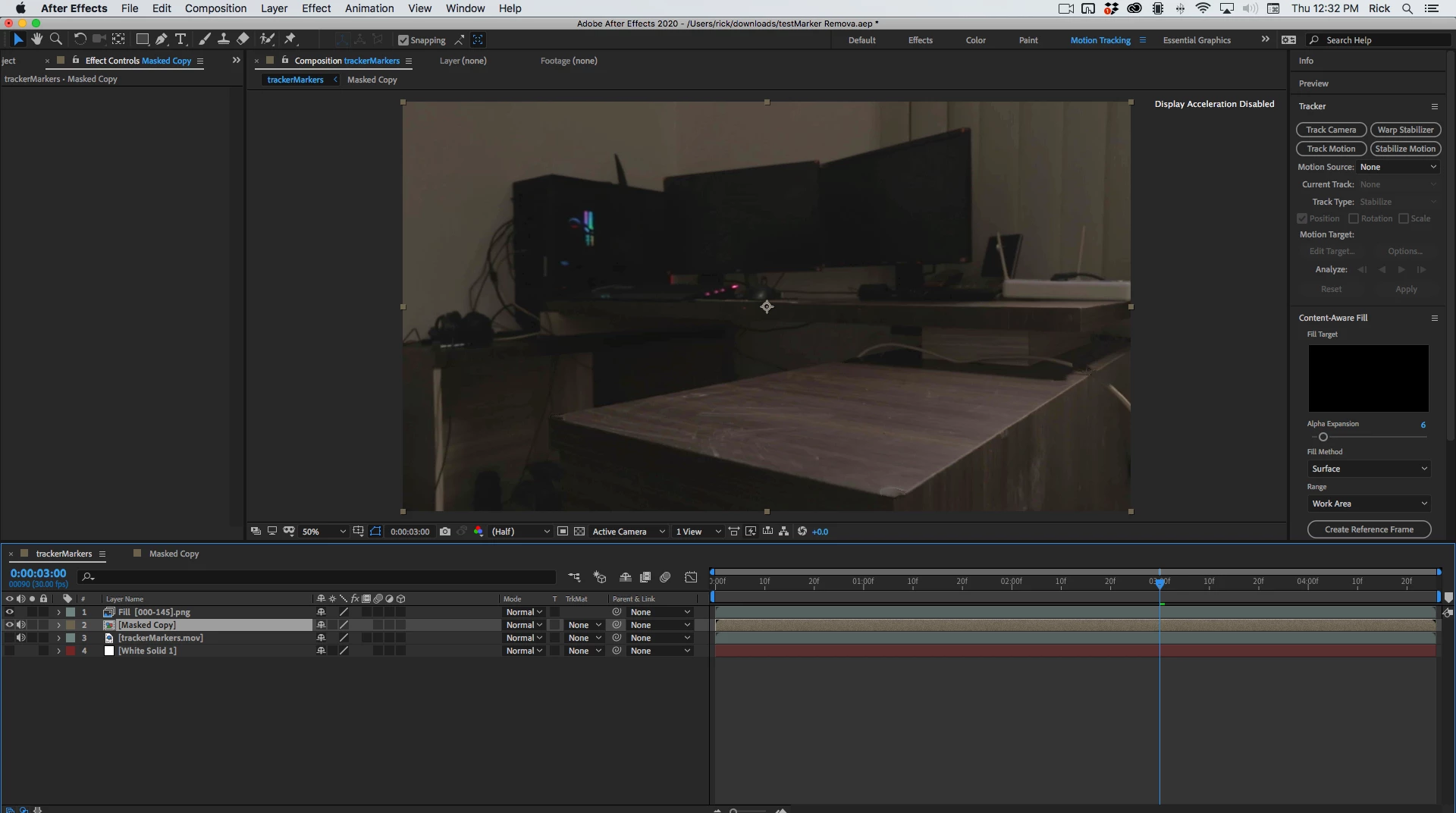
The other option would be to use Mocha AE to Corner Pin Track both surfaces that have tracking dots individually. then replace the surfaces with a copy of one of the frames that has been fixed in Photoshop.
I would probably go that route. If you can shoot this again, just remove the markers and properly expose the scene. The camera tracker should work just fine.
Already have an account? Login
Enter your E-mail address. We'll send you an e-mail with instructions to reset your password.
 AdChoices