

exhilaratorawawa
Participant
July 29, 2023
Beantwortet

How to automatically, seamlessly fill a landscape composition with vertical orientation pictures?

  • July 29, 2023
  • 1 Antwort
  • 838 Ansichten

My composition is landscape 1080p (1920x1080), but my pictures are vertical 1080p (1080x1920), I must keep my composition landscape. Problem is, these vertical orientation images fill only 1/2 to 1/5 of my composition (imagine a single vertical orientation picture centered out in a landscape orientation composition, the sides are black and I want the black sides to be filled seamlessly automatically with duplicates of the same picture, this would be repeated for all the other pictures). Maybe there is a plugin of some kind that can do that?

A single picture that seamlessly fills the black side of the composition parts would take about 100ms and there are about 200 of similar to vertical orientation pictures (all pictures vary in resolution), doing this by hand would be way too time-consuming as I need to make several of these videos. I would like to ask if there is a way to do this automatically?
Dieses Thema wurde für Antworten geschlossen.
Beste Antwort von ShiveringCactus

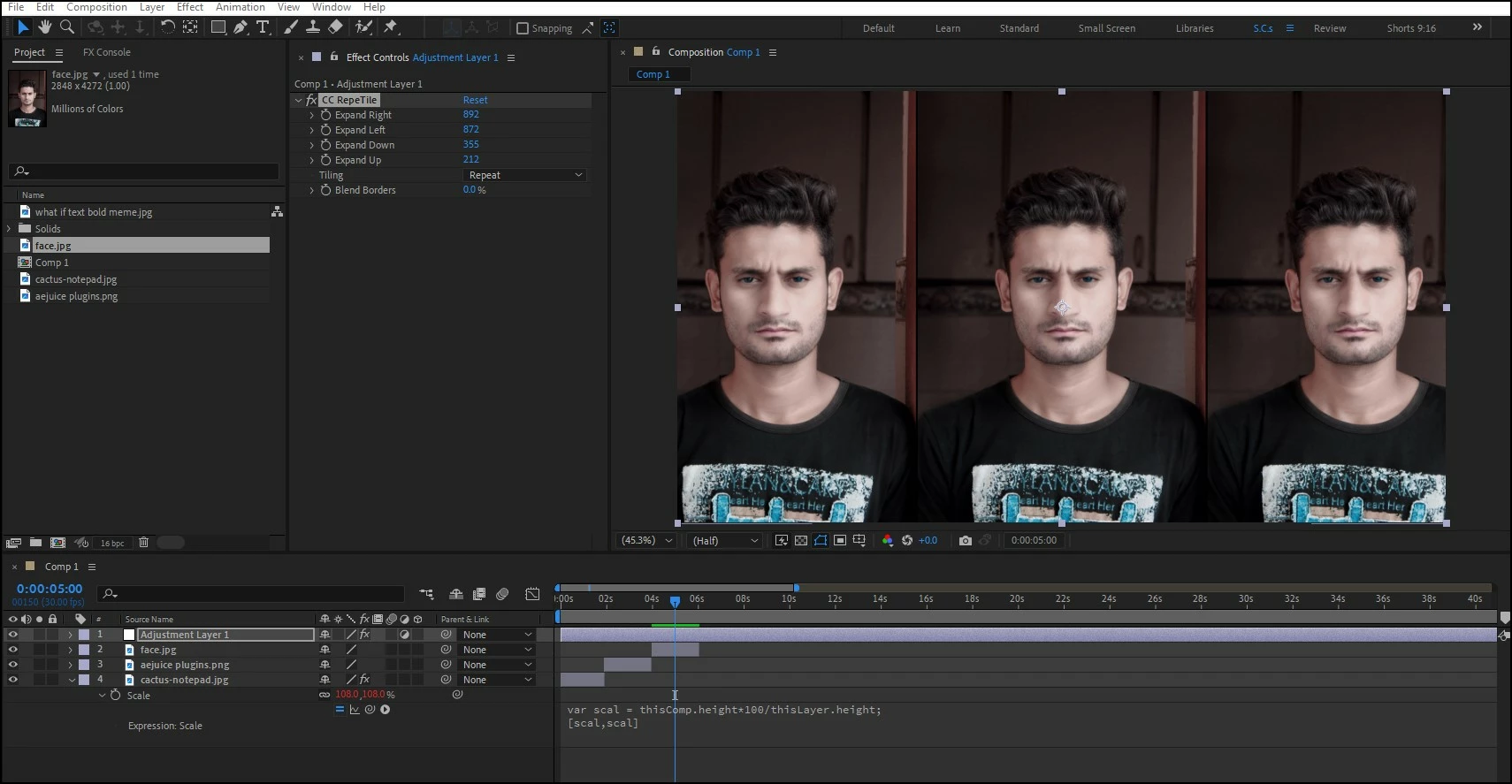
hmm, how about using the following expression on the scale property:

var scal = thisComp.height*100/thisLayer.height;
[scal,scal]

This will scale the layer so the layer's height matches the comp's height.  Then once all 200 images are placed,  you copy the scale expression to one layer, then copy the scale property, select all the layers and apply the effect to them in one go.

Then combine this with the adjustment layer and you're done.


1 Antwort

ShiveringCactus
Community Expert
Community Expert
July 31, 2023

Check out the effect CC Repetile.  Straight from Effects it won't do what you're after, but if you adjust the values, you could then save it as a preset and then apply that to each image you add.  You might even get away with doing it to an adjustment layer at the top of the comp, then you only need to apply it once.

exhilaratorawawa
Participant
August 3, 2023

sorry, I wasn't clear, the pictures vary in width/resolution, so neither of the 2 ideas are gonna work, unfortunately 😕😕 

Doing it on an adjustment layer at the top of the comp just CC Repetiles the black sides as well

ShiveringCactus
Community Expert
Community Expert
August 9, 2023

hmm, how about using the following expression on the scale property:

var scal = thisComp.height*100/thisLayer.height;
[scal,scal]

This will scale the layer so the layer's height matches the comp's height.  Then once all 200 images are placed,  you copy the scale expression to one layer, then copy the scale property, select all the layers and apply the effect to them in one go.

Then combine this with the adjustment layer and you're done.