Inspiring
February 4, 2024
Answered

how to bend this shape correctly without distortion

  • February 4, 2024
  • 1 reply
  • 613 views

Hi community.


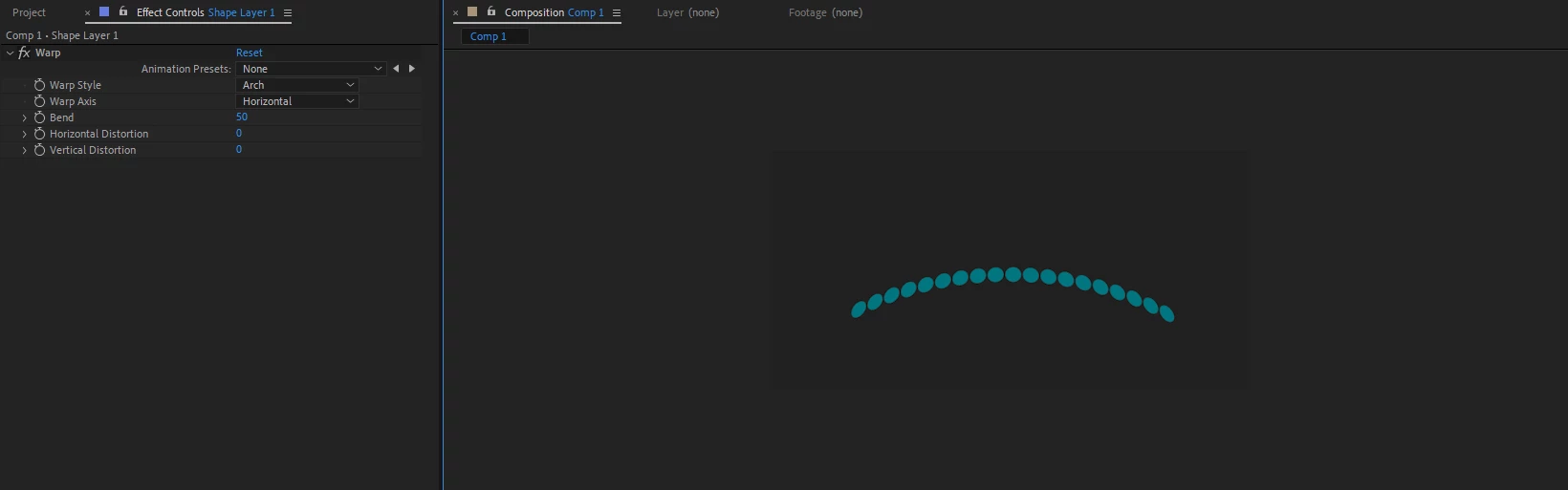
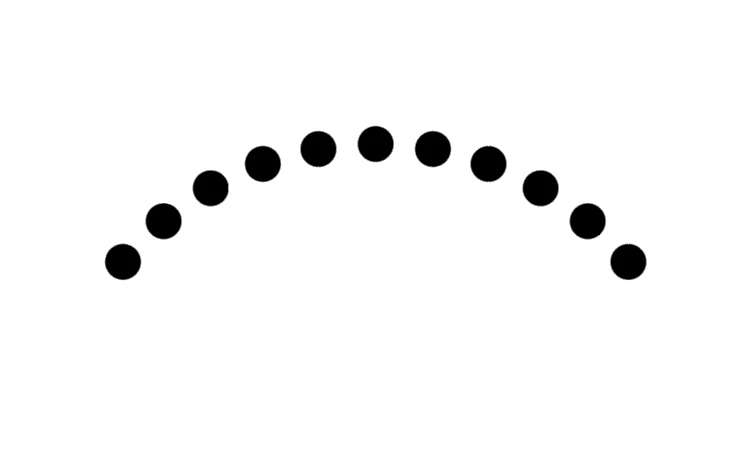
I have this circle shape which has a repeater, and I want to bend it to have a nice bow to it (like Illustrator example), but its distorting the circles when I add the wrap effects to it. The reason I have repeater is, to have the effect is shooting bullets going up and down from 1 circle to 10-20-30 bullets. 



This is done in illustrator, the circles are not distorted


thank you.


This topic has been closed for replies.
Correct answer Rick Gerard

I would use a stroked path instead of a repeater. Then add Round Caps, Dashes with a value of zero, and Gaps to set the distance between the dots. The Stroke Width controls the diameter of the dots. 


You can then add Trim Paths and animate those properties to get the dots to move along a curved path. Any distortion effect you apply to the layer is going to distort everything on the layer.


Here's a thread on the same kind of problem: Re: How to move 5 dots (that appear one after another.

1 reply

Rick GerardCommunity ExpertCorrect answer
Community Expert
February 4, 2024

I would use a stroked path instead of a repeater. Then add Round Caps, Dashes with a value of zero, and Gaps to set the distance between the dots. The Stroke Width controls the diameter of the dots. 


You can then add Trim Paths and animate those properties to get the dots to move along a curved path. Any distortion effect you apply to the layer is going to distort everything on the layer.


Here's a thread on the same kind of problem: Re: How to move 5 dots (that appear one after another.

Inspiring
February 4, 2024

Thank you Rick, much appreciated!