
Inspiring
April 6, 2023
Answered

How to center text in this template?

  • April 6, 2023
  • 2 replies
  • 685 views

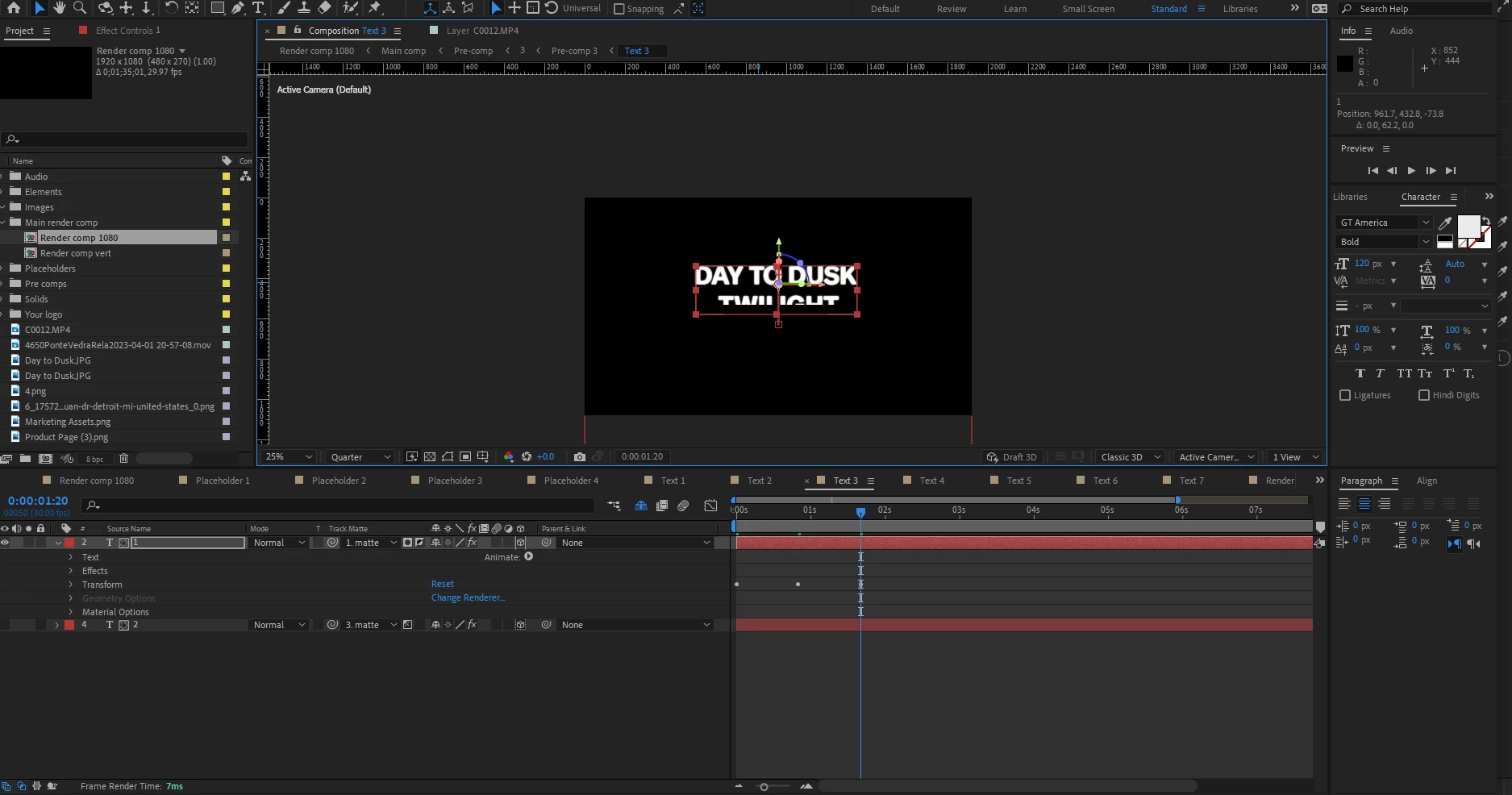
Hello and thank you in advance for your time. I am looking to center this text in an Ae template for a video I am editing. In the photo the word Twilight is behind some sort of mask, it keyframes up and out from behind this for the template, but I would like to move the whole thing down so it is in the center of the frame. I can move the text but I'm unsure of how to move what I think is a mask, to lover the text and the animation. Does anyone have any advice? Thank you.
 

This topic has been closed for replies.
Correct answer Rick Gerard

The simplest solution would be to pre-compose both layers and then adjust the position. You will have to reveal the shy layers before you do that. 


Another option would be to add a Null and parent both layers to the null, then move the null.


If I could see all the modified properties of all layers, I could give you a couple of other suggestions. Just turn off Hide Shy Layers, select all layers and press the U key twice and post another screenshot, and we can offer some other suggestions. 


2 replies

Rick GerardCommunity ExpertCorrect answer
Community Expert
April 6, 2023

The simplest solution would be to pre-compose both layers and then adjust the position. You will have to reveal the shy layers before you do that. 


Another option would be to add a Null and parent both layers to the null, then move the null.


If I could see all the modified properties of all layers, I could give you a couple of other suggestions. Just turn off Hide Shy Layers, select all layers and press the U key twice and post another screenshot, and we can offer some other suggestions. 


Luke HydeAuthor
Inspiring
April 7, 2023

I ended up precomposing and that worked perfectly, the project is to be delivered tomorrow so your adviced helped a ton! I am still curious what other suggestions you have if you are willing to answer, here is the screenshot. Thank you so much!


Mylenium
Legend
April 6, 2023

Start by toggling off the shy guy icon to reveal all other layers. And the layers use mattes as indicated by the additional icons. You may want to read the online help on soem basics.


Track Mattes and Traveling Mattes


Mylenium

Luke HydeAuthor
Inspiring
April 7, 2023

Thank you! This helped, I wasn't aware of tracking mattes and traveling mattes.