

Mugen777
Inspiring
February 5, 2020
Question

How to change resizing order of elements on UI?

  • February 5, 2020
  • 1 reply
  • 709 views

Hey, i am trying to create a UI for my script and i am having some problems while resizing it. 
 

As you can see, instead of resizing panel it hides buttons. 


I am using preferredSize object for the tree, and looks like this is the reason, but isn't there a way to bypass that while keeping preferredSize?



A similar problem, instead of making Refresh Button smaller, it hides the next button. Is it possible to prioritize the Refresh button instead of hiding the other?

Thank you:)

This topic has been closed for replies.

1 reply

Mylenium
Legend
February 5, 2020

You cannot control the drawing priority of UI elements. That's why it's best to use a fixed size and/ or use dockable panels with auto-layout. You can of course also write your own code to show/ hide custom image based buttons depending on specific sizes if you feel adventurous.


Mylenium

Mugen777
Mugen777Author
Inspiring
February 5, 2020

>dockable panels with auto-layout


Is that what you mean? 


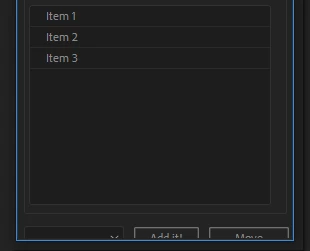
This image from another script by the way (rd_scriptlauncher) , i look its code to learn. I created my UI with the same method, and while his script does what i want (image below) mine doesn't. I tried to dig in to see the difference but couldn't understand what is the reason. 


This is my code by the way;


res = "group{orientation: 'column', alignment: ['fill','fill'],alignChildren:['fill','fill'],\
      \
   tabGroup: Panel{type: 'tabbedpanel', alignment: ['fill','fill'] ,\
       mainTab: Panel{type: 'tab', text: 'My Folder', alignChildren:['fill','fill'],\
           tTree: TreeView{properties: {items:['Item 1','Item 2','Item 3']}},\
},\

.
.
.

}";
        
        myPanel.grp =   myPanel.add(res)
        
        myPanel.grp.tabGroup.mainTab.tTree.preferredSize.height = 150;
        myPanel.grp.tabGroup.preferredSize.width = 100;

//
         myPanel.layout.layout(true);
         myPanel.grp.minimumSize= myPanel.grp.size;
         
//
         myPanel.layout.resize();
         myPanel.onResizing= myPanel.onResize= function(){this.layout.resize()}