
Question
How to change the size of a layer on a composition
I'm new to AE, but not to AI. I'm currently saving assets from Illustrator and pulling them into AE.
I have set the artboard of the composition. When I drop an asset onto the composition and want to animate it (Eg make a branch bend from left to right) the shape seems to be stuck in a masked area so it will bend out of shot. I have tried to edit the size but it will take me to the composition artboard to size and not the layer I want to size.
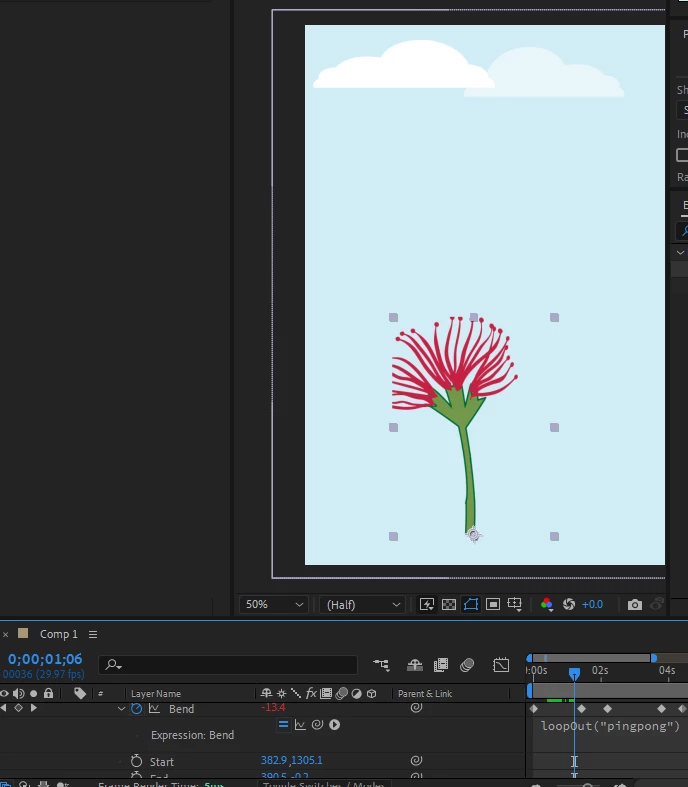
I can click into the layer, see the size of the artboard but I can't increase that layer size.
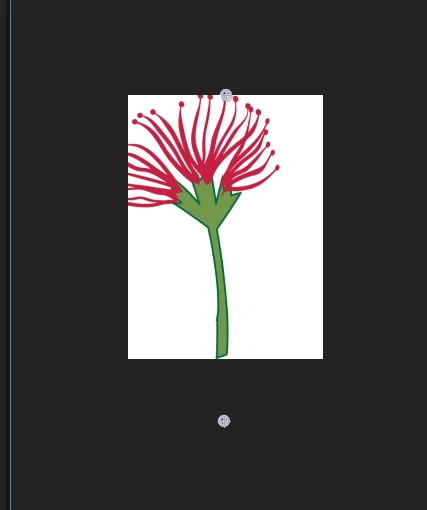
How can I increase the size of the layer artboard so that when I animate the shape, it doesn't get cut by what looks like a mask?
 AdChoices