
Koji7
Participant
November 24, 2017
Answered

How to change timeline to seconds

  • November 24, 2017
  • 1 reply
  • 8148 views

Hi,

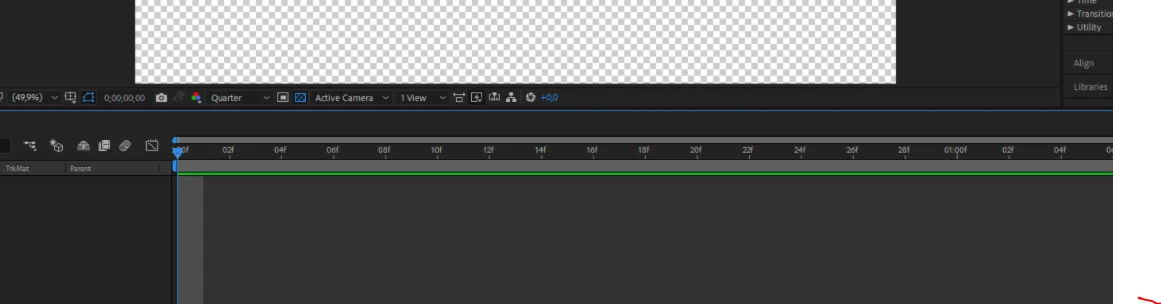
I'm just starting into After effects, while trying a few tutorials I have noticed my timeline goes 00001,00002,00003 etc, whereas the tutorials I am following timelines go 1s,2s,3s etc. How do I change mine? I know its probably a simple process but iv tried everything.
    This topic has been closed for replies.
    Correct answer Roei Tzoref

    you are zoomed all the way in, that's why you are seeing frames. set a longer duration for your composition and zoom out (+ - keys) and you will see seconds too.

    1 reply

    Roei Tzoref
    Legend
    November 24, 2017

    Ctrl+Click on the current time display

    Koji7
    Koji7Author
    Participant
    November 24, 2017

    I've tried this and as I said it's changing my timeline from frames to 00001,00002,00003...