
Answered
How to create 3D text without fill?
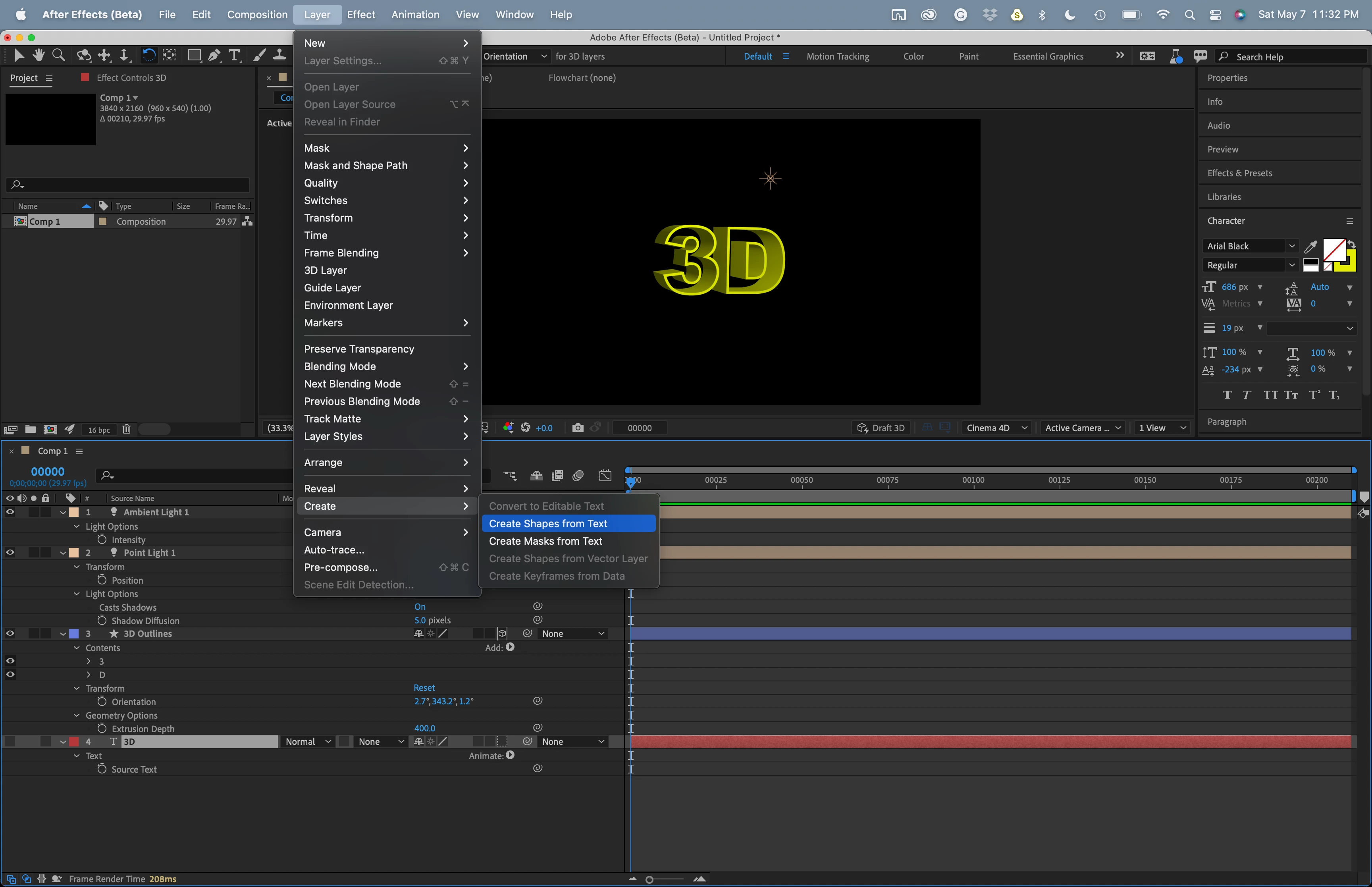
Can anyone tell me how to create 3D text without a fill?
I created text then hit the no-fill option, this works perfect.
But now I want to give it some depth then rotate it slightly in X, Y, and Z.
Once I hit the 3D Layer option to do my rotate and give it depth, the text fills it's self. I don't want filled text.
I have tied adding "Stroke" but this has no effect.
I have tried playing with "Vegas" but still is filled.
Is there a botton I can push to keep my No-fill choice and not have the program undo selections I have made?
 AdChoices