
How to disable the blurriness in ae when scrubbing a mask point?
Hello there,
I have come across a simple issue: even though I have my preview settings on "full", whenever I move a mask point around my composition the whole composition becomes pixelated and "blurry". Here's an example:
A 
B 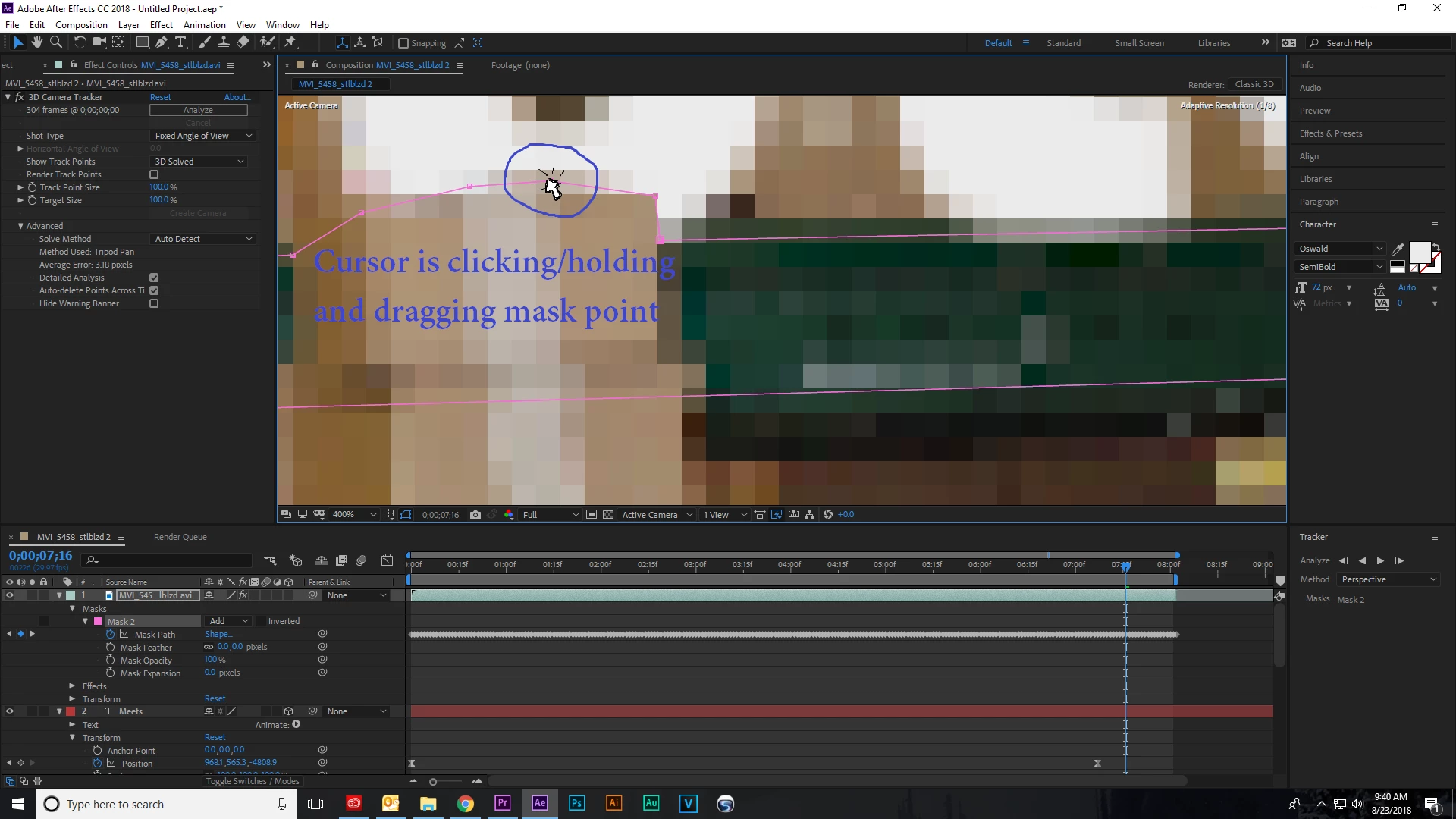
As you can see from the samples above, in the example "a" I am not clicking or dragging any of the mask (which is made up of pink points and lines) and in the example "b" I am now dragging one of the points with my cursor. Do to the dragging of one of the points, it is easily made out between the two examples that the composition becomes extremely pixelated. One thing to take into account is that the "Resolution/Down Sample Factor Popup" is set on "Full"; therefore, there shouldn't be any pixelation, or should there?
Please let me know if you know how to resolve this issue. Thank you
 AdChoices