
Answered
How to draw square brackets perfectly?
I am trying to make a shape in "[ ]" or:

I have tried the Trim path, Dash, Offset. But I feel it is not accurate.
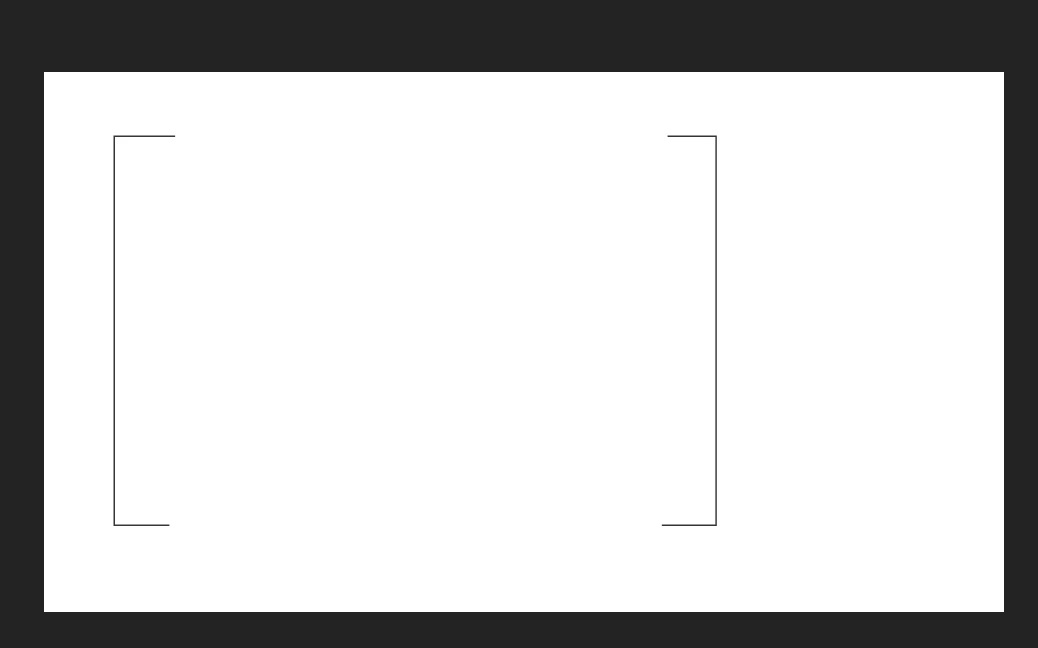
Anybody know how to draw them in AE very precise?
Thanks.

I am trying to make a shape in "[ ]" or:
I have tried the Trim path, Dash, Offset. But I feel it is not accurate.
Anybody know how to draw them in AE very precise?
Thanks.
I would start by creating a shape layer with the rectangle tool. Then I would position the rectangle in the center of the comp by pressing the U key twice and zeroing out the Transform Rectangle 1 position property. Then Right click on Rectangle 1 Path and select Convert to Bezier Path. Now change to the pen tool and select two of the points on the path by holding down the Ctrl/Cmnd key and dragging a selection around the left or right side of your rectangle. Now right click on the path you selected and choose Mask and Shape Path and click on Closed to open the path.

You now have a perfect square bracket centered on a layer that you can duplicate, rotate the copy 180º and then tie Transform Rectangle Anchor points together with an expression so you can precisely adjust the spacing between the brackets. You can then use layer position to move these brackets anywhere you like in the comp, easily animate the spacing and do whatever you want with them.
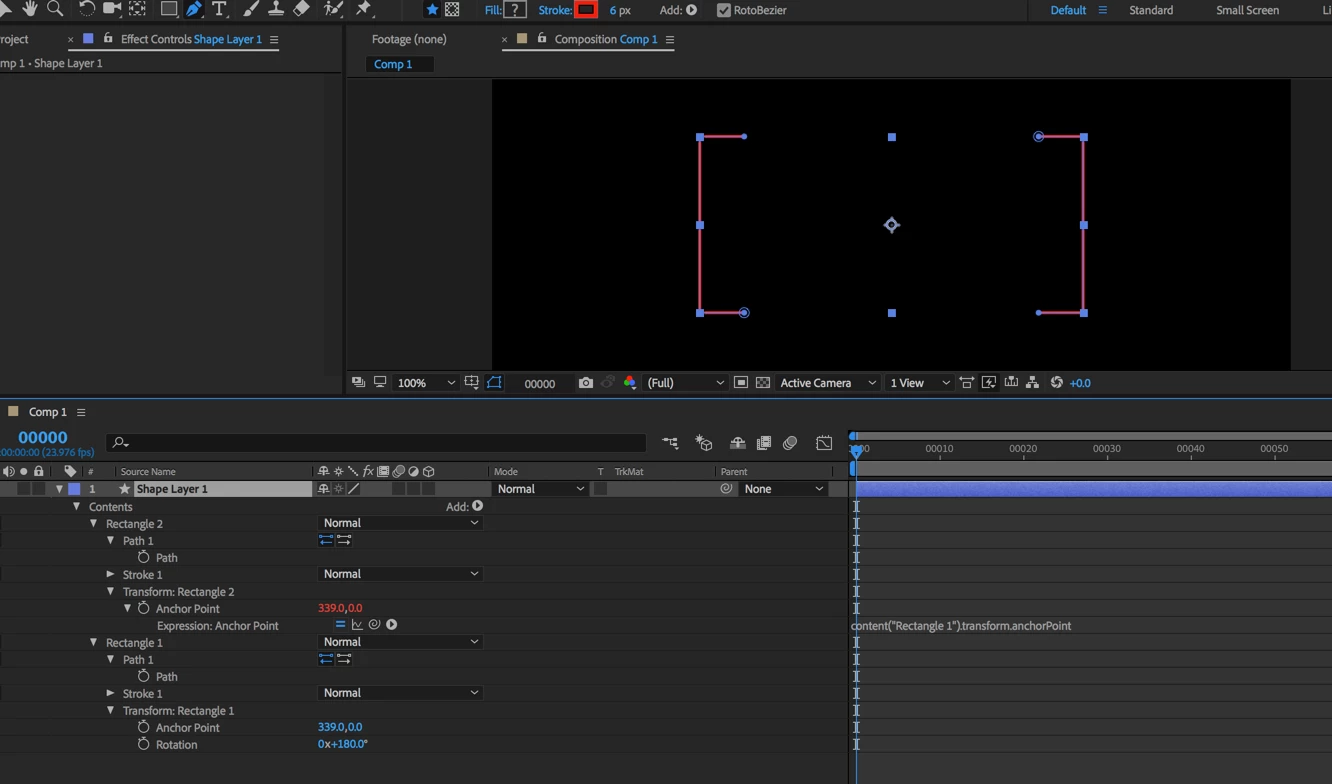
The screenshot shows you everything you need to know to duplicate these perfect brackets.
Already have an account? Login
Enter your E-mail address. We'll send you an e-mail with instructions to reset your password.
 AdChoices