
Inspiring
February 15, 2023
Answered

How to feather or smooth the edges of a Track Matt

  • February 15, 2023
  • 2 replies
  • 6547 views

Good evening community


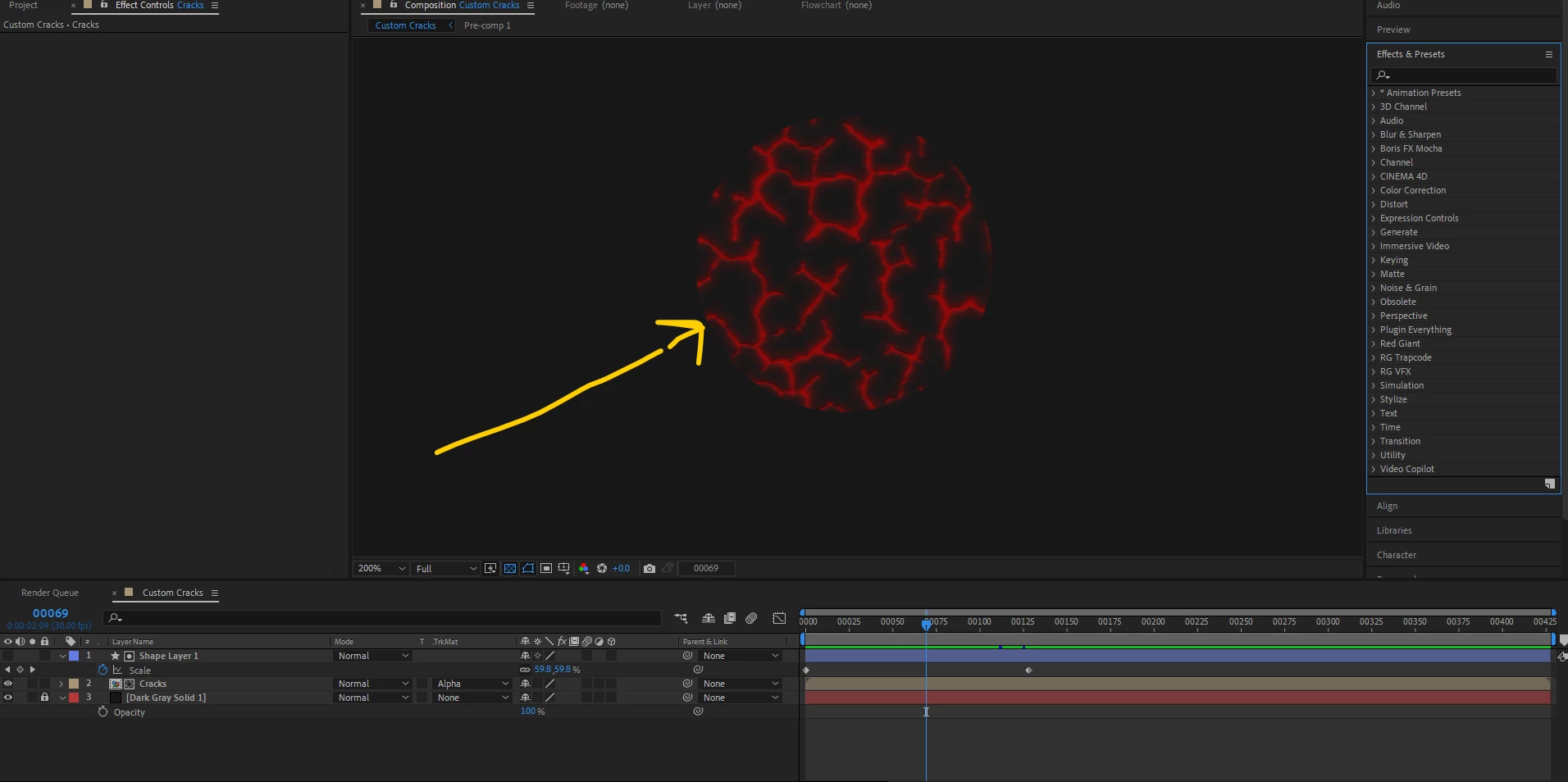
I have track mat an image below with cracks, so the track Mat circle goes from 0 to 100, the larger it gets the more it reveals the object (cracks) below it. The problem I'm facing is the hard edges of the track mat. How can I get the edge to appear smoother as it reveals the object below it?


Thank you. 


This topic has been closed for replies.
Correct answer Rick Gerard

Apply Effects/Matte/Refine Hard Matte to the shape layer you use as the track matte. You can add more copies or try the other Matte tools to grow the matte. You can also add Channel Blur and blur the Alpha to soften the pattern.


I'm not sure what effect you have added to Shape Layer 1 to generate the pattern, but it should work if you put the matte tools below the effect generating the pattern.

2 replies

Mylenium
Legend
February 15, 2023

Wenn's nur ein Kreis sein soll, tut's auch der gute alte Circle Effekt. Der hat eingebautes Feathering.


Mylenium

Rick GerardCommunity ExpertCorrect answer
Community Expert
February 15, 2023

Apply Effects/Matte/Refine Hard Matte to the shape layer you use as the track matte. You can add more copies or try the other Matte tools to grow the matte. You can also add Channel Blur and blur the Alpha to soften the pattern.


I'm not sure what effect you have added to Shape Layer 1 to generate the pattern, but it should work if you put the matte tools below the effect generating the pattern.