Exit
  • Global community
    • Language:
      • Deutsch
      • English
      • Español
      • Français
      • Português
  • 日本語コミュニティ
  • 한국 커뮤니티
0

how to fix pixelated blur

New Here ,
Oct 10, 2025 Oct 10, 2025

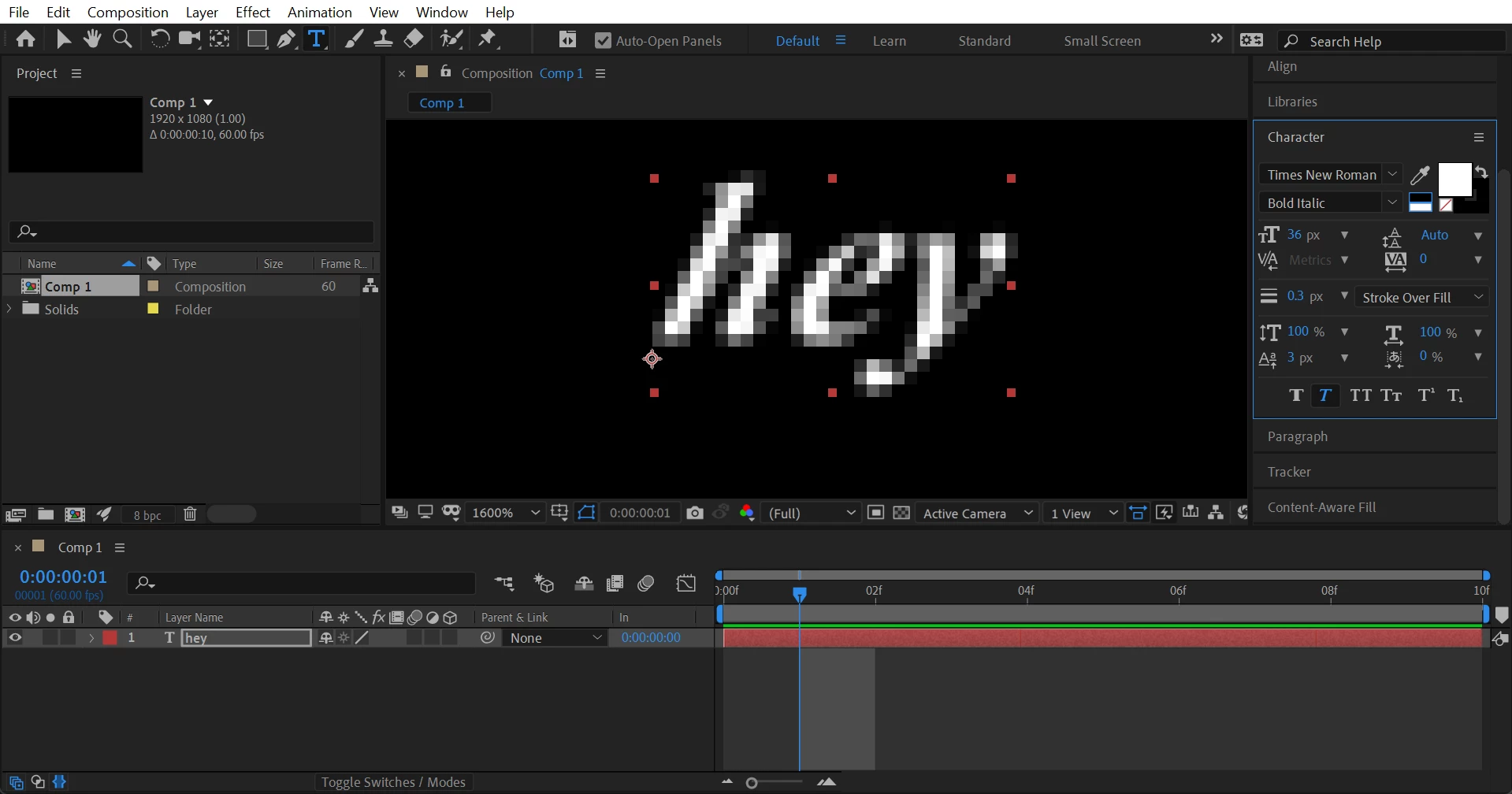
hkczljkScreenshot 2025-10-10 042734.pngI am completely new to After Effects, and I tried to create a text, andit'ss pixelated. How ow to fix? Does anyone know how to fix? Ihis i have set the composition to full, and if you see continuous rasterize option is gray, which cannot be clicked  

72
Translate
Report
Community guidelines
Be kind and respectful, give credit to the original source of content, and search for duplicates before posting. Learn more
community guidelines

correct answers 1 Correct answer

Adobe Employee , Oct 10, 2025 Oct 10, 2025

Thanks for reaching out, Shahbaz.


What you're seeing is expected because you zoomed in 1600%. Set the zoom level to 100% to view it at its original resolution. You can scale the text and shape layers as much as you like, but zooming in will result in pixelation.

Hope it helps. Let me know if there are any other questions. Moving this thread from Bugs to Discussions for troubleshooting.


Thanks,
Nishu

Translate
Adobe Employee ,
Oct 10, 2025 Oct 10, 2025
LATEST

Thanks for reaching out, Shahbaz.


What you're seeing is expected because you zoomed in 1600%. Set the zoom level to 100% to view it at its original resolution. You can scale the text and shape layers as much as you like, but zooming in will result in pixelation.

Hope it helps. Let me know if there are any other questions. Moving this thread from Bugs to Discussions for troubleshooting.


Thanks,
Nishu

Translate
Report
Community guidelines
Be kind and respectful, give credit to the original source of content, and search for duplicates before posting. Learn more
community guidelines