

francisyoonn
Participant
June 23, 2022
Question

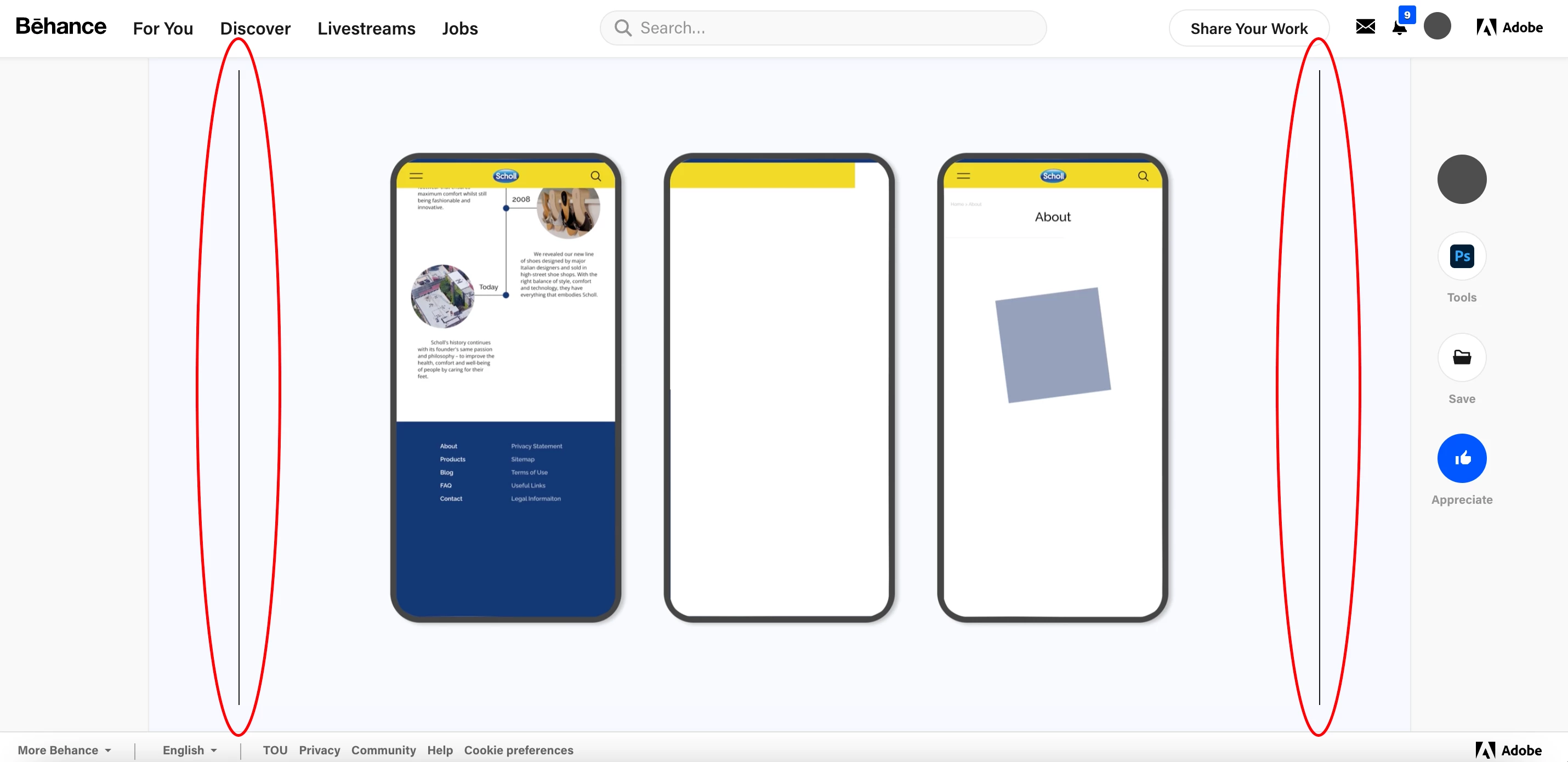
How to get rid of black Lines on sides on the video

  • June 23, 2022
  • 1 reply
  • 4339 views
Hi everyone,
I'm trying to upload my finished video using after effect on Behance.
 
I wanted to upload it as a GIF but the size is too big and I couldn't upload it as a result (the outcome of downsizing of my GIF file through both photoshop and website was not smooth).
 
So I decided to put it as a normal H.264 in Behance. However, as you can see in the photo that I attached, there are black lines on the side. I adjusted the size few times and the bottom thin line has disappeared but the ones on the sides do not seem to disappear. The pixel size of the uploaded image is 2720 x 1555 px. If I encode it as GIF with the same size black lines are not appearing. I also tried encoding from Vimeo but somehow whenever I encode the video becomes too small with bad quality.
 
I prefer to upload it as GIF but would be happy to upload it as H.264. I have been struggling with this problem for more than a month and still couldn't find the solution. If anyone could help me out I would really appreciate it!


1 reply

Roland Kahlenberg
Legend
June 23, 2022

H264 encoding requires even-numbered pixels on both the width and height. The black lines you see are the encoder creating the black lines to ensure your file can be encoded into H264. To prevent the insertion of black lines, increase the height of your comp by 1 pixel, to end up with the following Comp Resolution - 
 2720 x 1554
HTH


Very Advanced After Effects Training | Adaptive & Responsive Toolkits | Intelligent Design Assets (IDAs) | MoGraph Design System DEV
francisyoonn
Participant
June 24, 2022

Hi Roland,


Just tried encoding it with 2720 x 1554 px and uploaded it in Behance to see if it works. But it still has black lines on sides as well as one the bottom..


Thanks for the reply though!


Roland Kahlenberg
Legend
June 24, 2022

Try values that are perfectly divisible by 4 - something to do with RLE (run length encoding) and this will hopefully fix it. Since, you're not working with standard video pixel dimensions, you may have to adjust the values until you find a sweet spot when the H264 encoder doesn't add/pad pixels to make its encoding work. And different encoders may have their own solutions to this issue; such the issue may not even crop up (pun unintended) by fixing the awkward pixel dimensions internally and also checking internally, for no borders prior to spitting out the H264 video.

Very Advanced After Effects Training | Adaptive & Responsive Toolkits | Intelligent Design Assets (IDAs) | MoGraph Design System DEV