
Known Participant
February 1, 2017
Answered

How to hide guide layers during preview

  • February 1, 2017
  • 1 reply
  • 6251 views

Hi there,

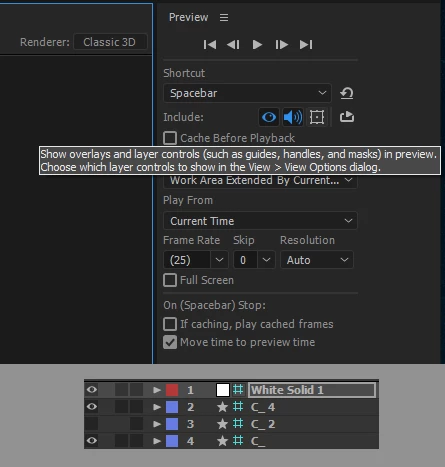
I would like that during previews the guide layers hide but they don't (null layers do hide).

I have the corresponding icon unchecked in the preview settings. Am I doing something wrong or is that a bug?

Thanks for your help
This topic has been closed for replies.
Correct answer Rick Gerard

You are confusing guides, the thin lines you drag out from a ruler, with guide layers. If you don't want to see a guide layer during a preview then you have to turn it off. The other option is to nest your comp with guide layers in a new comp. They will then disappear.

1 reply

Rick GerardCommunity ExpertCorrect answer
Community Expert
February 1, 2017

You are confusing guides, the thin lines you drag out from a ruler, with guide layers. If you don't want to see a guide layer during a preview then you have to turn it off. The other option is to nest your comp with guide layers in a new comp. They will then disappear.

gobgobgobAuthor
Known Participant
February 1, 2017

Oh ok, my bad. Thanks for your help!

Nesting the comp is a nice trick.

I wish there was an option in the view option panel to hide the grid layers, I made a feature request.