
Participant
January 6, 2021
Answered

How to keep a mask fixed while the layer moves

  • January 6, 2021
  • 2 replies
  • 2708 views

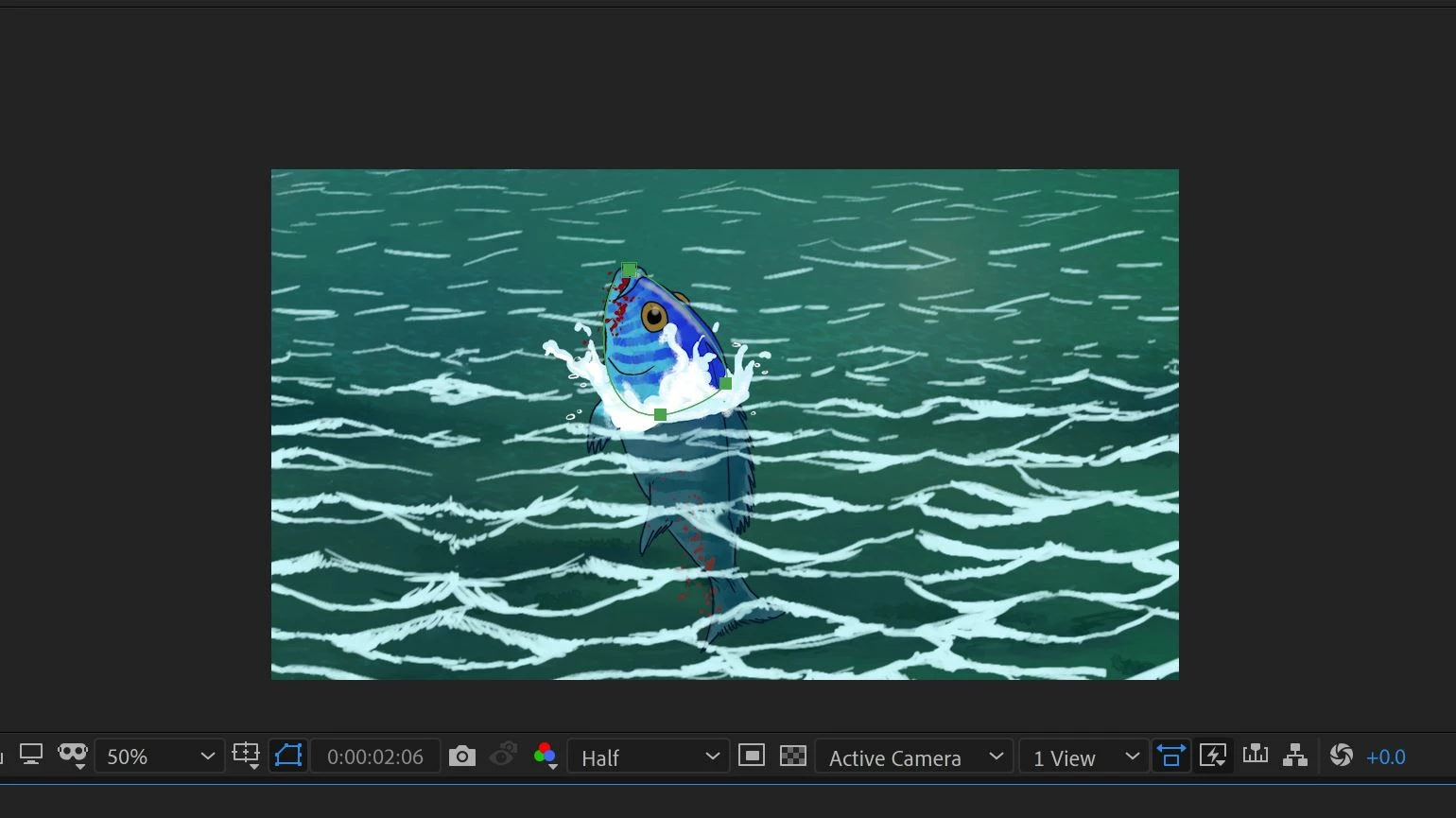
Hi everyone, is there a way to create a fixed mask on a moving layer?  I have created a scene where a fish breaks through the surface of water, so the mask is constantly changing to allow for the movement of the fish, while the layers of waves (front and back) move?
This topic has been closed for replies.
Correct answer Ro Hackett

See i think the mask moves with whatever layer it is sitting in ... like a container

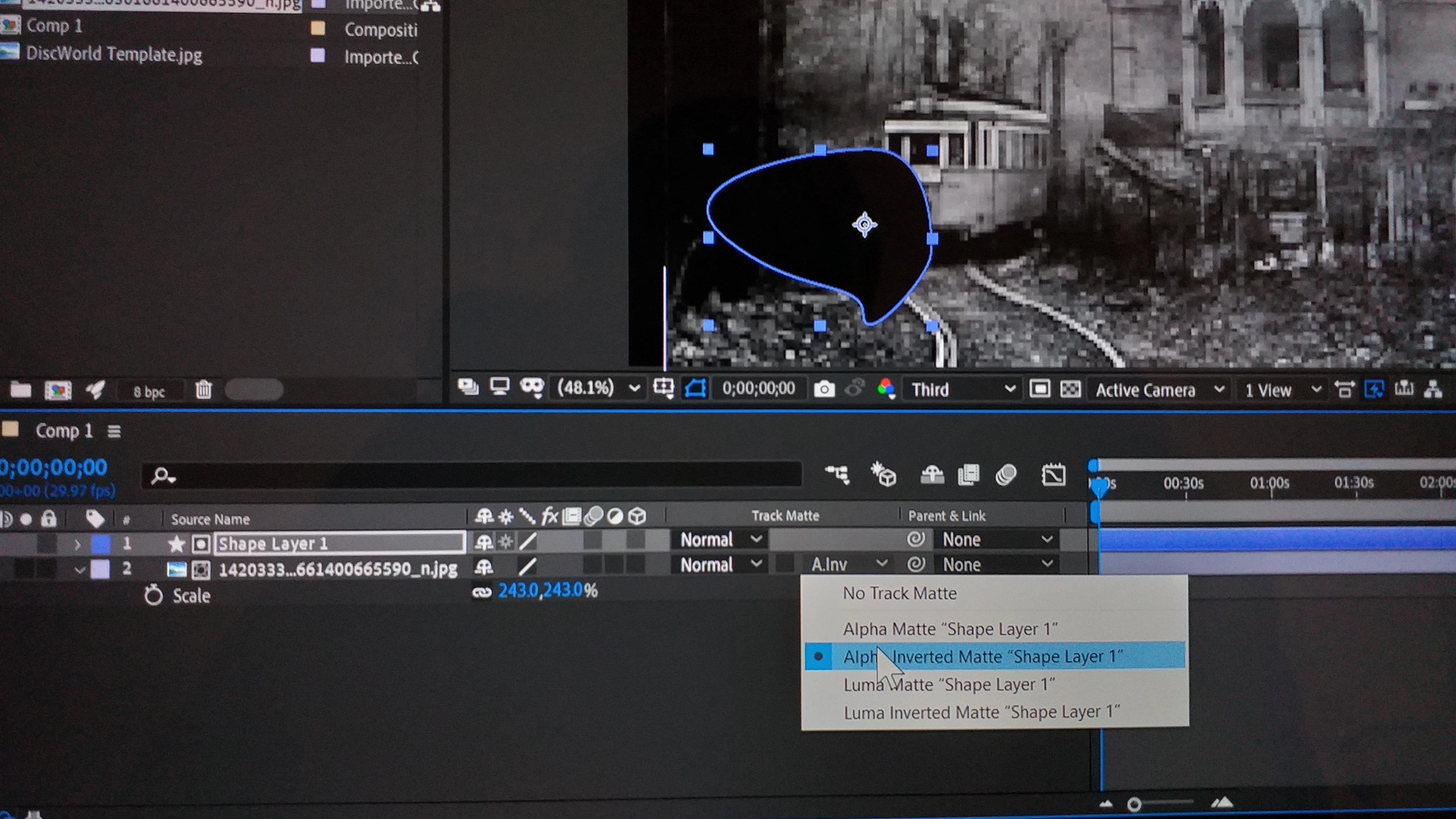
Maybe try make that same shape on a new shape layer above your image (must be the layer above the image you are masking) and in the track matte menu of the image layer set it to Alpha Inverted Matte Shape Layer 1 (your mask shape) ... a matte is another type of mask...


So now you'll have your mask seperate 🤔 🤔


2 replies

OussK
Community Expert
Community Expert
January 7, 2021

As Ro Hackett says you need to use the Alpha Matte to do this, try to spend a few minutes understand the Mattes in AE, check this tutorial https://www.youtube.com/watch?v=Y6w7qk_zC7Q 

samrealAuthor
Participant
January 7, 2021

Thank you for your help!  I've managed to get it working 🙂

Ro Hackett
Ro HackettCorrect answer
Inspiring
January 7, 2021

See i think the mask moves with whatever layer it is sitting in ... like a container

Maybe try make that same shape on a new shape layer above your image (must be the layer above the image you are masking) and in the track matte menu of the image layer set it to Alpha Inverted Matte Shape Layer 1 (your mask shape) ... a matte is another type of mask...


So now you'll have your mask seperate 🤔 🤔