

Stormadv
Inspiring
September 3, 2021
Question

How to link shape or comp to a line or path?

  • September 3, 2021
  • 2 replies
  • 764 views

Hello everyone, I need to connect shapes to a line or path, so that if I move the same, all the connected shapes move together (see attached image) is it possible to do this? I await some advice, thanks,.

Attention: I'm not asking how to move a shape on a path, but how to 'connect' shapes to a path or line.

In the image you can see at the beginning the elements (different shapes and line), finally the result I would like to obtain, the arrangement of the shapes along the line, and when I move the points of the same the shapes connected to it must move.
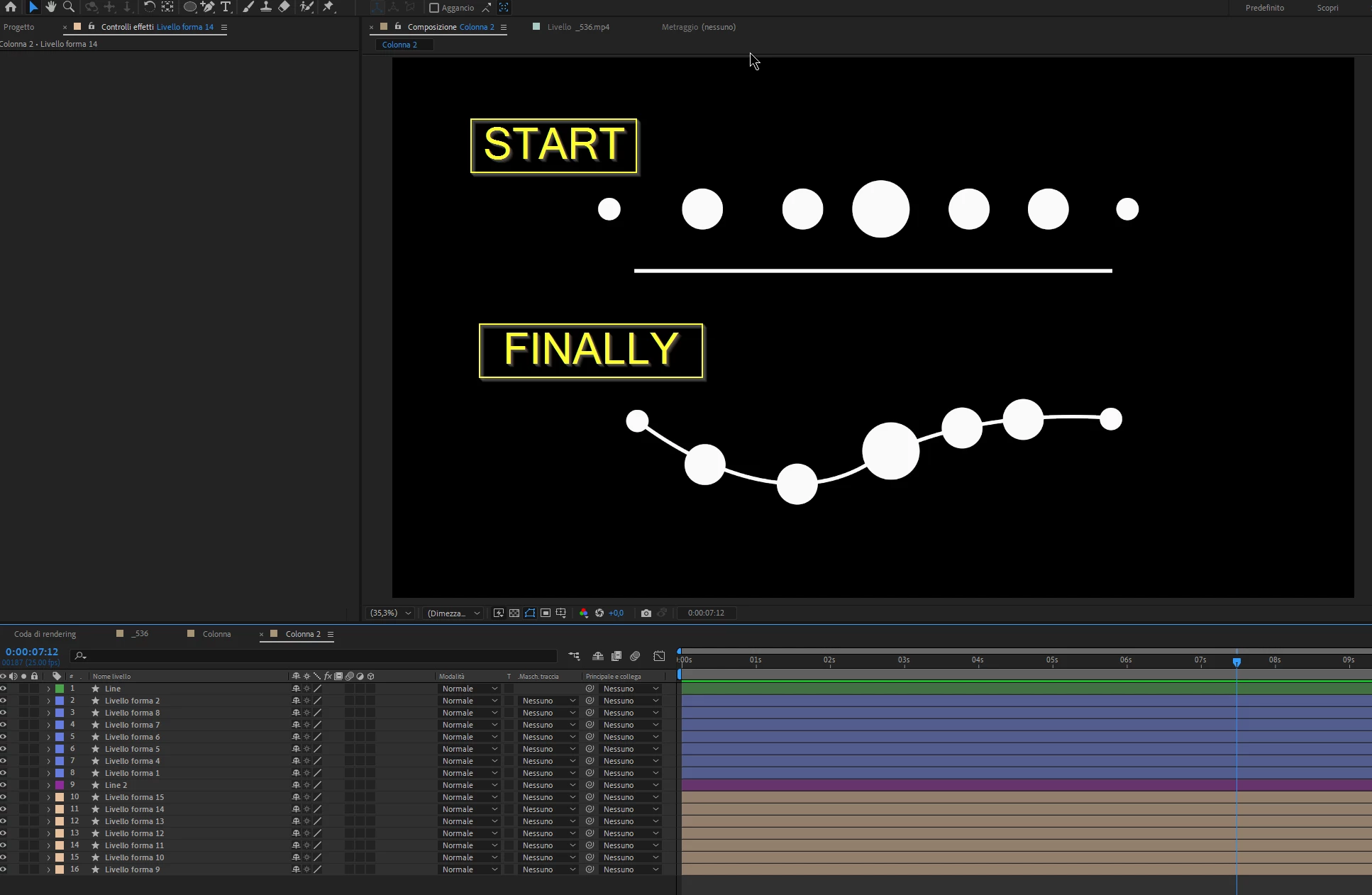
 

This topic has been closed for replies.

2 replies

Mathias Moehl
Community Expert
Community Expert
September 4, 2021

What @Jose Panadero explained is a good solution if you want to animate the shape and the circles should follow.


If you want to animate the circle layers and the shape should follow, you can also do this with Null's From Path, but it has the disadvantage that it can only connect the circle positions with straight lines, whereas your example looks curved.

My (paid) extension iExpressions contains the Connect Multiple Layers iExpression, which can also create a curved path that follows the positions of your circle layers.
Here I just have some null layers and the shape follows them, when I move the nulls:

See this tutorial:

Mathias Möhl - Developer of tools like BeatEdit and Automation Blocks for Premiere Pro and After Effects
Stormadv
StormadvAuthor
Inspiring
September 6, 2021

Thanks for reply, this is a great solution!

Jose Panadero
Community Expert
Community Expert
September 3, 2021

You have a tool under Window Menu called Create Nulls From Paths. If you have 7 circles, you must create 7 points over your path to allow the script create a null for every path's point.


If you select your original path, you can create nulls that follow the path with the Nulls Follow Paths button and this way you can link your circle's position to the null's position (using expressions). As soon as you animate the path, the nulls will be updated with the current position of your path's points.